How do I use the Futuristic Point Cloud Portrait template?
Edit the prompt in the box under the preview — the template's model and format are already selected — and press Generate. Your version appears right on this page.
A complex cyberpunk prompt that reconstructs a subject as a high-density 3D holographic point cloud scan.

This template uses your photo — add one with the + button.
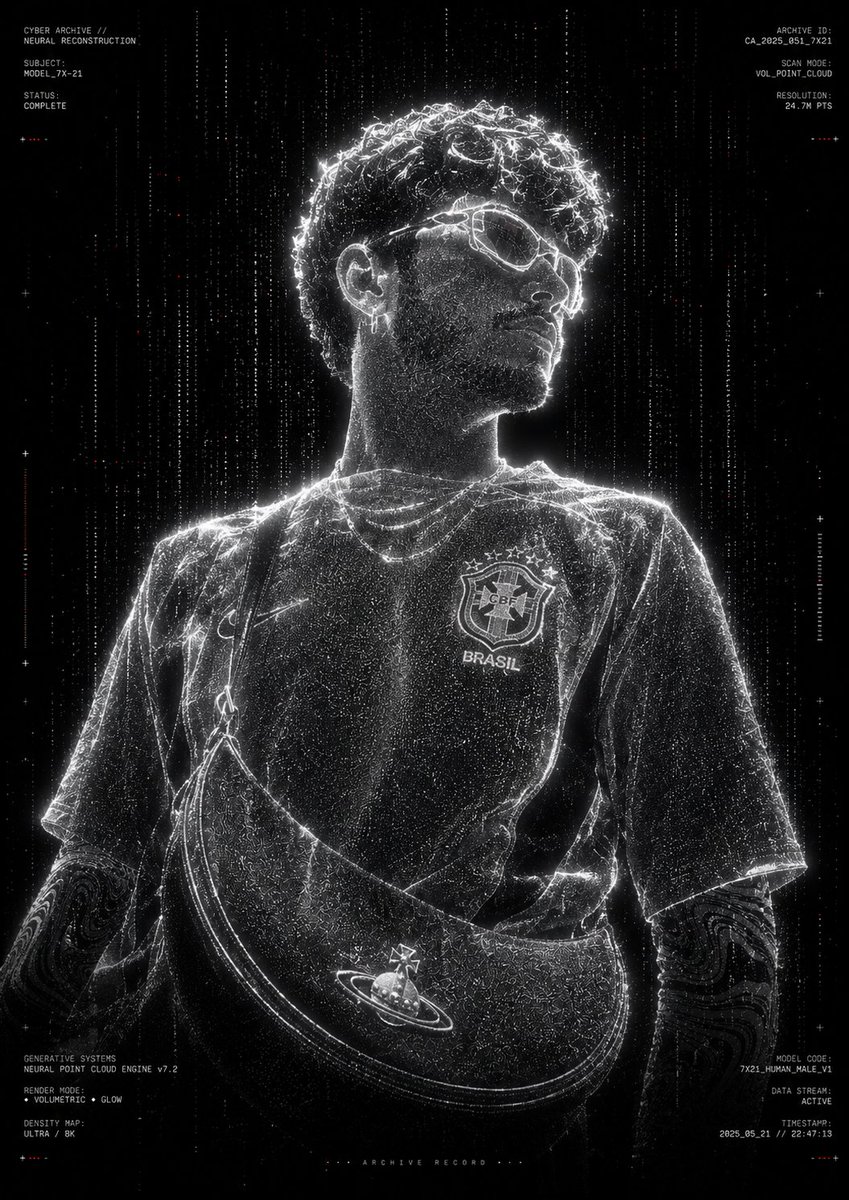
Transform the provided reference image into a high-quality, futuristic point cloud portrait. Preserve the exact pose, body proportions, clothing silhouette, facial structure, hairstyle, and overall composition of the reference image. Completely reconstruct the subject using millions of bright white volumetric particles, data points, voxels, and digital dust, creating a high-density holographic scan effect. The subject is centered in a black void, surrounded by subtle floating particles and scattered red digital noise. Generate a realistic 3D point cloud body structure with particle trails, depth mapping, scanline artifacts, and volumetric light scattering. Monochromatic black and white color palette, extreme contrast, cinematic darkness, cyberpunk archive aesthetic, futuristic AI scanning system, digital twin visualization, neural network reconstruction, holographic particle rendering, volumetric point cloud simulation, generative systems art, ultra-detailed particle density, bright edge contours, subtle glow, depth fog, data flow particles falling vertically around the subject. Add minimalist technical typography around the frame, such as archive tags, scan identifiers, model codes, generative system metadata, voxel rendering information, and futuristic research annotations. Use clean microtypography with a premium tech brand aesthetic. Keep the text minimalist, small, and strategically placed near the edges. Pure black background, centered composition, museum-quality digital art, premium poster design, experimental AI visualization, ultra-realistic particle simulation, high-end CGI rendering, Octane rendering quality, Unreal Engine 5, volumetric lighting, ray tracing, sharp particle definition, cinematic glow, futuristic archival documentation style. Style keywords: Human point cloud, digital ghost, neural reconstruction, voxel scanning, data visualization, cyber archive, holographic entity, generative systems, monochromatic tech art, luxury futurism, volumetric particles, AI scan portrait, experimental CGI. Negative indications: Colorful background, cartoonish, anime, low resolution, blurry subject, extra limbs, distorted anatomy, duplicated body parts, oversaturated colors, cluttered composition, excessive UI elements, watermark, logo, text overlay, low particle density, flat lighting, low contrast, unrealistic proportions. Use the 9:16 aspect ratio
Transform the provided reference image into a high-quality, futuristic point cloud portrait. Preserve the exact pose, body proportions, clothing silhouette, facial structure, hairstyle, and overall composition of the reference image. Completely reconstruct the subject using millions of bright white volumetric particles, data points, voxels, and digital dust, creating a high-density holographic scan effect. The subject is centered in a black void, surrounded by subtle floating particles and scattered red digital noise. Generate a realistic 3D point cloud body structure with particle trails, depth mapping, scanline artifacts, and volumetric light scattering. Monochromatic black and white color palette, extreme contrast, cinematic darkness, cyberpunk archive aesthetic, futuristic AI scanning system, digital twin visualization, neural network reconstruction, holographic particle rendering, volumetric point cloud simulation, generative systems art, ultra-detailed particle density, bright edge contours, subtle glow, depth fog, data flow particles falling vertically around the subject. Add minimalist technical typography around the frame, such as archive tags, scan identifiers, model codes, generative system metadata, voxel rendering information, and futuristic research annotations. Use clean microtypography with a premium tech brand aesthetic. Keep the text minimalist, small, and strategically placed near the edges. Pure black background, centered composition, museum-quality digital art, premium poster design, experimental AI visualization, ultra-realistic particle simulation, high-end CGI rendering, Octane rendering quality, Unreal Engine 5, volumetric lighting, ray tracing, sharp particle definition, cinematic glow, futuristic archival documentation style. Style keywords: Human point cloud, digital ghost, neural reconstruction, voxel scanning, data visualization, cyber archive, holographic entity, generative systems, monochromatic tech art, luxury futurism, volumetric particles, AI scan portrait, experimental CGI. Negative indications: Colorful background, cartoonish, anime, low resolution, blurry subject, extra limbs, distorted anatomy, duplicated body parts, oversaturated colors, cluttered composition, excessive UI elements, watermark, logo, text overlay, low particle density, flat lighting, low contrast, unrealistic proportions. Use the 9:16 aspect ratio
Edit the prompt in the box under the preview — the template's model and format are already selected — and press Generate. Your version appears right on this page.
Yes. You can change the subject, setting, lighting, mood, format, and available model controls before creating your image.
Opening and editing this template is free. Generating uses credits, shown on the Generate button when you are signed in.
Start with GPT Image 2, which is the model associated with this template. You can compare another compatible model for a different finish.
Follow a topic to a crawlable collection of related PicX Studio templates.