How do I use the Japanese Summer Festival Poster template?
Edit the prompt in the box under the preview — the template's model and format are already selected — and press Generate. Your version appears right on this page.
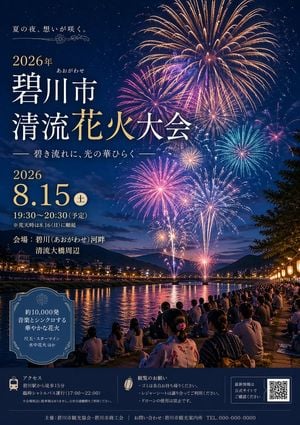
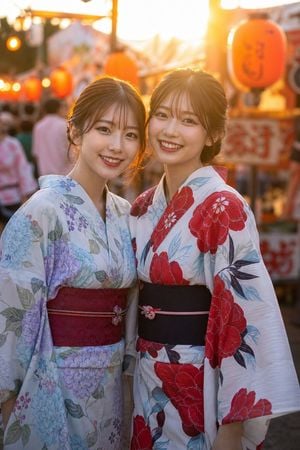
Generates a dramatic Japanese matsuri event flyer with brush calligraphy, fireworks, lanterns, and editable date and venue details.

This template uses your photo — add one with the + button.
{ "type": "Japanese summer festival poster", "format": "vertical event flyer, print-ready, dramatic high-contrast illustration", "overall_style": "luxurious traditional Japanese festival design with navy-black night sky, metallic gold ink splashes, bold sumi-e brush calligraphy, warm red lantern glow, fireworks, ornate wave and hemp-leaf patterns, cinematic poster lighting", "color_palette": "deep indigo and black background, antique parchment gold full moon, bright red-orange lanterns, white and gold typography, small red accent marks", "main_visual": { "centerpiece": "huge glowing cream-gold full moon with rough circular brush texture and scattered gold paint flecks", "primary_calligraphy": "one enormous black kanji character '祭' painted across the moon in aggressive dry-brush strokes, with ink splatter and slight red shadow accents", "event_title": "large handwritten black brush script under the moon reading {argument name=\"festival name\" default=\"みなと夏祭り\"}", "seal": "small red square hanko seal near the title" }, "background": { "sky": "dark indigo night sky filled with gold speckles and ink-like texture", "fireworks_count": 5, "fireworks": [ "very large red and gold burst in the upper left", "medium gold and magenta burst near the upper center-right", "large yellow and purple burst in the upper right", "small orange burst at mid-right", "small partial gold burst near the far upper-right edge" ], "decorative_patterns": "thin gold Japanese seigaiha wave patterns on the left edge and bottom-left corner, plus geometric asanoha lattice pattern on the right border" }, "right_date_panel": { "position": "vertical dark navy strip along the right side with thin gold divider lines", "date_text": "vertical white Japanese text reading {argument name=\"date text\" default=\"令和8年 8月15日(土)・16日(日)\"}", "date_elements_count": 2, "date_elements": ["8月15日(土)", "16日(日)"] }, "lower_information_block": { "position": "lower left, three horizontal rows divided by thin gold rules", "row_count": 3, "rows": [ { "icon": "gold plum blossom", "label": "時間", "text": "{argument name=\"time text\" default=\"午後5時〜午後9時\"}" }, { "icon": "gold plum blossom", "label": "会場", "text": "{argument name=\"venue text\" default=\"港町中央公園 特設会場\"}" }, { "icon": "gold plum blossom", "label": "内容", "text": "{argument name=\"program text\" default=\"盆踊り・屋台・打ち上げ花火(20時〜)\"}" } ], "typography": "clean white Mincho-style Japanese type with bold labels and slightly smaller details" }, "lantern_scene": { "position": "lower right foreground on a diagonal festival rope", "lantern_count": 5, "lanterns": [ "small partially visible red lantern near lower center", "small red lantern left of center-right", "medium red lantern center-right", "large red lantern right-center", "largest red lantern at far right edge" ], "details": "each lantern glows orange-red, has black top and bottom caps, black mitsudomoe crest, and gold-red wave pattern near the bottom; dark silhouettes of festival stalls and tiny warm lights behind them" }, "footer": { "text": "small centered white organizer line reading 主催:港町夏祭り実行委員会", "gold_brush_stroke": "diagonal gold paint slash near the bottom edge" }, "composition": "large calligraphy and moon dominate the center, date information balanced on the right vertical strip, event details anchored lower left, lanterns add depth and warmth at the lower right; preserve generous dark negative space and premium festival atmosphere", "rendering_instructions": "make the Japanese text crisp and legible, use realistic ink texture for calligraphy, metallic gold splatter, soft moon glow, vivid fireworks, no people, no modern logos, no photographic realism; designed as a polished promotional poster for a summer festival" }
Edit the prompt in the box under the preview — the template's model and format are already selected — and press Generate. Your version appears right on this page.
Yes. You can change the subject, setting, lighting, mood, format, and available model controls before creating your image.
Opening and editing this template is free. Generating uses credits, shown on the Generate button when you are signed in.
Start with GPT Image 2, which is the model associated with this template. You can compare another compatible model for a different finish.
Follow a topic to a crawlable collection of related PicX Studio templates.