How do I use the Anime Yukata Portrait with Red Sun Disk template?
Edit the prompt in the box under the preview — the template's model and format are already selected — and press Generate. Your version appears right on this page.
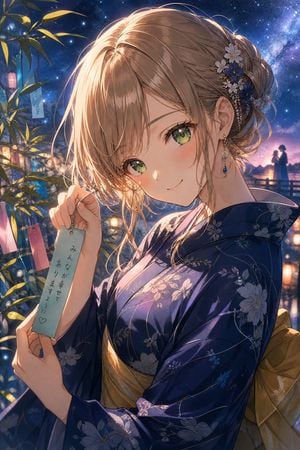
Generates a warm anime-style portrait of a bob-haired woman in a floral yukata with a red obi and circular backdrop, useful for character art or social media visuals.

This template uses your photo — add one with the + button.
Create a polished anime-style portrait illustration of {argument name="character name" default="Ami"}, shown from mid-thigh to just above the head, standing indoors in a warm traditional Japanese room. She has a short glossy {argument name="hair color" default="black"} bob haircut with a center part and slightly tousled ends, but her face is deliberately hidden by a centered opaque square censor block in a soft brown skin-tone gradient, covering the eyes, nose, and mouth. She wears a cream-white yukata with exactly 11 visible red flower motifs: 1 on the upper right chest, 1 on the left chest near the crossing collar, 1 on the right sleeve, 1 on the far left sleeve edge, 1 on the lower right sleeve cuff, 1 small flower on the right sleeve, 1 on the lower left sleeve, 1 on the lower skirt left, 1 on the lower skirt center, 1 on the lower skirt right, and 1 partial flower near the left shoulder area. The yukata has wide soft sleeves, realistic folds, and a crossed collar. Add a vivid {argument name="obi color" default="red"} obi belt around the waist with a pale braided cord tied in a bow at the front center. Behind her head place a large flat {argument name="background circle color" default="red"} circle like a sun disk, filling much of the upper background. The room background should be dark wood with softly blurred shelves and warm amber lighting, creating a cinematic depth-of-field effect. Use high-quality gpt-image-2 anime rendering, clean linework, detailed fabric shadows, glossy hair highlights, warm skin lighting on the neck and hands, vertical portrait composition, no text, no watermark.
Create a polished anime-style portrait illustration of {argument name="character name" default="Ami"}, shown from mid-thigh to just above the head, standing indoors in a warm traditional Japanese room. She has a short glossy {argument name="hair color" default="black"} bob haircut with a center part and slightly tousled ends, but her face is deliberately hidden by a centered opaque square censor block in a soft brown skin-tone gradient, covering the eyes, nose, and mouth. She wears a cream-white yukata with exactly 11 visible red flower motifs: 1 on the upper right chest, 1 on the left chest near the crossing collar, 1 on the right sleeve, 1 on the far left sleeve edge, 1 on the lower right sleeve cuff, 1 small flower on the right sleeve, 1 on the lower left sleeve, 1 on the lower skirt left, 1 on the lower skirt center, 1 on the lower skirt right, and 1 partial flower near the left shoulder area. The yukata has wide soft sleeves, realistic folds, and a crossed collar. Add a vivid {argument name="obi color" default="red"} obi belt around the waist with a pale braided cord tied in a bow at the front center. Behind her head place a large flat {argument name="background circle color" default="red"} circle like a sun disk, filling much of the upper background. The room background should be dark wood with softly blurred shelves and warm amber lighting, creating a cinematic depth-of-field effect. Use high-quality gpt-image-2 anime rendering, clean linework, detailed fabric shadows, glossy hair highlights, warm skin lighting on the neck and hands, vertical portrait composition, no text, no watermark.
Edit the prompt in the box under the preview — the template's model and format are already selected — and press Generate. Your version appears right on this page.
Yes. You can change the subject, setting, lighting, mood, format, and available model controls before creating your image.
Opening and editing this template is free. Generating uses credits, shown on the Generate button when you are signed in.
Start with GPT Image 2, which is the model associated with this template. You can compare another compatible model for a different finish.
Follow a topic to a crawlable collection of related PicX Studio templates.