
HSP3 Manga Introduction Comic
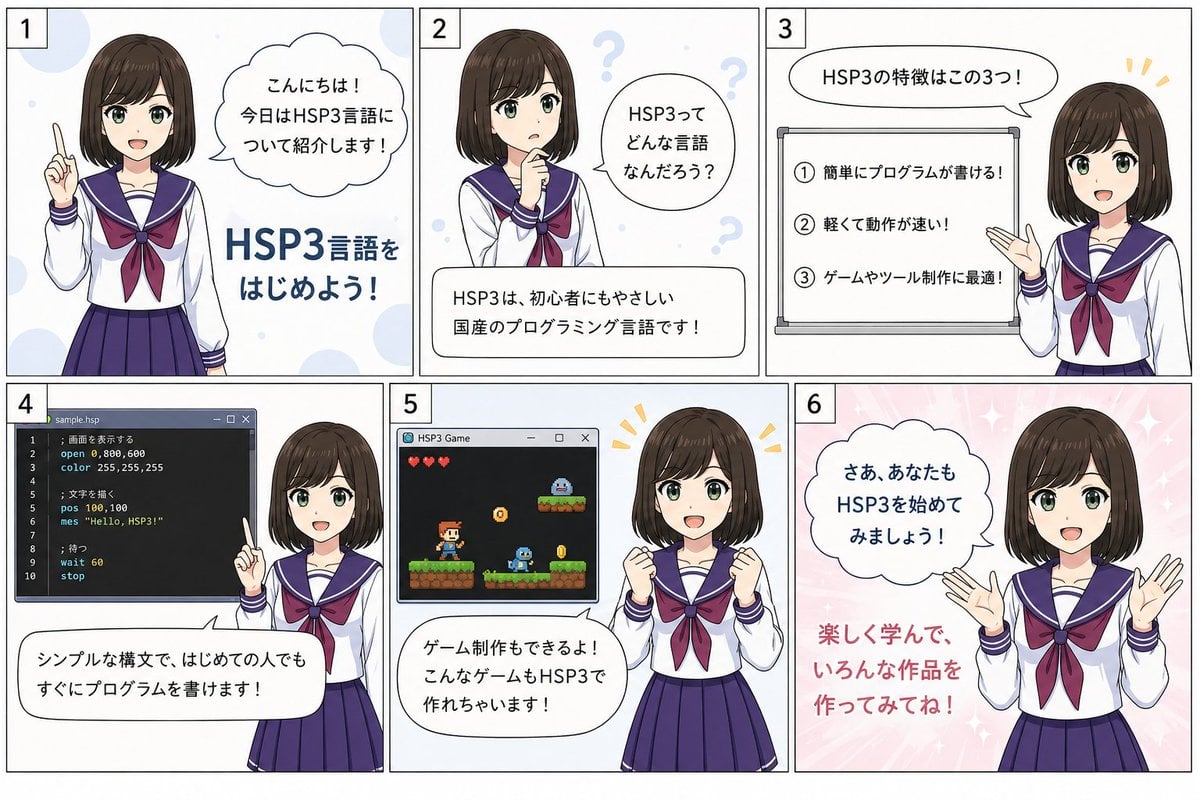
A six-panel Japanese anime comic infographic introducing HSP3 programming for beginners.
- Prompt included
- Model and format preset
- Free template
The prompt behind this image
Copy the exact prompt behind HSP3 Manga Introduction Comic, or open it in the studio and make it yours.
Goal: Create a 6-panel Japanese manga-style educational introduction image about {argument name="programming language" default="HSP3"}, featuring the same anime schoolgirl presenter in every panel with her face intentionally blurred/softly obscured. Canvas: Wide horizontal comic layout, about 3:2 aspect ratio, divided into exactly 6 rectangular panels in a 3-column by 2-row grid with thin black borders. Each panel has a small white square number label in the top-left corner, numbered exactly 1, 2, 3, 4, 5, 6. Visual style: Clean Japanese instructional manga / anime infographic style, soft pastel background dots and sparkles, crisp line art, white speech bubbles with black outlines, navy and burgundy school uniform colors, friendly beginner-learning mood. The presenter is a teenage anime girl with a short dark brown bob haircut and bangs, wearing a Japanese sailor school uniform: white blouse, navy sailor collar with white stripes, burgundy ribbon bow, navy pleated skirt. Keep her face blurred or featureless in every panel. Panel details and text content: 1. Panel 1: The girl stands on the left, raising one index finger as if introducing the topic. Pale blue circular background accents. Add a cloud-shaped speech bubble with Japanese text: 「こんにちは!今日はHSP3言語について紹介します!」 Add large bold blue headline text on the right/lower area: 「HSP3言語をはじめよう!」 2. Panel 2: The girl is centered-left in a thinking pose with one hand near her chin. Add pale question marks in the background. A speech bubble on the right says: 「HSP3ってどんな言語なんだろう?」 A rounded white caption box at the bottom says: 「HSP3は、初心者にもやさしい国産のプログラミング言語です!」 3. Panel 3: The girl stands on the right, gesturing toward a whiteboard on the left. A speech bubble above says: 「HSP3の特徴はこの3つ!」 The whiteboard must contain exactly 3 numbered feature lines: 「① 簡単にプログラムが書ける!」, 「② 軽くて動作が速い!」, 「③ ゲームやツール制作に最適!」 Add small yellow emphasis marks near the girl. 4. Panel 4: Show a dark code editor window on the left titled 「sample.hsp」 with simple HSP-like code, including visible lines such as 「open 0,800,600」, 「color 255,255,255」, 「pos 100,100」, 「mes \"Hello, HSP3!\"」, 「wait 60」, 「stop」. The girl stands on the right raising an index finger. A rounded speech bubble across the bottom says: 「シンプルな構文で、はじめての人でもすぐにプログラムを書けます!」 5. Panel 5: Show a small game window on the left titled 「HSP3 Game」 containing a pixel-art platform game scene with exactly 3 red heart icons, a small player character, platforms, coins, a slime-like enemy, and a small creature on an upper platform. The girl stands on the right with both fists raised excitedly. A speech bubble at the bottom says: 「ゲーム制作もできるよ!こんなゲームもHSP3で作れちゃいます!」 Add yellow excitement marks near her head. 6. Panel 6: Pink sparkly background. The girl stands on the right with both hands open in an encouraging pose. A cloud-shaped speech bubble on the upper left says: 「さあ、あなたもHSP3を始めてみましょう!」 Add large red text at lower left: 「楽しく学んで、いろんな作品を作ってみてね!」 Constraints: Use exactly 6 panels and exactly 6 panel number labels. Use the same character design and outfit consistently in all panels. Keep all Japanese text legible and close to the specified wording. Do not add extra panels, logos, watermarks, or unrelated characters.
How to use HSP3 Manga Introduction Comic in 3 steps
- 1Upload ImagePNG, JPG or paste
Add your photo
Upload the photo the template builds on. The prompt, model and format are already set.
- 2…a portrait of your subject in softgolden-hour light, 85mm…
Personalize
Edit the subject and creative details for your destination.
- 3Generate
Generate
Press Generate — your image is created in PicX Studio, so you can compare it with the original and refine one variable at a time.
More like this
Templates with the same subject, style or setup. Open one to see its prompt.
SCP Detainee Manga Introduction
Japanese Manga A/B Testing Comic
Cute AI Manga Lesson Comic Page

Pop Art Superhero Explosion Poster
Hero Portrait Comic Multi-Panel Poster
Spider-Man Noir Detective Rain Alley
Sketch to Manga Comic Transformation
Six-Panel Golden Week Manga Comic
Gpt2 E Commerce Main Image 9 Panel Product Tvc Storyboard

Friendly ChatGPT Robot Introduction

Friendly ChatGPT Robot Introduction

ChatGPT Robot Introduction Poster
Make it yours
HSP3 Manga Introduction Comic works as-is. These are the safest ways to change it without losing the look.
Change one field
Copy a single group, rewrite it, and generate again so you can see what that field is doing.
Keep the frame, change the subject
Hold the composition and light of HSP3 Manga Introduction Comic, then swap wardrobe, props or the person for a new take.
| If the result… | Why | Fix |
|---|---|---|
| The result drifts from the preview | Too many fields changed at once. | Reuse HSP3 Manga Introduction Comic as-is first, then change one group — subject, light, or setting. |
| The model over-stylizes the scene | The prose prompt leaves finish and camera underspecified. | Add one camera or lighting sentence and stay on GPT Image 2. |
More GPT Image 2 templates
Other prompts made for GPT Image 2.

Six VTuber Japanese Logo Sheet

Realistic Portrait of Woman and Deer

The Vista Modular Condo Poster

AI Model Routing Comparison Infographic

2.5D Anime Art Board

Isometric Productivity Desk Scene

New York Double Exposure Poster

Four-Panel AI Landscape Comparison

Japanese Tatami Lifestyle Magazine Cover

NESCAFÉ Coffee Map Poster
More image prompts
Fresh picks from across the catalog.

Luxury Editorial Candid Photo in a Garden

K-Pop Star Rosé High-Fashion Editorial Prompt
Sunlit Lifestyle Fashion Photography on a Bicycle
Red Anime Silhouette Poster
Blending Photorealism and Anime in a Living Room Scene

Urban Fashion Graphic Poster
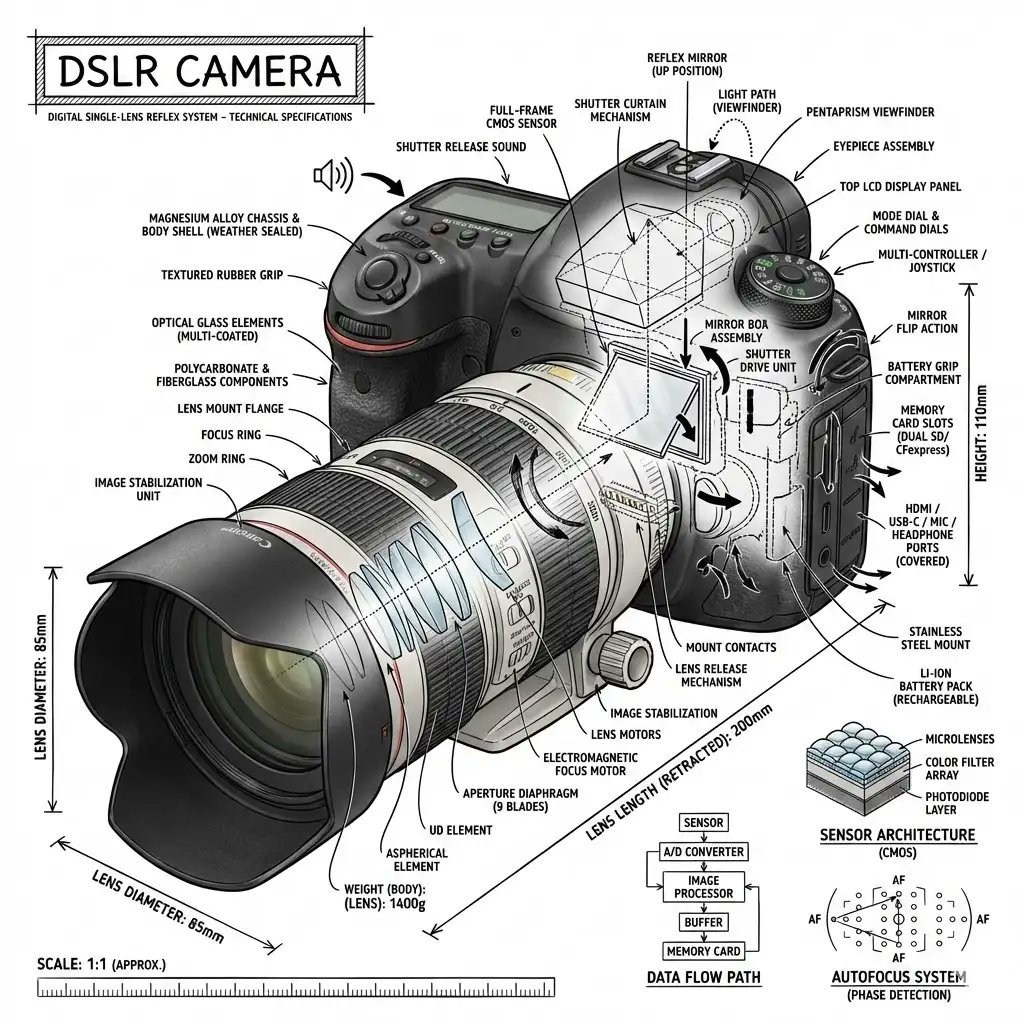
Infographic Prompt Template for Objects
Horror Cinematic Portrait

Commercial Sports Campaign Photography Prompt
Exploding Cosmetic Jar Product Photography
Browse template categories
HSP3 Manga Introduction Comic questions
How do I use the HSP3 Manga Introduction Comic template?
Add your photo if the template asks for one, edit the prompt if you like — the template's model and format are already selected — and press Generate. Your version opens in PicX Studio.
Can I customize the HSP3 Manga Introduction Comic template?
Yes. You can change the subject, setting, lighting, mood, format, and available model controls before creating your image.
Is the HSP3 Manga Introduction Comic template free?
Opening and editing this template is free. Generating uses credits, shown on the Generate button when you are signed in.
Which AI model should I use?
Start with GPT Image 2, which is the model associated with this template. You can compare another compatible model for a different finish.
Looking for something else? Browse all templates.

Your photo, any look
Thousands of ready templates for every top image and video model, from one credit balance.