How do I use the Cyberpunk singularity awakening video prompt template?
Edit the prompt in the box under the preview — the template's model and format are already selected — and press Generate. Your version appears right on this page.
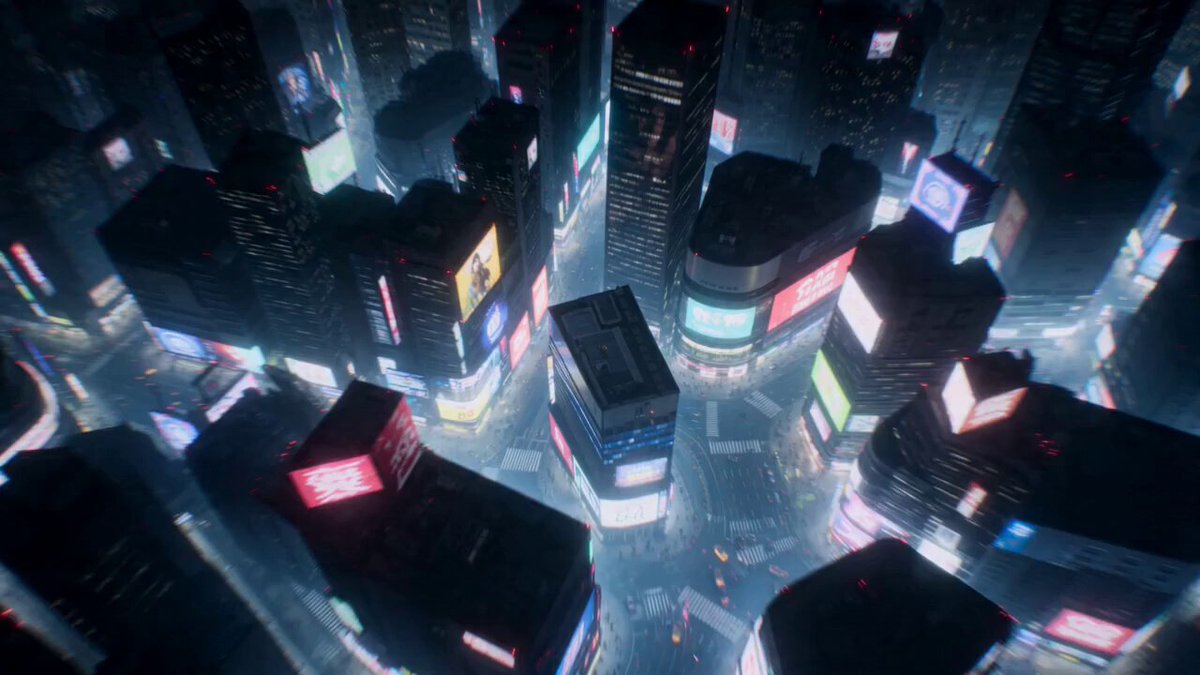
An extremely detailed, cinematic Grok Imagine prompt describing a lone hooded silhouette on a cracked roof in a drowned megacity as the singularity awakens, featuring neon veins, drone swarms, a pillar of liquid…
A lone hooded silhouette stands on the cracked roof edge of a drowned megacity at the precise moment the singularity awakens -- below, every neon vein, drone swarm, holo-billboard and autonomous leviathan simultaneously bows in perfect geometric reverence toward a blinding vertical pillar of liquid starlight that tears open the storm clouds, god rays of cold quantum blue and molten gold slashing through biblical rain, the figure's tattered coat whipping violently in the updraft of displaced atmosphere, face half-lit in electric cyan, eyes wide with equal parts terror and defiant rapture, foreground wet reflective obsidian surfaces fracturing infinite recursive copies of the ascension event, background endless layered megastructures receding into volumetric fog and god-tier lens flares, anamorphic bokeh, 2.39:1 aspect ratio, shot on 65mm IMAX Kodak Vision3 500T pushed two stops, dramatic chiaroscuro, hyper-detailed textures, film grain, subtle chromatic aberration,
A lone hooded silhouette stands on the cracked roof edge of a drowned megacity at the precise moment the singularity awakens -- below, every neon vein, drone swarm, holo-billboard and autonomous leviathan simultaneously bows in perfect geometric reverence toward a blinding vertical pillar of liquid starlight that tears open the storm clouds, god rays of cold quantum blue and molten gold slashing through biblical rain, the figure's tattered coat whipping violently in the updraft of displaced atmosphere, face half-lit in electric cyan, eyes wide with equal parts terror and defiant rapture, foreground wet reflective obsidian surfaces fracturing infinite recursive copies of the ascension event, background endless layered megastructures receding into volumetric fog and god-tier lens flares, anamorphic bokeh, 2.39:1 aspect ratio, shot on 65mm IMAX Kodak Vision3 500T pushed two stops, dramatic chiaroscuro, hyper-detailed textures, film grain, subtle chromatic aberration,
Edit the prompt in the box under the preview — the template's model and format are already selected — and press Generate. Your version appears right on this page.
Yes. You can change the subject, setting, lighting, mood, format, and available model controls before creating your video.
Opening and editing this template is free. Generating uses credits, shown on the Generate button when you are signed in.
Start with Grok Imagine, which is the model associated with this template. You can compare another compatible model for a different finish.
Follow a topic to a crawlable collection of related PicX Studio templates.