
How do I use the Glamour Portrait of Sydney Sweeney Inspired Look template?
Choose the primary action to open PicX Studio with the available template settings. Review the model and format, personalize the creative direction, and generate when ready.
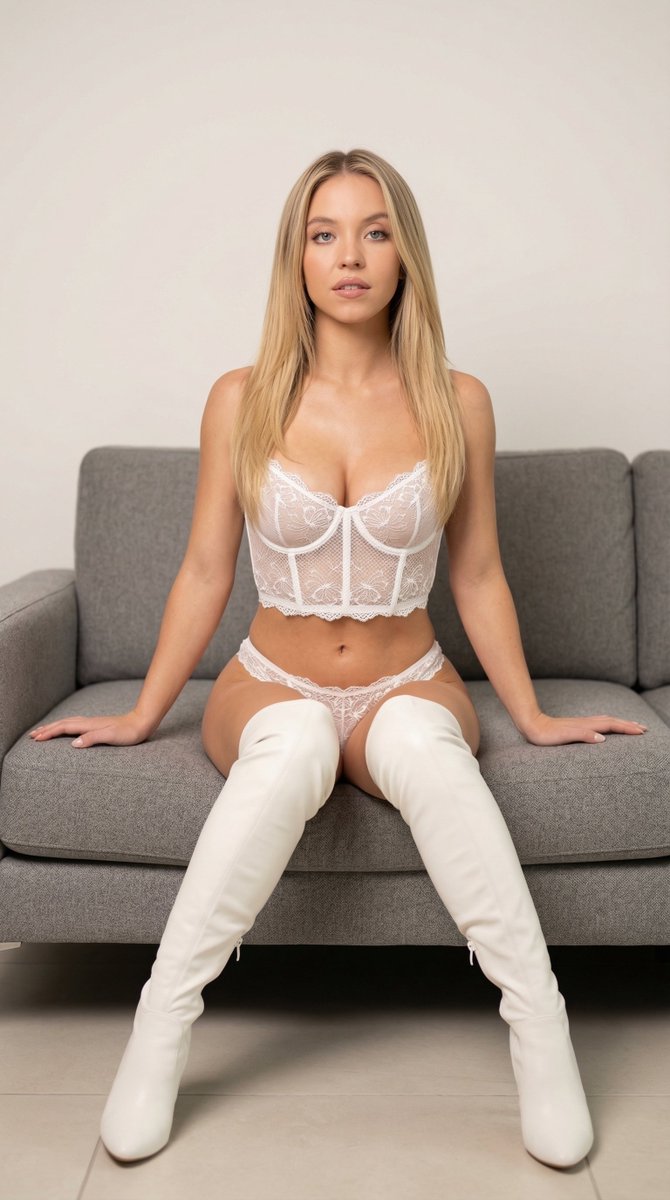
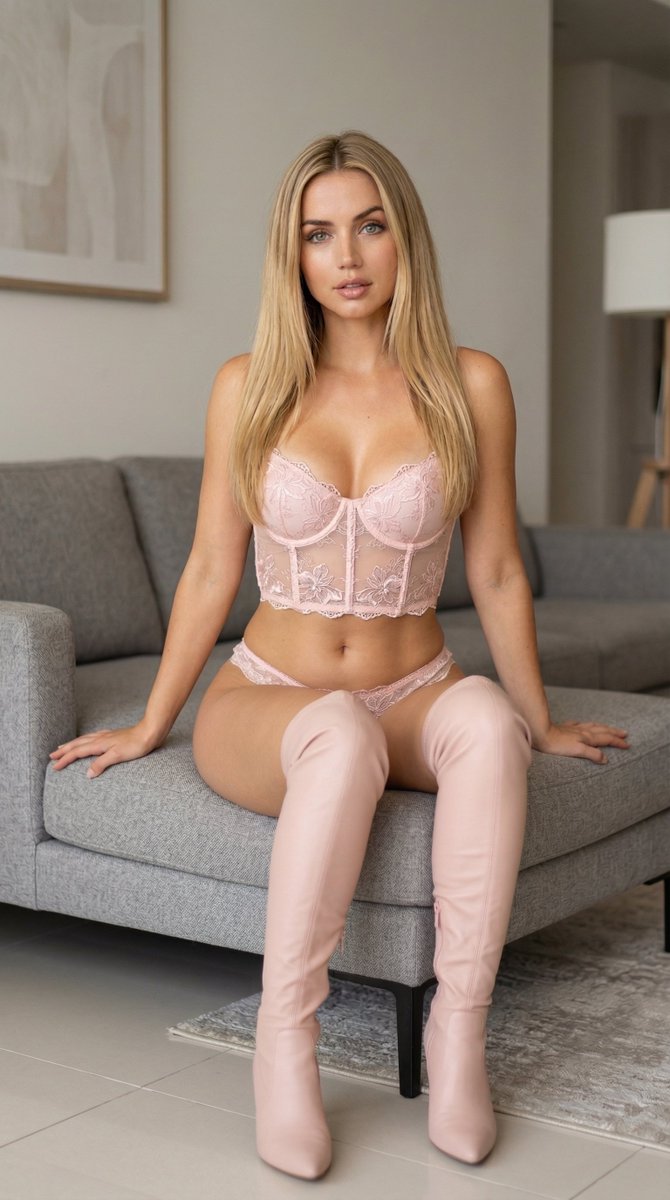
A highly structured JSON prompt for Nano Banana 2 to generate a professional glamour portrait inspired by Sydney Sweeney, featuring the subject sitting on a modern sofa wearing white lace lingerie and thigh-high leather boots, with detailed specifications on pose, lighting, and camera settings. (free to use) — Free AI image template on PicX Studio.
{ "photo_type": "professional glamour portrait", "subject": { "identity": "{argument name="identity" default="Sydney Sweeney"} inspired appearance", "age": "mid 20s", "gender": "female", "ethnicity": "American", "body_type": "curvy feminine physique, defined waistline, fuller hips, soft athletic proportions", "skin_tone": "fair warm skin tone with natural highlights", "hair": { "color": "soft golden blonde", "length": "long", "style": "smooth straight hair falling over shoulders with a soft center part" }, "face": { "structure": "heart-shaped face with soft jawline", "eyes": "large expressive blue eyes", "eyebrows": "natural soft arches", "nose": "small refined nose", "lips": "full natural lips with subtle gloss" }, "expression": { "emotion": "calm, confident, slightly inviting", "eyes": "direct gaze toward camera", "mouth": "slightly parted relaxed lips" } }, "pose": { "position": "sitting on a modern grey upholstered sofa", "body_orientation": "facing forward with slight lean toward camera", "arms": "hands resting naturally on the sofa on both sides for balance", "legs": "legs slightly apart with relaxed posture", "posture": "confident but casual seated pose" }, "outfit": { "style": "elegant white lace lingerie set", "top": { "type": "lace corset bralette", "details": "delicate floral lace embroidery, semi-sheer mesh texture, scalloped lace edges" }, "bottom": { "type": "matching lace panties", "details": "floral embroidery with sheer mesh design" }, "footwear": { "type": "white thigh-high boots", "material": "smooth matte leather", "style": "sleek modern fashion boots" } }, "environment": { "location": "minimal modern indoor studio living room", "furniture": "soft grey upholstered couch", "background": "clean neutral wall with minimal distractions", "floor": "light tiled floor", "style": "simple contemporary interior" }, "lighting": { "type": "soft diffused studio lighting", "direction": "front and slightly above camera", "quality": "even illumination with soft shadows", "mood": "warm, natural, flattering skin tones" }, "camera": { "angle": "eye-level perspective", "distance": "medium full-body framing", "lens": "50mm portrait lens", "focus": "sharp focus on subject with slight background blur" }, "image_style": { "aesthetic": "high-end glamour photography", "color_grading": "soft neutral tones with warm highlights", "skin_texture": "natural realistic skin detail", "resolution": "ultra high resolution", "quality": "photorealistic, studio-quality" } }
Use Glamour Portrait of Sydney Sweeney Inspired Look to plan an AI image around nano-banana-2 generation. Match the preview's composition first, then personalize the subject, setting, and mood for your own project.
Use the primary action to load the template settings in PicX Studio.
Adjust the subject and creative details for your destination.
Create the image, compare the result with the preview, and refine one variable at a time.
A continuous mix — similar concepts first, woven with same-model prompts and fresh picks from the catalog.
Choose the primary action to open PicX Studio with the available template settings. Review the model and format, personalize the creative direction, and generate when ready.
Yes. You can change the subject, setting, lighting, mood, format, and available model controls before creating your image.
This template is free to open and customize. Generation usage is shown in PicX Studio before you create.
Start with nano-banana-2, which is the model associated with this template. You can compare another compatible model for a different finish.
Follow a topic to a crawlable collection of related PicX Studio templates.
39,155 public templates available. Verified via the PicX Studio public templates API; refreshed hourly.
A continuous mix — similar concepts first, woven with same-model prompts and fresh picks from the catalog.