How do I use the Dark Hotel Emerald Corset Mirror Selfie template?
Choose the primary action to open PicX Studio with the available template settings. Review the model and format, personalize the creative direction, and generate when ready.
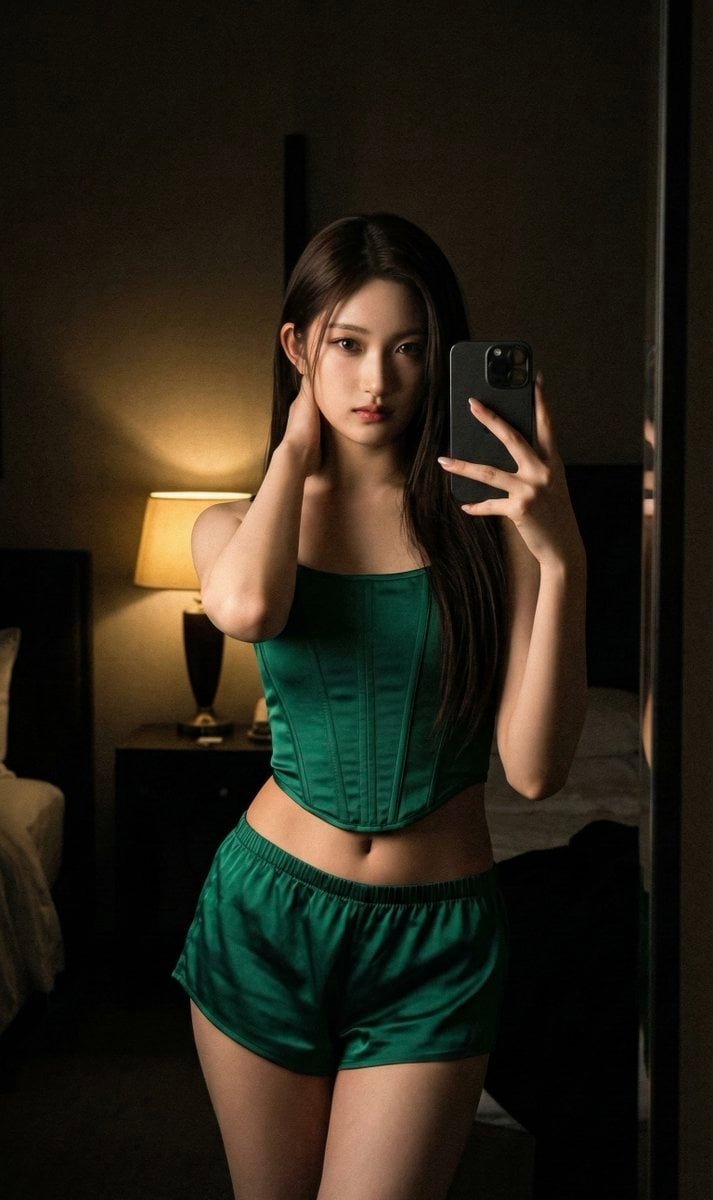
MeiGen selfie/mirror selfie pack. Author: Alice. Model: nanobanana. Gallery likes: 111. Source: https://images.meigen.ai/tweets/2032603866433466598/0.jpg (free to use) — Free AI image template on PicX Studio.
{ "meta": { "quality": "ultra photorealistic", "resolution": "8k", "camera": "iPhone 15 Pro Max", "lens": "24mm wide", "aspect_ratio": "9:16", "style": "raw iphone mirror selfie, cinematic darkness, subtle grain, luxury realism" }, "character": { "age": "early 20s (clearly adult)", "ethnicity": "Korean", "hair": { "color": "light ash brown", "style": "long sleek straight hair" }, "eyes": "dark brown", "body": { "type": "slender and elegant frame", "chest": "modest natural", "waist": "tiny", "hips": "slim curve" }, "skin": { "tone": "fair", "texture": "realistic glow in low light" }, "vibe": "cold, untouchable fashion energy" }, "scene": { "location": "dark luxury hotel room", "time": "late night", "atmosphere": "expensive, dangerous silence" }, "subject": { "action": "mirror selfie", "pose": { "stance": "standing tall, one hand resting on the back of her neck, casual but dominant hip shift", "expression": "emotionless dominant stare" }, "outfit": { "top": "structured emerald green corset", "bottom": "low-rise silk shorts (emerald green)" } }, "lighting": { "type": "single dim warm lamp", "effect": "deep shadows, sculpted highlights" }, "photography_rules": { "iphone_only_look": true, "realism": "very high", "suggestive_not_explicit": true, "no_neon_lighting": true, "no_male_presence": true } }
Use Dark Hotel Emerald Corset Mirror Selfie to plan an AI image around art style projects, nanobanana generation, themes such as mirror selfie and hotel. Match the preview's composition first, then personalize the subject, setting, and mood for your own project.
Use the primary action to load the template settings in PicX Studio.
Adjust the subject and creative details for your destination.
Create the image, compare the result with the preview, and refine one variable at a time.
A continuous mix — similar concepts first, woven with same-model prompts and fresh picks from the catalog.
Choose the primary action to open PicX Studio with the available template settings. Review the model and format, personalize the creative direction, and generate when ready.
Yes. You can change the subject, setting, lighting, mood, format, and available model controls before creating your image.
This template is free to open and customize. Generation usage is shown in PicX Studio before you create.
Start with nanobanana, which is the model associated with this template. You can compare another compatible model for a different finish.
A continuous mix — similar concepts first, woven with same-model prompts and fresh picks from the catalog.
Follow a topic to a crawlable collection of related PicX Studio templates.
28,639 public templates available. Verified via the PicX Studio public templates API; refreshed hourly.