How do I use the Shy Studio Fashion Portrait template?
Choose the primary action to open PicX Studio with the available template settings. Review the model and format, personalize the creative direction, and generate when ready.
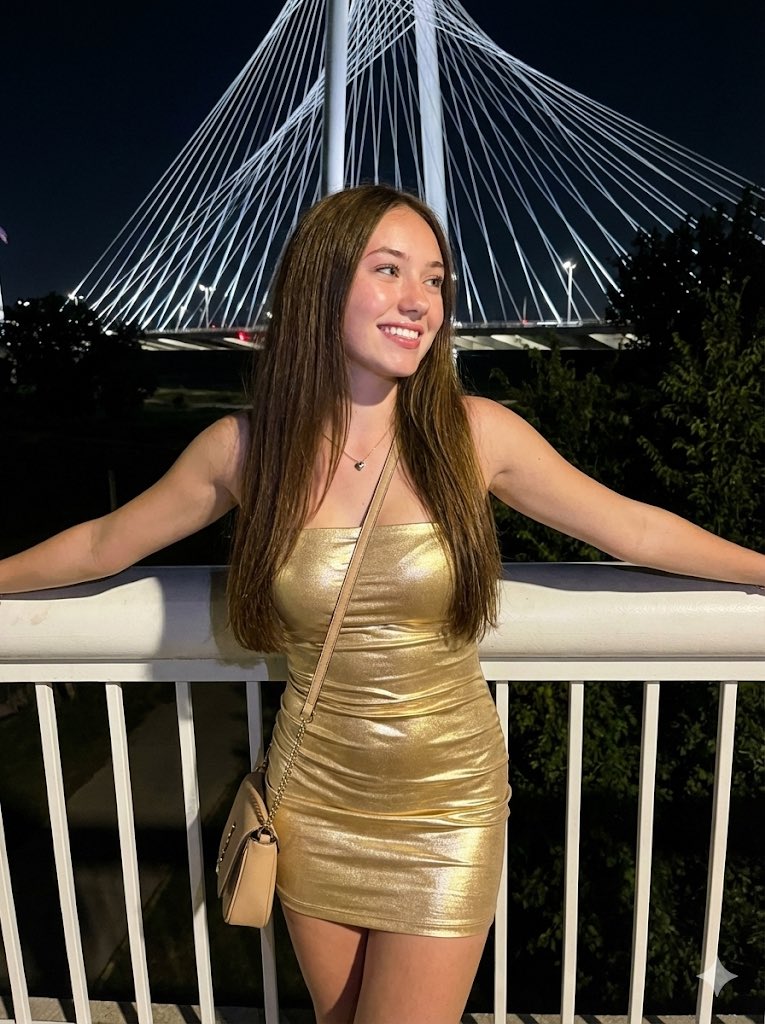
A comprehensive JSON-structured prompt for a high-fidelity studio portrait focusing on delicate expressions and specific fashion details. Change the subject, setting, or lighting one variable at a time.
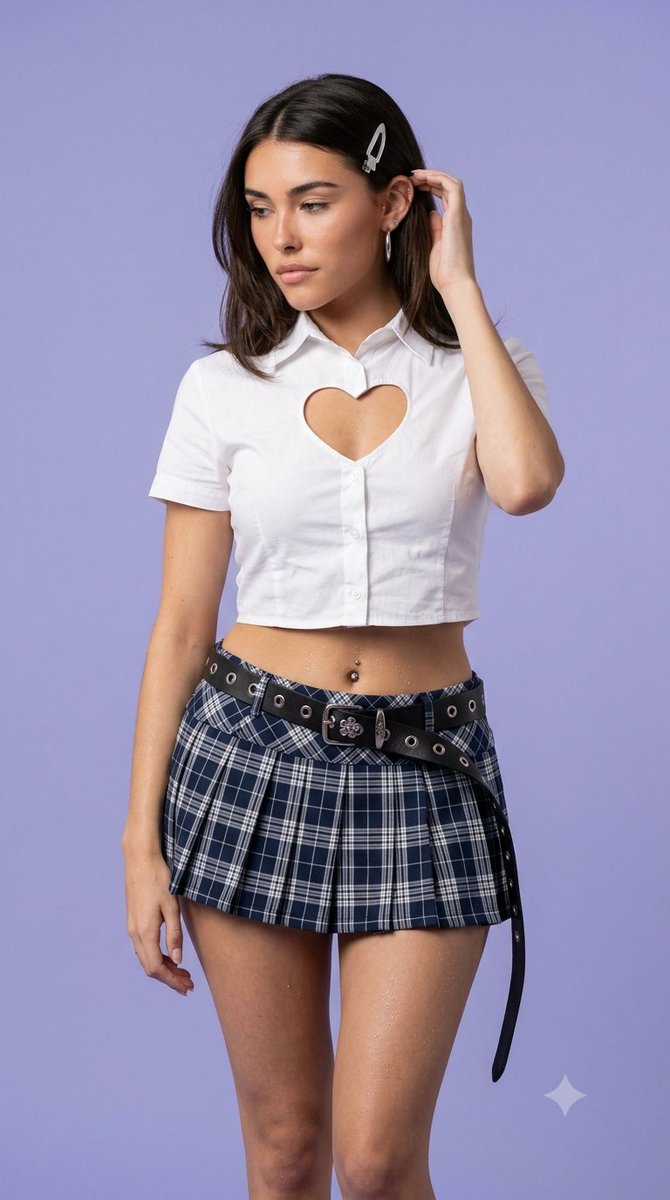
{ "type": "image_prompt", "description": { "subject": { "identity": "{argument name="subject name" default="Madison Beer"}", "appearance": { "hair": "Medium-length dark hair secured with a silver hair clip on the left side, naturally falling with a few loose strands framing her face.", "expression": "Looking downward with a subtly shy, soft, and gentle expression.", "accessories": [ "Silver earrings on the left ear, including a hoop earring", "Silver hair clip" ] } }, "outfit": { "top": "White short-sleeve button-up shirt featuring a heart-shaped chest cutout. The shirt is slightly cropped, revealing the midriff and navel.", "bottom": "Navy blue and white plaid pleated mini skirt.", "belt": "Black leather belt with metal eyelets, a decorative silver floral-emblem buckle, and a long hanging strap." }, "pose": { "body": "Standing facing forward with a relaxed posture.", "head": "Slightly tilted downward, gaze directed down and slightly to the side.", "right_hand": "Raised gently, fingers lightly touching her hair near the temple.", "left_hand": "Resting naturally against her thigh.", "legs": "Slightly apart, visible from the upper thighs downward.", "overall_feeling": "A candid, spontaneous moment conveying quiet shyness." }, "environment": { "location": "Minimalist photography studio.", "background": "Clean seamless light lavender/pastel purple backdrop that isolates the subject." }, "lighting": { "type": "Soft professional studio lighting.", "description": "Evenly balanced illumination that gently defines facial features while revealing the texture of the clothing with natural contrast and controlled highlights." }, "composition": { "framing": "Medium shot, framed from the knees to the top of the head.", "camera_angle": "Eye-level.", "focus": "Eyes in perfect focus with consistent sharpness across the subject." }, "mood": { "atmosphere": "Casual, intimate, aesthetically harmonious, and subtly alternative.", "emotion": "Quiet confidence mixed with gentle shyness." }, "technical": { "camera": { "lens": "85mm prime lens", "aperture": "f/4", "shutter_speed": "1/200s", "iso": "100" }, "style": "High-fidelity studio portrait photography with realistic color reproduction and balanced dynamic range.", "quality": [ "Ultra-high-definition skin and fabric textures", "Critical subject sharpness", "Controlled depth of field", "Clean background separation", "Noise-free image", "Natural skin rendering" ], "aspect_ratio": "9:16" }, "negative_prompt": [ "low resolution", "blur", "motion blur", "noise", "overexposure" ] } }
Choose the primary action to open PicX Studio with the available template settings. Review the model and format, personalize the creative direction, and generate when ready.
Yes. You can change the subject, setting, lighting, mood, format, and available model controls before creating your image.
This template is free to open and customize. Generation usage is shown in PicX Studio before you create.
Start with Nano Banana 2, which is the model associated with this template. You can compare another compatible model for a different finish.
© 2026 PicX Studio. All rights reserved.

Follow a topic to a crawlable collection of related PicX Studio templates.
43,474 public templates available. Verified via the PicX Studio public templates API; refreshed hourly.












![118-google-nano-banana-pro-skincare-product- — A professional skincare shot of a [product container] with [cap/lid], labeled [brand, product, descriptor, volume](/_next/image?url=https%3A%2F%2Fcdn.picxstudio.com%2Fuploads%2Fpost118_img0_332898b8-29ea-42a9-87ab-9ed746a3f944.jpg&w=828&q=100)









![Naive doodle-style subject illustration — A doodle-style {argument name="subject" default="[subject]"}, naive lines, humorous shape exaggeration](https://pbs.twimg.com/media/G6Wl2YxbsAARB2b.jpg)












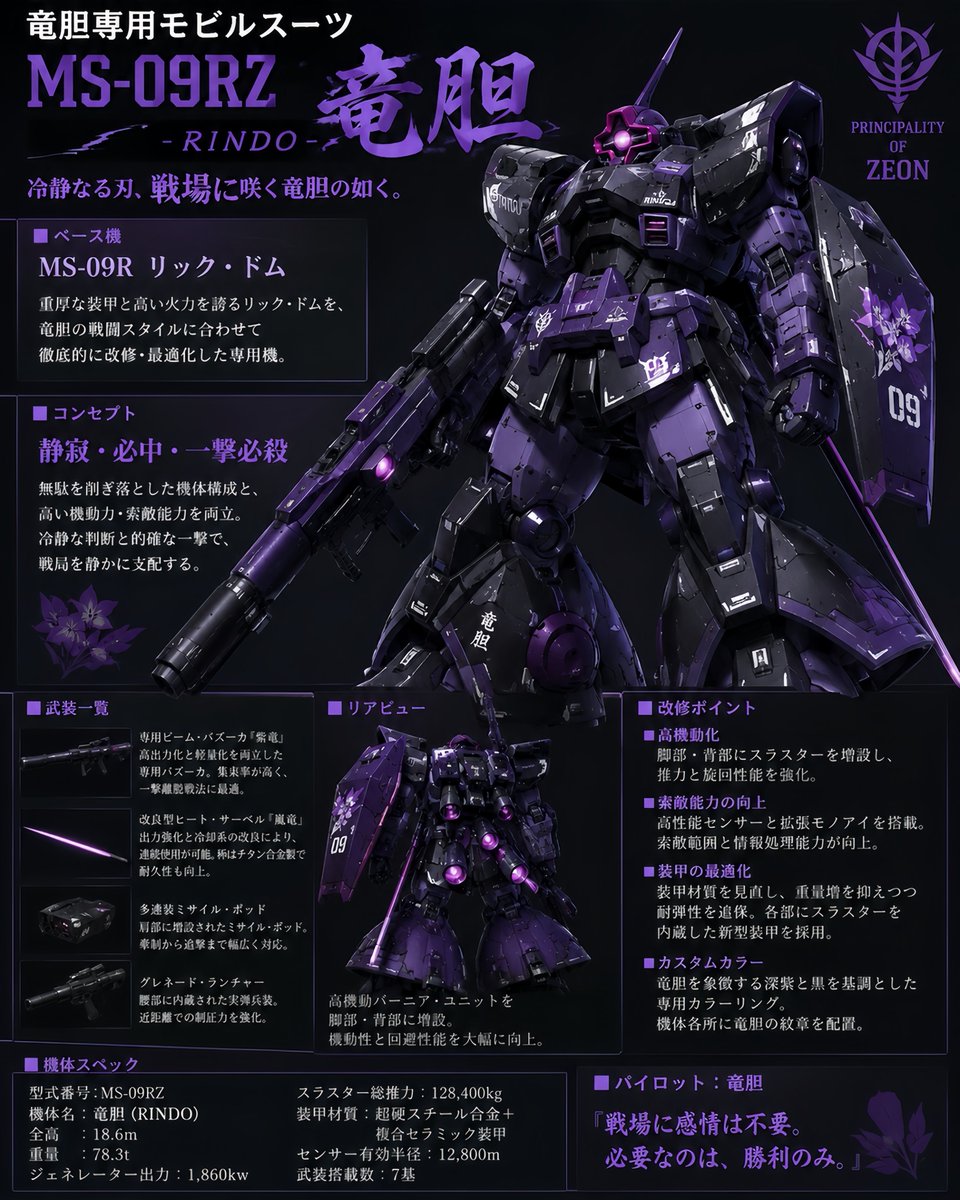








![Character Robotization and Technical Diagram Prompt — 【キャラクター設定】
※ここを描きたいキャラクターの外見に書き換えてください
[キャラクターの特徴]: {argument name="キャラクターの特徴" default="茶色のツインテール、マン…](https://pbs.twimg.com/media/G8kyXp5bEAA7mqR.jpg)