How do I use the Ultra-Realistic Ethereal Fantasy Portrait template?
Edit the prompt in the box under the preview — the template's model and format are already selected — and press Generate. Your version appears right on this page.
A comprehensive prompt for generating a breathtaking ethereal fantasy portrait.

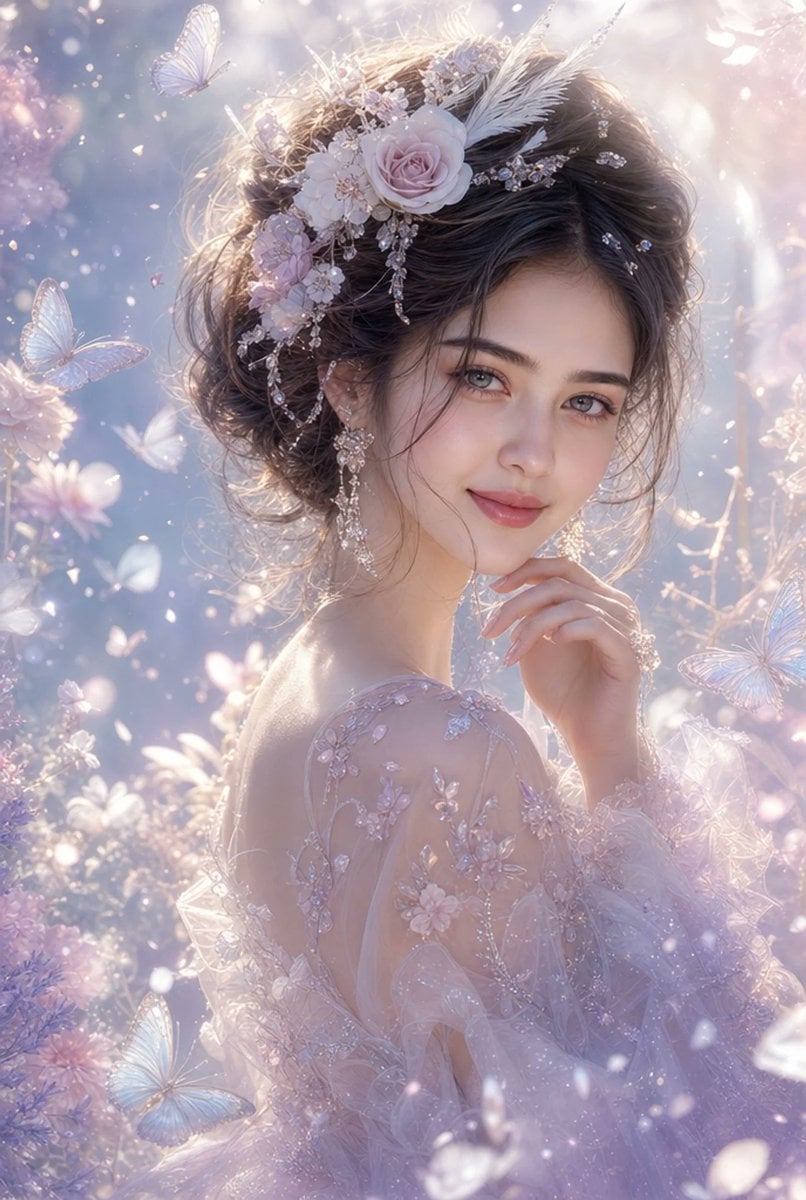
Ultra-realistic ethereal fantasy portrait of a breathtaking {argument name="subject" default="young woman"} with {argument name="skin type" default="delicate porcelain skin"}, soft grey-blue eyes, and natural rosy lips. She gazes gently toward the viewer with a serene, dreamy expression, her fingertips lightly touching her chin. Wispy ash-brown hair flows softly in the breeze, styled in a loose romantic updo adorned with pastel blush roses, shimmering crystal ornaments, delicate feathers, and intricate floral accessories. She wears elegant dangling crystal earrings and a translucent, flowing gown made of sheer iridescent fabric embroidered with tiny sparkling flowers. The scene is bathed in soft diffused morning light, creating a luminous glow around her face and shoulders. Surrounded by floating butterflies, sparkling dust particles, translucent petals, and dreamy floral textures, the background blends pastel lavender, pearl white, blush pink, and silver tones. Cinematic fine-art photography, {argument name="aesthetic" default="fairycore aesthetic"}, enchanted garden atmosphere, magical realism, ultra-detailed skin texture, soft focus highlights, volumetric lighting, bokeh, masterpiece quality, highly detailed, 8K resolution, delicate feminine beauty, romantic fantasy artwork, elegant composition, dreamy color grading, soft glow, celestial ambiance.
Ultra-realistic ethereal fantasy portrait of a breathtaking {argument name="subject" default="young woman"} with {argument name="skin type" default="delicate porcelain skin"}, soft grey-blue eyes, and natural rosy lips. She gazes gently toward the viewer with a serene, dreamy expression, her fingertips lightly touching her chin. Wispy ash-brown hair flows softly in the breeze, styled in a loose romantic updo adorned with pastel blush roses, shimmering crystal ornaments, delicate feathers, and intricate floral accessories. She wears elegant dangling crystal earrings and a translucent, flowing gown made of sheer iridescent fabric embroidered with tiny sparkling flowers. The scene is bathed in soft diffused morning light, creating a luminous glow around her face and shoulders. Surrounded by floating butterflies, sparkling dust particles, translucent petals, and dreamy floral textures, the background blends pastel lavender, pearl white, blush pink, and silver tones. Cinematic fine-art photography, {argument name="aesthetic" default="fairycore aesthetic"}, enchanted garden atmosphere, magical realism, ultra-detailed skin texture, soft focus highlights, volumetric lighting, bokeh, masterpiece quality, highly detailed, 8K resolution, delicate feminine beauty, romantic fantasy artwork, elegant composition, dreamy color grading, soft glow, celestial ambiance.
Edit the prompt in the box under the preview — the template's model and format are already selected — and press Generate. Your version appears right on this page.
Yes. You can change the subject, setting, lighting, mood, format, and available model controls before creating your image.
Opening and editing this template is free. Generating uses credits, shown on the Generate button when you are signed in.
Start with Nano Banana 2, which is the model associated with this template. You can compare another compatible model for a different finish.
Follow a topic to a crawlable collection of related PicX Studio templates.