How do I use the Candid Influencer Aesthetic in Luxury Closet template?
Choose the primary action to open PicX Studio with the available template settings. Review the model and format, personalize the creative direction, and generate when ready.
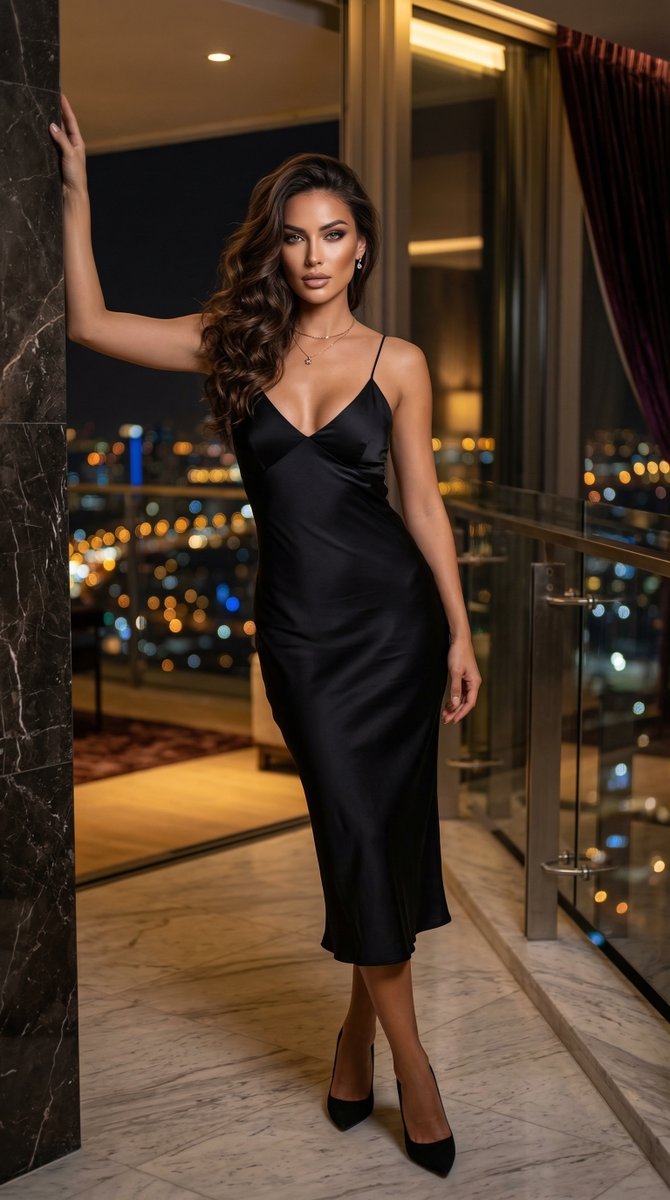
A highly structured prompt for generating a 'Social Media Snapshot' image of a young Scandinavian woman in high-fashion lingerie, leaning against a garment rack in a luxury walk-in closet. The prompt details camera settings (iPhone 17 Pro Max Simulation), lighting (soft morning sunlight), scene elements, and specific physical attributes and pose for an authentic, candid influencer aesthetic. (free to use) — Free AI image template on PicX Studio.
{ "image_type": "Social Media Snapshot", "shot": "Medium full shot", "shot_details": "Slightly off-center framing as if a friend took a quick photo while she was looking at a garment rack.", "style": "Candid Influencer Aesthetic", "quality": "Clean, sharp smartphone optics with natural morning light", "color_grade": "Warm, sunny, slightly lifted blacks", "meta": { "aspect_ratio": "9:16", "resolution": "4k" }, "camera": { "device": "iPhone 17 Pro Max Simulation", "lens": "24mm Wide", "aperture": "f/1.8", "distance": "3 feet", "angle": "Eye-level", "framing": "Loose, capturing the surrounding closet racks", "pov": "Third-person observer", "focus": "Sharp on the subject, slight blur on the foreground clothes", "lens_effect": "Natural sun flare from a side window" }, "lighting": { "description": "Soft morning sunlight streaming through a large window", "type": "Natural Light", "source": "Side window", "primary": "Warm golden hour light", "secondary": "Soft bounce from white walls", "highlights": "Glistening on the blonde hair strands", "shadows": "Gentle, defining the athletic curve of her waist" }, "scene": { "location": "Luxury walk-in closet in a Hollywood Hills mansion", "environment": "Racks of colorful designer clothes, open shoeboxes, a marble island in the center", "time": "10:00 AM", "atmosphere": "Productive, high-end, cozy" }, "subject": { "gender": "Female", "age": "22", "ethnicity": "Scandinavian", "appearance": "Platinum blonde hair, striking facial features, bold makeup", "body": { "type": "Athletic and toned", "waist": "Snatched with visible definition", "hips": "Curvy and highlighted by the V-thong straps", "chest": "Contained in a delicate micro lace cup", "ass": "Rounded, framed by high-cut lace", "skin": "Smooth, lightly tanned, subtle glow" }, "expression": { "eyes": "Soft, relaxed", "gaze": "Looking slightly down at a piece of clothing", "mouth": "Relaxed red lips, slightly parted", "face_vibe": "Effortlessly cool" }, "hair": { "color": "Platinum blonde", "style": "Messy chic waves", "details": "Loose strands falling over her shoulders" }, "pose": { "description": "Leaning one hip against a garment rack, holding a silk hanger", "stance": "Casual weight shift", "arms": "One arm raised to the rack, the other hanging at her side", "legs": "One leg slightly forward, knee bent", "energy": "Relaxed and authentic" } }, "wardrobe": "High-fashion bridal-style lace lingerie set", "outfit_details": { "top": { "type": "Micro bra", "color": "Optic white", "fit": "
Use Candid Influencer Aesthetic in Luxury Closet to plan an AI image around nano-banana-2 generation. Match the preview's composition first, then personalize the subject, setting, and mood for your own project.
Use the primary action to load the template settings in PicX Studio.
Adjust the subject and creative details for your destination.
Create the image, compare the result with the preview, and refine one variable at a time.
A continuous mix — similar concepts first, woven with same-model prompts and fresh picks from the catalog.
Choose the primary action to open PicX Studio with the available template settings. Review the model and format, personalize the creative direction, and generate when ready.
Yes. You can change the subject, setting, lighting, mood, format, and available model controls before creating your image.
This template is free to open and customize. Generation usage is shown in PicX Studio before you create.
Start with nano-banana-2, which is the model associated with this template. You can compare another compatible model for a different finish.
Follow a topic to a crawlable collection of related PicX Studio templates.
39,155 public templates available. Verified via the PicX Studio public templates API; refreshed hourly.
A continuous mix — similar concepts first, woven with same-model prompts and fresh picks from the catalog.