How do I use the Enchanted Forest Fashion Portrait Strip template?
Choose the primary action to open PicX Studio with the available template settings. Review the model and format, personalize the creative direction, and generate when ready.
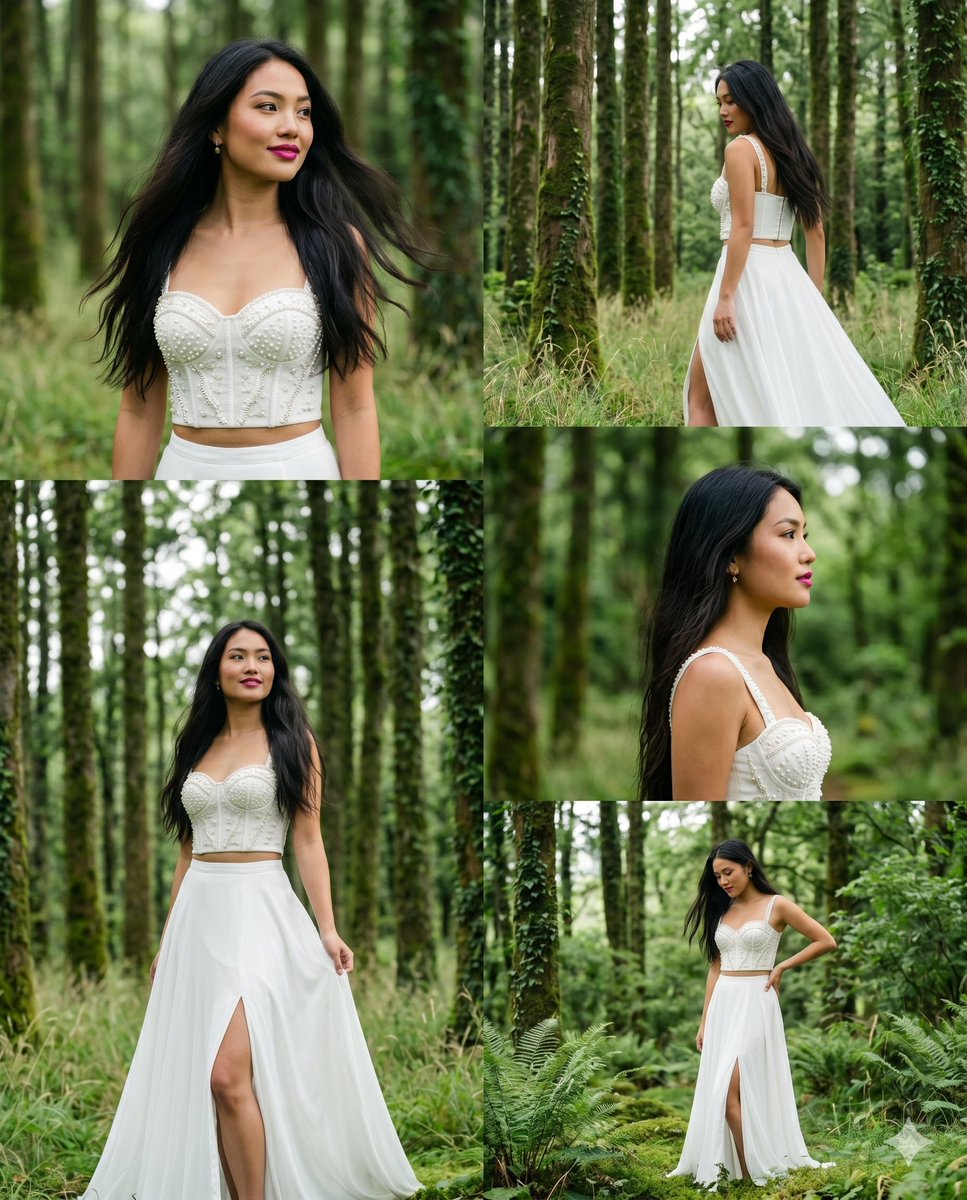
A vertical multi-frame strip capturing an East Asian woman in an enchanted forest wearing a pearl corset. (free to use) — Free AI image template on PicX Studio.
5-panel vertical cinematic portrait strip of a {argument name="subject" default="beautiful young East Asian woman (20–24)"}, warm wheatish skin, long silky dark hair flowing naturally, striking magenta-pink lips, subtle makeup, minimal accessories. She wears an {argument name="outfit" default="elegant white pearl-embroidered corset crop top paired with a flowing white maxi skirt"} with a graceful front slit, blending modern and ethnic-fusion fashion. Set inside a {argument name="background" default="lush enchanted forest"} with tall slender tree trunks, soft wild grass, moss-covered ground, delicate ferns, and layers of rich greenery. Gentle overcast daylight filters through the canopy, creating dreamy diffused lighting with a fresh green ambient glow. Each panel captures a different cinematic pose and expression, natural movement in the hair and skirt, shallow depth of field, ultra-realistic skin texture, vibrant colors, atmospheric perspective, editorial fashion photography, luxury magazine aesthetic, 4K HDR, masterpiece quality, highly detailed, vertical multi-frame strip composition. -- ar 4:5
Use Enchanted Forest Fashion Portrait Strip to plan an AI image around nano-banana-2 generation. Match the preview's composition first, then personalize the subject, setting, and mood for your own project.
Use the primary action to load the template settings in PicX Studio.
Adjust the subject and creative details for your destination.
Create the image, compare the result with the preview, and refine one variable at a time.
A continuous mix — similar concepts first, woven with same-model prompts and fresh picks from the catalog.
Choose the primary action to open PicX Studio with the available template settings. Review the model and format, personalize the creative direction, and generate when ready.
Yes. You can change the subject, setting, lighting, mood, format, and available model controls before creating your image.
This template is free to open and customize. Generation usage is shown in PicX Studio before you create.
Start with nano-banana-2, which is the model associated with this template. You can compare another compatible model for a different finish.
A continuous mix — similar concepts first, woven with same-model prompts and fresh picks from the catalog.
Follow a topic to a crawlable collection of related PicX Studio templates.
32,032 public templates available. Verified via the PicX Studio public templates API; refreshed hourly.


