How do I use the Dreamy Forest Golden Hour Portrait template?
Choose the primary action to open PicX Studio with the available template settings. Review the model and format, personalize the creative direction, and generate when ready.
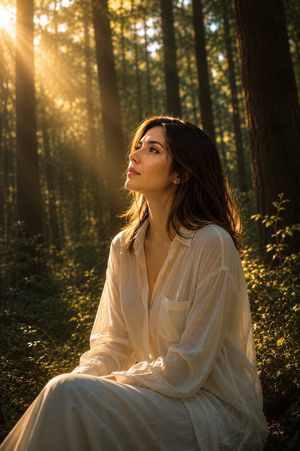
A serene vertical portrait prompt for creating an ethereal woman in a flowing dress on a sunlit forest path.
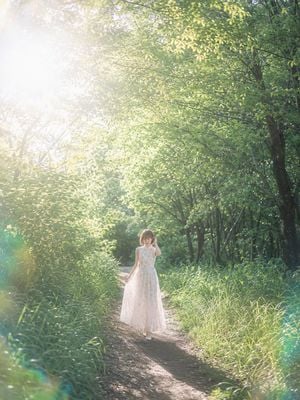
Create a dreamy vertical portrait photograph of a {argument name="subject" default="young woman"} standing alone on a narrow dirt path in a lush green forest during golden hour. She is positioned slightly below center and far enough away to appear small against the towering trees, wearing a long sleeveless pale pink floral chiffon dress with a soft flowing skirt and white shoes. Her short brown hair catches the light; one hand is raised near her face as if brushing hair aside, while the other lightly holds the edge of her skirt. The path curves gently into dense greenery, with tall grasses on both sides and an arching canopy of leafy trees overhead. Strong warm sunlight enters from the upper left, creating a large white sun flare, soft haze, glowing backlight, dappled highlights on leaves, and subtle green lens flares near the lower corners. Use a serene, romantic, ethereal Japanese portrait photography mood, natural colors, high dynamic range, shallow-to-medium depth of field, soft focus bloom, vertical 3:4 composition, no text, no watermark, no extra people.
Choose the primary action to open PicX Studio with the available template settings. Review the model and format, personalize the creative direction, and generate when ready.
Yes. You can change the subject, setting, lighting, mood, format, and available model controls before creating your image.
This template is free to open and customize. Generation usage is shown in PicX Studio before you create.
Start with GPT Image 2, which is the model associated with this template. You can compare another compatible model for a different finish.
Follow a topic to a crawlable collection of related PicX Studio templates.