How do I use the Spring Window Seat Cardigan Portrait template?
Choose the primary action to open PicX Studio with the available template settings. Review the model and format, personalize the creative direction, and generate when ready.
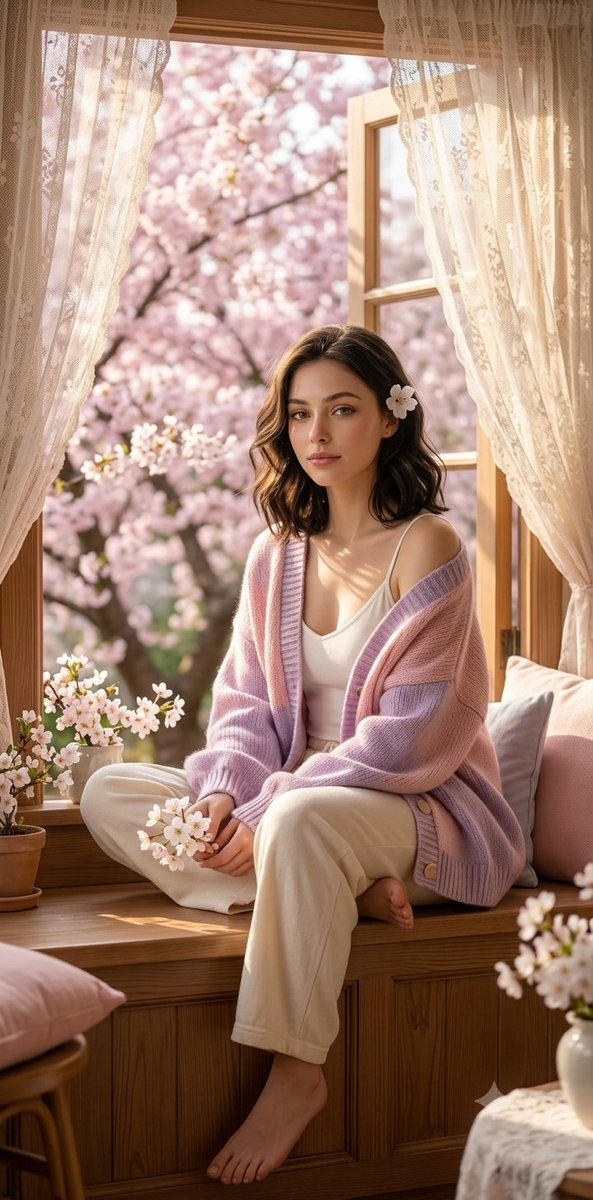
A serene spring morning portrait of a woman on a window seat, featuring knit textures, cherry blossoms, and golden sunlight. (free to use) — Free AI image template on PicX Studio.
Ultra-realistic spring morning portrait of a {argument name="subject" default="beautiful young woman"} sitting barefoot on a {argument name="setting" default="wooden window seat"} beside a large open window, holding a small white blossom in her hand. {argument name="hair color" default="Soft wavy black"} shoulder-length hair with a delicate flower tucked behind her ear, natural glass-like skin texture, subtle makeup, realistic facial proportions, gentle dreamy expression, {argument name="outfit" default="oversized pastel pink-and-lilac knitted cardigan"} draped over a white camisole and loose cream lounge pants. Outside the window, lush cherry blossom trees in full bloom create a dreamy pink bokeh background. Warm golden sunlight streams through sheer lace curtains, casting soft natural shadows and highlights across the room. Cozy cottage-inspired interior with wooden details, small potted flowers, pastel cushions, peaceful spring atmosphere. Photorealistic, cinematic lifestyle photography, shallow depth of field, soft focus background, HDR lighting, highly detailed skin and hair strands, authentic fabric textures, natural color grading, magazine editorial quality, 85mm lens, f/1.8, 8K resolution, masterpiece, serene and elegant mood, no plastic skin, no CGI look, realistic hands and feet, natural facial features, high-detail eyes, premium photography.*
Use Spring Window Seat Cardigan Portrait to plan an AI image around nano-banana-2 generation. Match the preview's composition first, then personalize the subject, setting, and mood for your own project.
Use the primary action to load the template settings in PicX Studio.
Adjust the subject and creative details for your destination.
Create the image, compare the result with the preview, and refine one variable at a time.
A continuous mix — similar concepts first, woven with same-model prompts and fresh picks from the catalog.
Choose the primary action to open PicX Studio with the available template settings. Review the model and format, personalize the creative direction, and generate when ready.
Yes. You can change the subject, setting, lighting, mood, format, and available model controls before creating your image.
This template is free to open and customize. Generation usage is shown in PicX Studio before you create.
Start with nano-banana-2, which is the model associated with this template. You can compare another compatible model for a different finish.
A continuous mix — similar concepts first, woven with same-model prompts and fresh picks from the catalog.
Follow a topic to a crawlable collection of related PicX Studio templates.
32,032 public templates available. Verified via the PicX Studio public templates API; refreshed hourly.


