How do I use the Monochrome Fashion Editorial Triptych template?
Choose the primary action to open PicX Studio with the available template settings. Review the model and format, personalize the creative direction, and generate when ready.
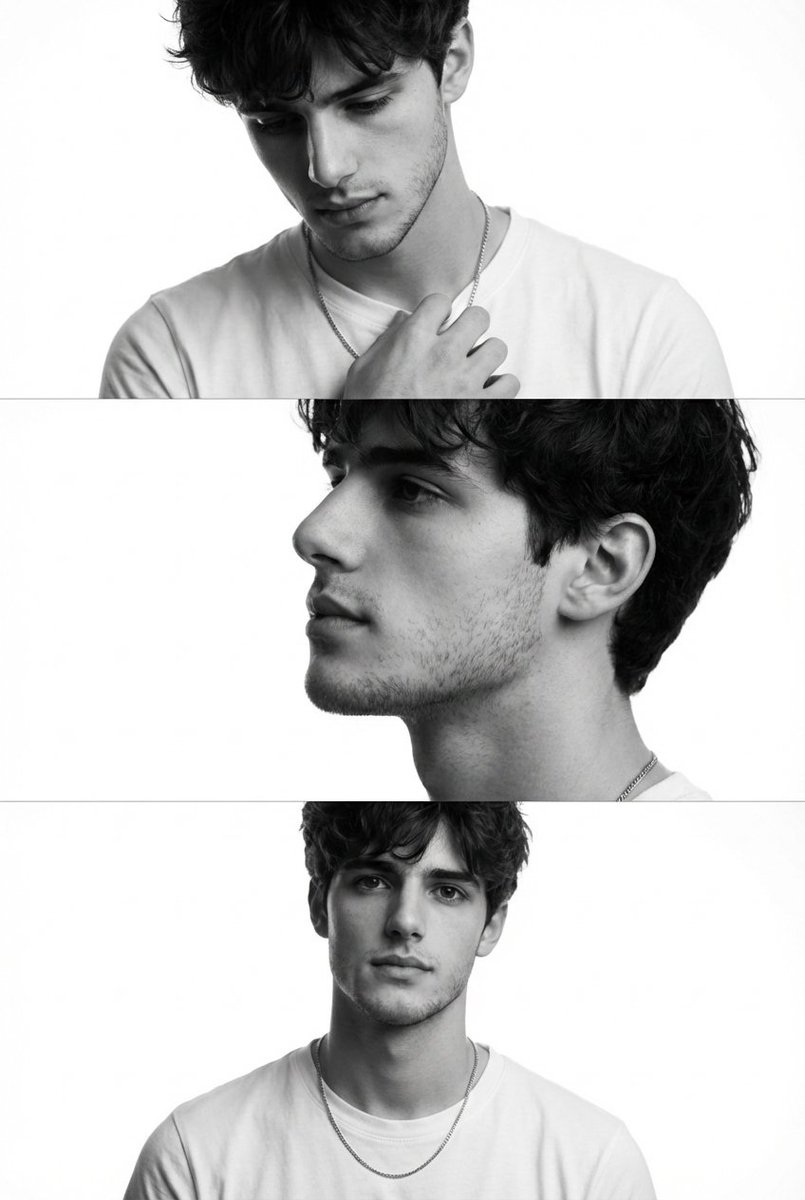
A sophisticated structured JSON prompt for generating a monochrome 3-panel vertical triptych focusing on minimalist fashion and masculine portraiture.
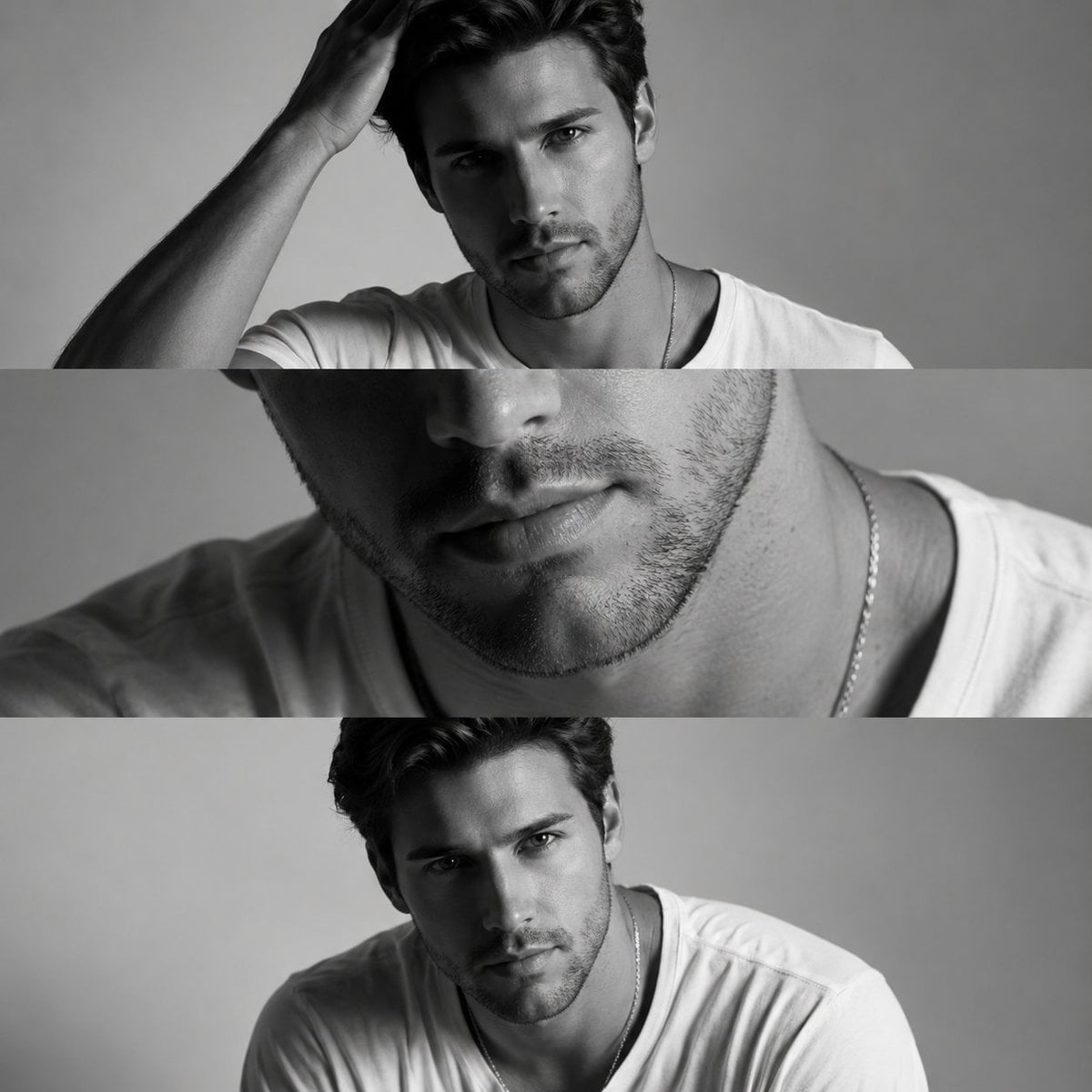
{ "Modern_Sculpture_Monochrome_Triptych_9x16", "aspect_ratio": "9:16", "style": "{argument name="style aesthetic" default="Minimalist monochrome fashion editorial inspired by modern sculpture aesthetics"}", "composition": { "layout": "Three horizontal panels stacked vertically within a 9:16 canvas", "background": "Seamless grey-white studio backdrop with soft gradient falloff", "continuity_elements": "Minimal white crew-neck T-shirt and subtle gold necklace across all frames" }, "subject": { "description": "{argument name="model" default="Young male model with short textured dark hair, neatly edged groomed beard, symmetrical bone structure, defined cheekbones"}", "expression_tone": "Calm, confident, introspective masculinity", "skin_detail": "Authentic skin pores, natural texture, no over-smoothing" }, "frames": [ { "frame_number": 1, "type": "Half-lit portrait", "pose": "Facing camera, one hand brushing casually through hair", "lighting": { "style": "Split lighting", "key_light_position": "Camera right at 45 degrees", "effect": "One side illuminated, opposite side fades into soft shadow", "contrast": "Medium-high contrast with controlled shadow rolloff" }, "focus": "Bone structure and facial symmetry" }, { "frame_number": 2, "type": "Close crop detail shot", "pose": "Neutral posture, frame tightly cropped", "lighting": { "style": "Soft directional window light", "direction": "Camera left", "quality": "Diffused natural light" }, "focus": "Lips, beard texture, collarbone detail", "depth_of_field": "Shallow for background separation" }, { "frame_number": 3, "type": "Subtle forward lean portrait", "pose": "Slight lean toward camera, shoulders relaxed", "expression": "Confident but calm eye contact", "lighting": { "style": "Balanced soft studio lighting", "highlight_detail": "Gold necklace catching subtle highlight reflections" } } ], "camera_settings": { "camera_type": "High-end full-frame mirrorless", "lens": "50mm prime lens", "aperture": "f/2.0", "shutter_speed": "1/200", "iso": "100", "focus_mode": "Eye autofocus", "sharpness": "Premium editorial sharpness with natural detail retention" }, "color_grading": { "mode": "Black and white conversion", "contrast_curve": "Balanced highlights with controlled shadow depth", "grain": "Subtle fine grain for magazine realism", "finish": "High-end commercial editorial polish" }, "quality_tags": [ "cinematic", "minimalist", "luxury editorial", "elegant masculinity", "modern sculpture aesthetic", "high detail", "professional studio photography" ] } Ratio 4:5 Highly realistic 8k quality
Choose the primary action to open PicX Studio with the available template settings. Review the model and format, personalize the creative direction, and generate when ready.
Yes. You can change the subject, setting, lighting, mood, format, and available model controls before creating your image.
This template is free to open and customize. Generation usage is shown in PicX Studio before you create.
Start with Nano Banana 2, which is the model associated with this template. You can compare another compatible model for a different finish.
Follow a topic to a crawlable collection of related PicX Studio templates.