How do I use the Modern Cleopatra Beauty Editorial template?
Choose the primary action to open PicX Studio with the available template settings. Review the model and format, personalize the creative direction, and generate when ready.
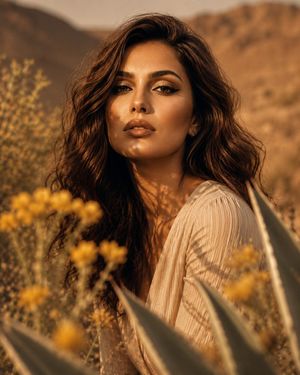
A high-fashion beauty close-up prompt recreating an Egyptian-inspired aesthetic with dramatic makeup and a striking studio backdrop.
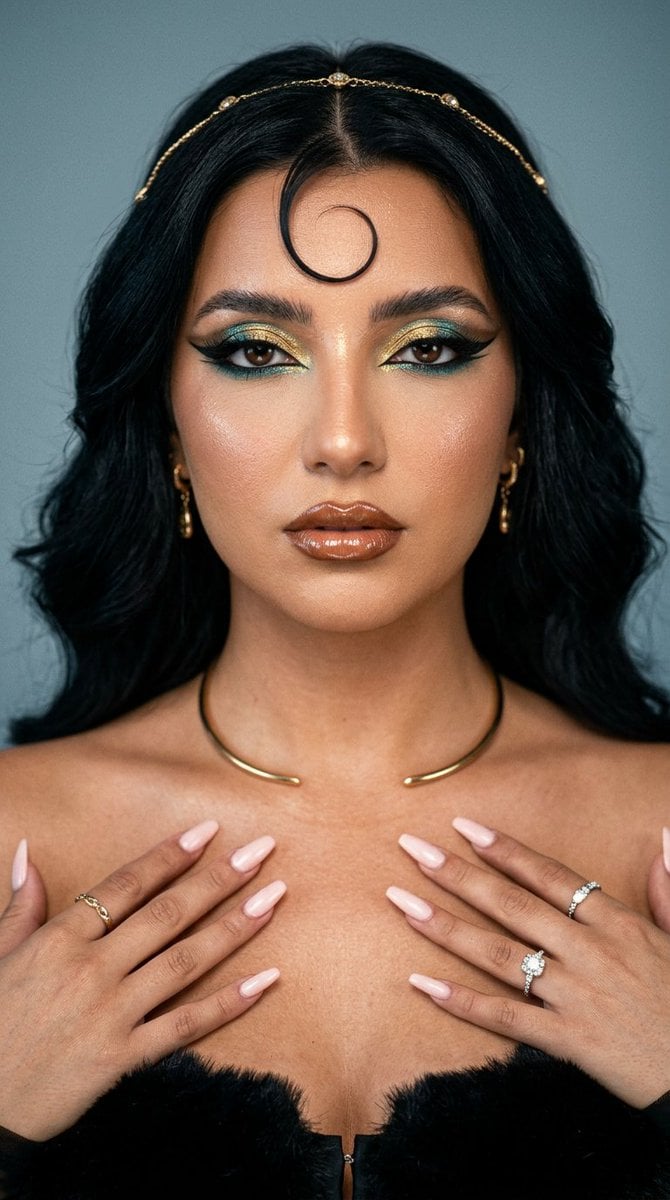
Ultra-photorealistic editorial beauty close-up, vertical 4:5, of a striking young woman against a soft muted blue-grey studio backdrop with a gentle vignette. Tight framing on the face and shoulders. Glowing bronzed skin with realistic pore texture and a dewy sheen. Voluminous dark brown-black hair, center-parted and full, with a single sculpted spit-curl swirling onto the forehead. Reimagined as a modern {argument name="identity" default="Cleopatra"}: dramatic Egyptian glam makeup — elongated black winged kohl liner pulled into a sharp tail, shimmering metallic gold and {argument name="makeup color" default="turquoise"} eyeshadow blended into the crease, gilded inner corners, bold full dark brows, glossy bronze-brown lips with a wet shine. A thin {argument name="accessory" default="gold headpiece"} or browband rests across the hairline, small gold drop earrings, subtle gold cuff at the collarbone. Confident, regal, slightly sultry gaze straight into the lens. Lighting: soft directional key light from front, gentle falloff into shadow, cool ambient rim separating the hair from the background, faint warm gold reflections on the skin. Cinematic low-contrast beauty lighting, fine grain, shallow depth of field, shot on a fast prime lens. Polished, expensive, editorial fashion-magazine mood. Negative: plastic skin, over-smoothed AI face, doll face, cartoon, 3D render, costume-y cheap headpiece, distorted features, asymmetric eyes, bad anatomy, watermark, text, harsh flat lighting, cluttered background.
Choose the primary action to open PicX Studio with the available template settings. Review the model and format, personalize the creative direction, and generate when ready.
Yes. You can change the subject, setting, lighting, mood, format, and available model controls before creating your image.
This template is free to open and customize. Generation usage is shown in PicX Studio before you create.
Start with Nano Banana 2, which is the model associated with this template. You can compare another compatible model for a different finish.
Follow a topic to a crawlable collection of related PicX Studio templates.