How do I use the Vintage England Travel Scrapbook template?
Choose the primary action to open PicX Studio with the available template settings. Review the model and format, personalize the creative direction, and generate when ready.
A nostalgic and romanticized watercolor digital scrapbook prompt celebrating a journey through England, complete with vintage travel ephemera and literary quote
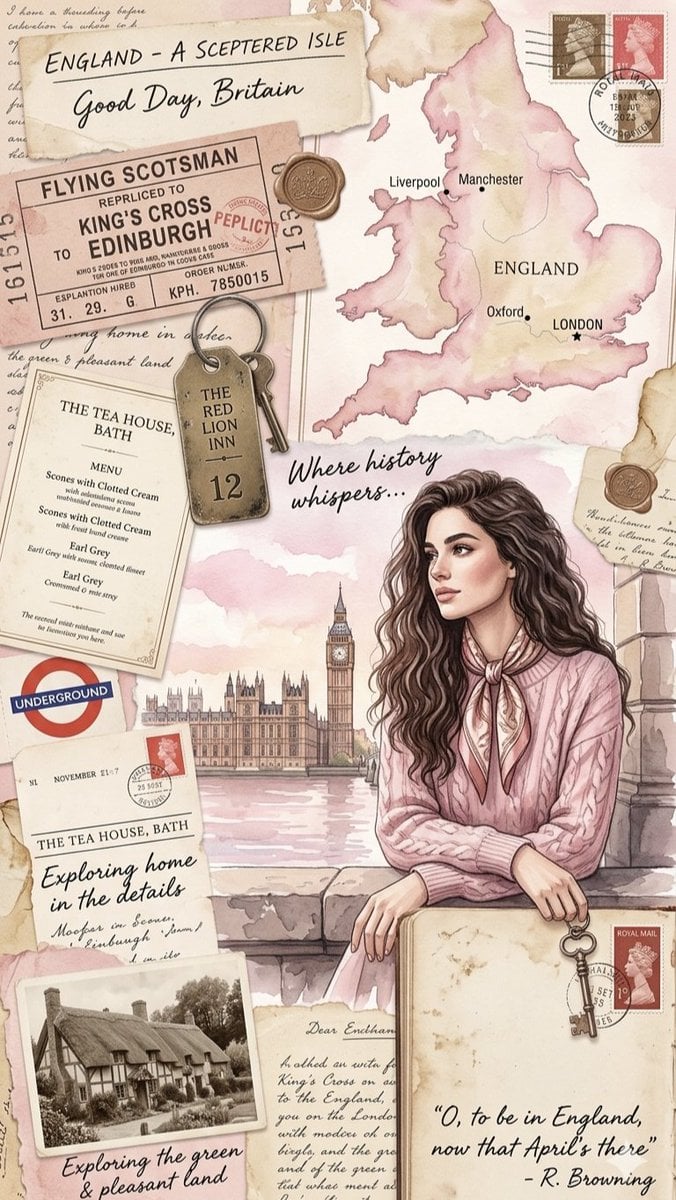
A vintage-inspired digital scrapbook collage celebrating a journey through {argument name="country" default="England"}, designed with a soft, romanticized watercolor aesthetic in pastel tones of blush pink, cream, beige, and sepia. The main focus is an elegant young woman with {argument name="hair style" default="long, wavy dark hair"}, wearing a {argument name="outfit" default="pink cable-knit sweater"} and a silk neck scarf, leaning on a stone ledge with a soft-focus view of Big Ben and the Palace of Westminster behind her. Surrounding her are various travel elements, including a watercolor map of England, an old train ticket for the Flying Scotsman, a rustic brass hotel key, vintage postage stamps, a London Underground logo, and a menu from a tea house in Bath. The composition is completed with an old black-and-white photograph of a traditional thatched-roof cottage, handwritten cursive elements, and elegant script typography featuring the quote, "O, to be in England, now that April's there" by R. Browning.
Choose the primary action to open PicX Studio with the available template settings. Review the model and format, personalize the creative direction, and generate when ready.
Yes. You can change the subject, setting, lighting, mood, format, and available model controls before creating your image.
This template is free to open and customize. Generation usage is shown in PicX Studio before you create.
Start with Nano Banana 2, which is the model associated with this template. You can compare another compatible model for a different finish.
Follow a topic to a crawlable collection of related PicX Studio templates.