How do I use the Dreamy Studio Creative Illustration template?
Choose the primary action to open PicX Studio with the available template settings. Review the model and format, personalize the creative direction, and generate when ready.
A whimsical and warm prompt featuring a woman hugging a giant pencil in a room filled with cute stationery and chibi replicas.
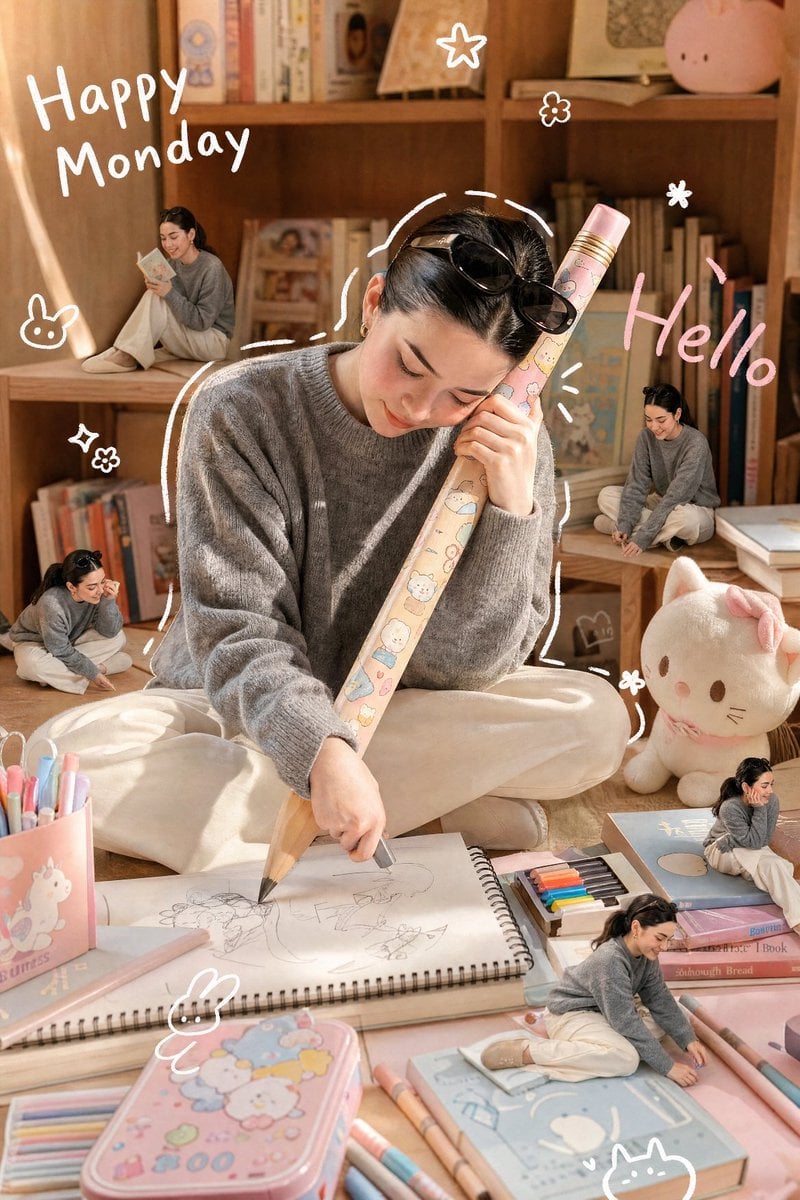
A realistic, candid photograph of a {argument name="subject" default="petite Asian woman"} with a detailed, lifelike face and hairstyle (referencing the provided image for specific features), captured during a soft afternoon. She is wearing the specific clothing from the reference image. She is happily and intently hugging a {argument name="prop" default="gigantic wooden pencil"} adorned with cute, kawaii cartoon patterns with both hands, using it to draw on a massive sketchbook spread before her on a cozy room floor. The scene is full of warmth, with a soft, diffused sunlight filtering in. The floor is covered in pastel-colored (light pink, light blue) oversized toys, stationery, and a cute colored pencil box. A small, fluffy cat plush sits nearby. The room background features warm-toned wooden bookshelves filled with charming books and collectibles, all glowing with soft afternoon light. A minimal white doodle outline loosely traces the woman's figure. Cute, minimal white handwritten text on the side reads "{argument name="text" default="Happy Monday"}", and pink handwritten text reads "Hello". Small, simple white doodle elements like stars, flowers, cats, and bunnies are scattered around. Four distinct, miniature 3D chibi-style figures, exact miniature replicas of the woman in the same clothing but in playful, mischievous poses, are placed around her on the shelves, books, and among the giant stationery. The entire image has a soft, dreamy, and warm glow, with pastel tones in the surroundings contrasting with natural wood and cream background colors. Shot on a Canon EOS R5 with a 35mm f/1.4 lens, natural grain, cinematic lighting. Aspect Ratio: 4:5 Style: Realistic Photo, Candid, Warm, Dreamy Lighting: Soft Afternoon Sunlight, Diffused
Choose the primary action to open PicX Studio with the available template settings. Review the model and format, personalize the creative direction, and generate when ready.
Yes. You can change the subject, setting, lighting, mood, format, and available model controls before creating your image.
This template is free to open and customize. Generation usage is shown in PicX Studio before you create.
Start with Nano Banana 2, which is the model associated with this template. You can compare another compatible model for a different finish.
Follow a topic to a crawlable collection of related PicX Studio templates.