How do I use the Douyin Aesthetic Cat Portrait template?
Choose the primary action to open PicX Studio with the available template settings. Review the model and format, personalize the creative direction, and generate when ready.
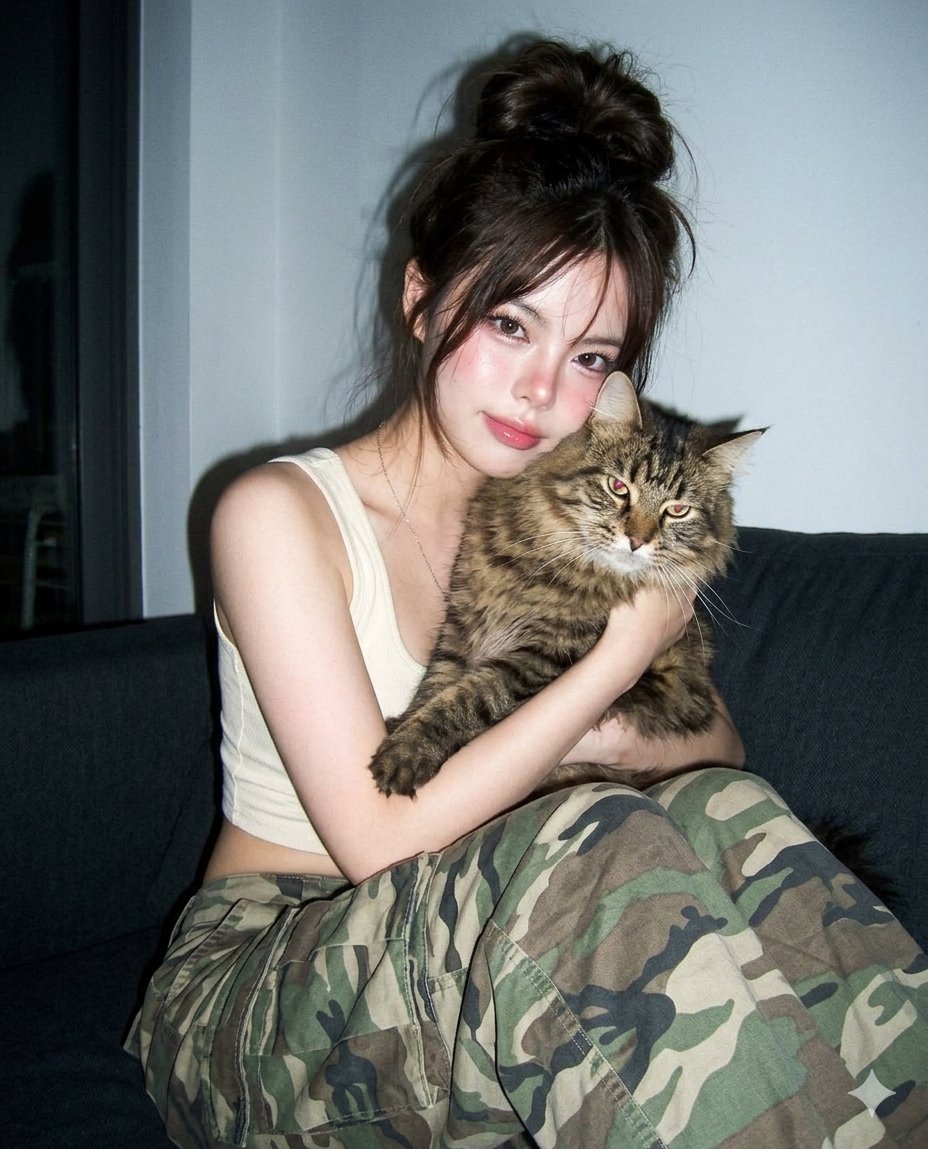
A soft Douyin-style portrait of a woman with a Maine Coon cat, using a vintage digicam flash effect. (free to use) — Free AI image template on PicX Studio.
A hyper-photorealistic shot of the same male subject in the attached image. **Subject & Composition:** A high-quality, candid-style indoor portrait of a young woman with a soft **Douyin-style aesthetic**, sitting on a dark couch and playfully hugging a large, fluffy **Maine Coon cat**. She is wearing a cream-colored cropped tank top and oversized **camouflage cargo pants**. Her pose is casual and affectionate, with her face leaning close to the cat’s head. **Appearance & Makeup:** * **Hair:** Messy, voluminous dark brown hair tied in a loose, effortless "dirty bun" with wispy strands framing the face. * **Face:** Youthful features with a "glass-skin" finish. * **Makeup:** Subtle pink gradient eyeshadow, prominent **soft aegyosal** (puffy lower eyelids), a hint of rosy blush across the cheeks and nose bridge, and glossy, "blurred" pink lips. * **Eyes:** Large, expressive eyes with a soft, natural gaze. **Photographic Style (2000s Digicam):** * **Lighting:** Simulating a **harsh direct camera flash** which creates high contrast, sharp shadows against the background, and a slight "red-eye" or "flat" lighting effect common in early digital photography. * **Texture:** Slight **CCD digital sensor noise** and fine grain. The colors are slightly desaturated or "washed out" with a cool-toned indoor white balance. * **Vibe:** A low-fidelity (lo-fi), amateur-style pocket camera snapshot from the mid-2000s. High clarity on the subject but with that distinct vintage digital grit. **Technical Keywords:** > *Candid flash photography, 2000s digital camera aesthetic, CCD sensor, direct flash, messy hair, Douyin makeup, oversized camo pants, Maine Coon cat, indoor evening lighting, grainy texture, high contrast, glossy lips.*
Use Douyin Aesthetic Cat Portrait to plan an AI image around nano-banana-2 generation. Match the preview's composition first, then personalize the subject, setting, and mood for your own project.
Use the primary action to load the template settings in PicX Studio.
Adjust the subject and creative details for your destination.
Create the image, compare the result with the preview, and refine one variable at a time.
A continuous mix — similar concepts first, woven with same-model prompts and fresh picks from the catalog.
Choose the primary action to open PicX Studio with the available template settings. Review the model and format, personalize the creative direction, and generate when ready.
Yes. You can change the subject, setting, lighting, mood, format, and available model controls before creating your image.
This template is free to open and customize. Generation usage is shown in PicX Studio before you create.
Start with nano-banana-2, which is the model associated with this template. You can compare another compatible model for a different finish.
A continuous mix — similar concepts first, woven with same-model prompts and fresh picks from the catalog.
Follow a topic to a crawlable collection of related PicX Studio templates.
32,032 public templates available. Verified via the PicX Studio public templates API; refreshed hourly.


