
POV Paper Camera Effect
A creative POV prompt where a person holding a handmade paper camera 'captures' real-world locations and transforms them into 2D illustrations on the camera's screen.
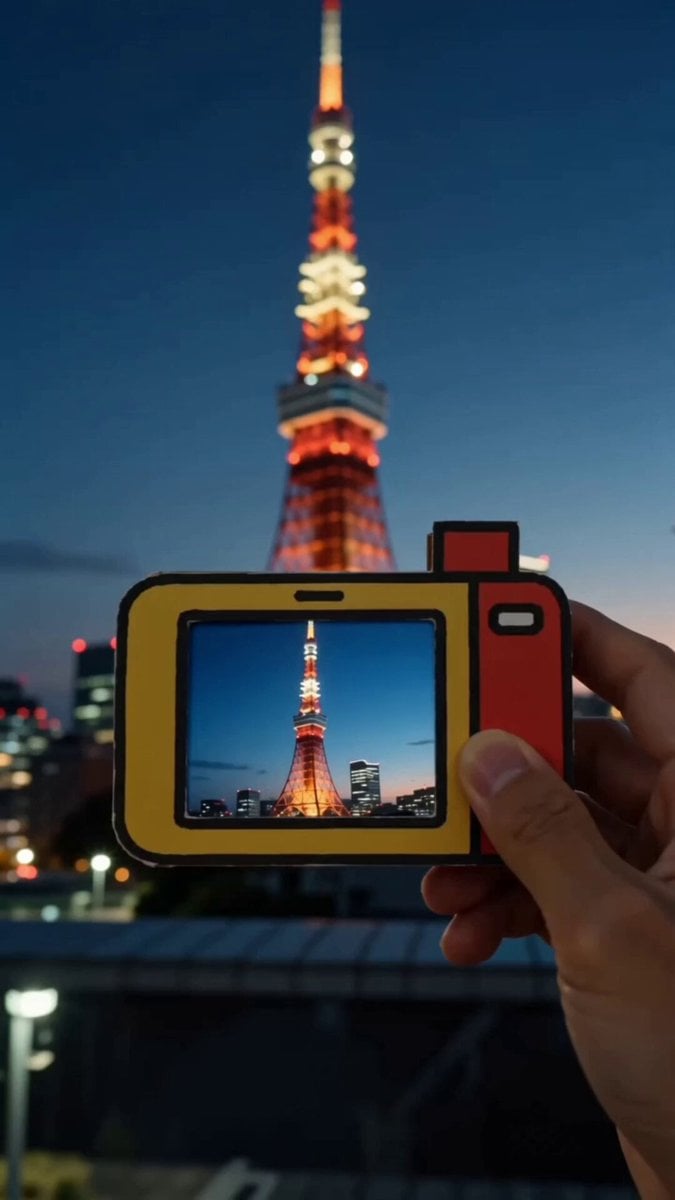
- Prompt included
- Model and format preset
- Premium template
The prompt behind this video
Copy the exact prompt behind POV Paper Camera Effect, or open it in the studio and make it yours.
SNS風の一人称視点動画。 撮影者は、赤と黄色の手作り紙製デジタルカメラを片手で持っている。厚紙を切り抜いたような平面的で少しチープな玩具デザイン。高級カメラ、金属製カメラ、ポラロイドにはしない。 毎カット、背景には実写の被写体が見えている。撮影者がシャッターボタンを押すと、紙製デジタルカメラ液晶画面の中だけに、背景をそのままイラストにしたような同じ被写体の可愛い2D手描きアニメ版が表示される。背景の現実は変化しない。実写の被写体と液晶内のアニメ版を、同じフレームで同時に見せる。 カット1:夜の東京タワー 中央の液晶内に、実写の背景の東京タワーにピントを合わせる。合わせたら、シャッターを切る。画面はflash。その後、液晶内だけ先ほどの実写の背景がそのまま色鉛筆で書いたようなかわいい2Dのトゥーンイラストになり、画面全体が静止。背景はそのまま実写を保つ。 カット2:夏祭りの花火 中央の液晶内に、背景の夏祭りの花火にピントを合わせる。合わせたら、シャッターを切る。画面全体がflash。その後、液晶内だけ先ほどの実写の背景がそのまま色鉛筆で書いたようなかわいい2Dのトゥーンイラストになり、画面全体が静止。背景はそのまま実写を保つ。 カット3:ひまわり畑 中央の液晶内に、背景のひまわり畑にピントを合わせる。合わせたら、シャッターを切る。画面全体がflash。その後、液晶内だけ先ほどの実写の背景がそのまま色鉛筆で書いたようなかわいい2Dのトゥーンイラストになり、画面全体が静止。背景はそのまま実写を保つ。 カット4:電車内から見る海辺の景色 中央の液晶内に、背景の電車内から見る海辺の景色にピントを合わせる。合わせたら、シャッターを切る。画面全体がflash。その後、液晶内だけ先ほどの実写の背景がそのまま色鉛筆で書いたようなかわいいDのトゥーンイラストになり、画面全体が静止。背景はそのまま実写を保つ。 液晶内の画風は、太い輪郭線、平面的で明るい色、シンプルでポップな子ども向け2Dカートゥーン。映画的な水彩アニメ、3DCG、リアルなアニメ背景にはしない。 全体の実写部分は、明るさを保ちながらも、少しエモくてノスタルジックな質感にする。 日本の淡い夏を思わせる、やわらかく切ない空気感。 彩度は少しだけ抑えめ。コントラストは強すぎず、黒はやわらかい。白は少しだけふんわりにじむ。 自然光ベースで、夕方のやさしい逆光、淡いハレーション、空気を含んだような柔らかい光。 わずかなフィルム粒子感。 少しだけ色褪せたようなトーン。暖色寄りのハイライトと、少し青みのある影。 スマホで撮ったようなリアルさを残しつつ、思い出のワンシーンみたいなエモい質感にする。
How to use POV Paper Camera Effect in 3 steps
- 1
Open
The prompt is already in the box next to the preview, with the template's model and format selected.
- 2…a portrait of your subject in softgolden-hour light, 85mm…
Personalize
Edit the subject and creative details for your destination.
- 3Generate
Generate
Press Generate — your video is created in PicX Studio, so you can compare it with the original and refine one variable at a time.
More like this
Templates with the same subject, style or setup. Open one to see its prompt.
DV Camcorder POV Gym Montage — Seedance 2.5
DV Camcorder POV Gym Montage — Seedance 2.5

Paper Airplane POV Flight
Wind Blows Paper, Camera Follows

Documentary Style Video Prompt with Imperfect Camera Effects
Ice Queen — Frozen Battlefield Time Control (Seedance)

Cinematic Camera Movement Keywords
Finger Frame Video Effect Prompt
Handheld POV Nighttime Taxi Video
Anime Music Video Motion Effects
Pop-up Book Paper Craft Animation
Wuxia Sword Maiden Visual Effects Prompt
Make it yours
POV Paper Camera Effect works as-is. These are the safest ways to change it without losing the look.
Change one field
Copy a single group, rewrite it, and generate again so you can see what that field is doing.
Keep the frame, change the subject
Hold the composition and light of POV Paper Camera Effect, then swap wardrobe, props or the person for a new take.
| If the result… | Why | Fix |
|---|---|---|
| The result drifts from the preview | Too many fields changed at once. | Reuse POV Paper Camera Effect as-is first, then change one group — subject, light, or setting. |
| The model over-stylizes the scene | The prose prompt leaves finish and camera underspecified. | Add one camera or lighting sentence and stay on Seedance 2.0. |
More Seedance 2.0 templates
Other prompts made for Seedance 2.0.

Comical Martial Arts Punch Scene

Maglev Train Action Sequence

Martial Arts Fight Sequence

Wuxia Protection and Trust Script

Vintage Korean Arcade MiniDV Vlog

Mercedes 190 SL Luxury Ad

Rainy Night Supernatural Reverse Comedy Video Script

Amazon Civilization Discovery

Futuristic South Asian City Transformation

Cozy Luxury Cafe Commercial
More video prompts
Fresh picks from across the catalog.
Stop Motion Animation Prompt
Cinematic Night Battlefield Siege
Cartoon moose hit by semi truck prompt

Dark Hollywood Blockbuster Trailer
Celestial Creatures Knitting Constellations

The 'Fat Note' Transformation Prompt
Chinese Xianxia Goddess Twin Statue Video
Three-Column Space Shooter Game Comparison
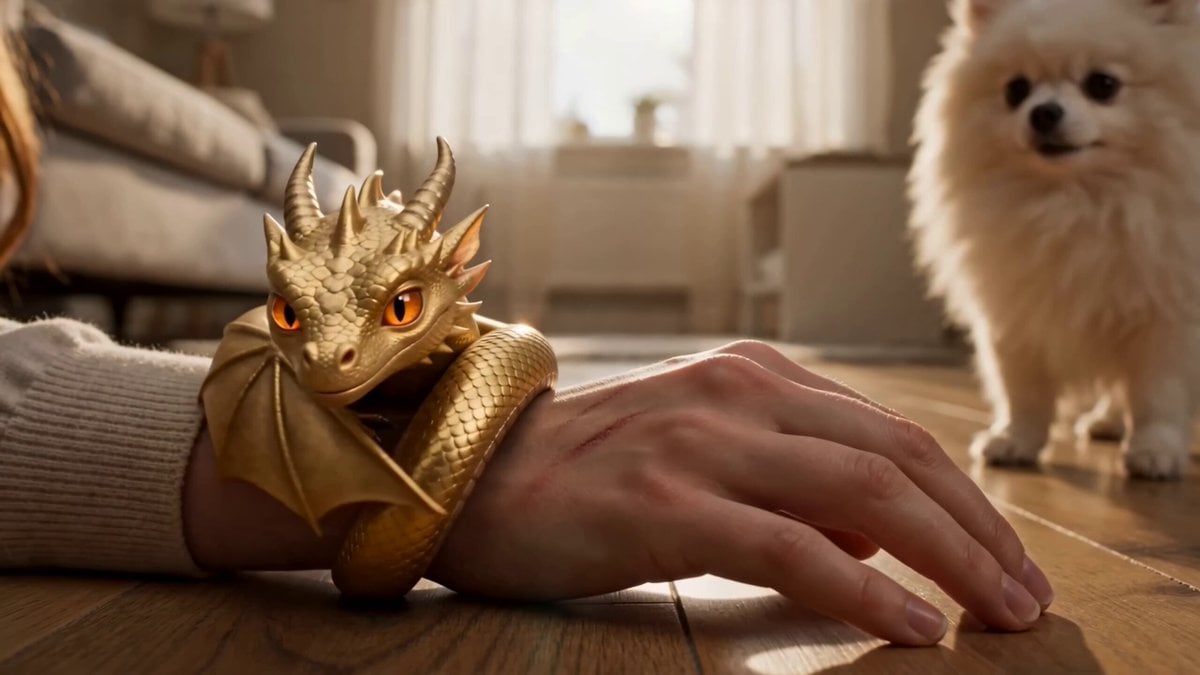
Seedance 2.0 Video Prompt: Golden Tiny Dragon
Cyber Warrior Mech Combat
Browse template categories
POV Paper Camera Effect questions
How do I use the POV Paper Camera Effect template?
Add your photo if the template asks for one, edit the prompt if you like — the template's model and format are already selected — and press Generate. Your version opens in PicX Studio.
Can I customize the POV Paper Camera Effect template?
Yes. You can change the subject, setting, lighting, mood, format, and available model controls before creating your video.
Is the POV Paper Camera Effect template free?
Opening and editing this template is free. Generating uses credits, shown on the Generate button when you are signed in.
Which AI model should I use?
Start with Seedance 2.0, which is the model associated with this template. You can compare another compatible model for a different finish.
Looking for something else? Browse all templates.

Your photo, any look
Thousands of ready templates for every top image and video model, from one credit balance.