How do I use the Romantic Just Married Wedding Poster template?
Choose the primary action to open PicX Studio with the available template settings. Review the model and format, personalize the creative direction, and generate when ready.
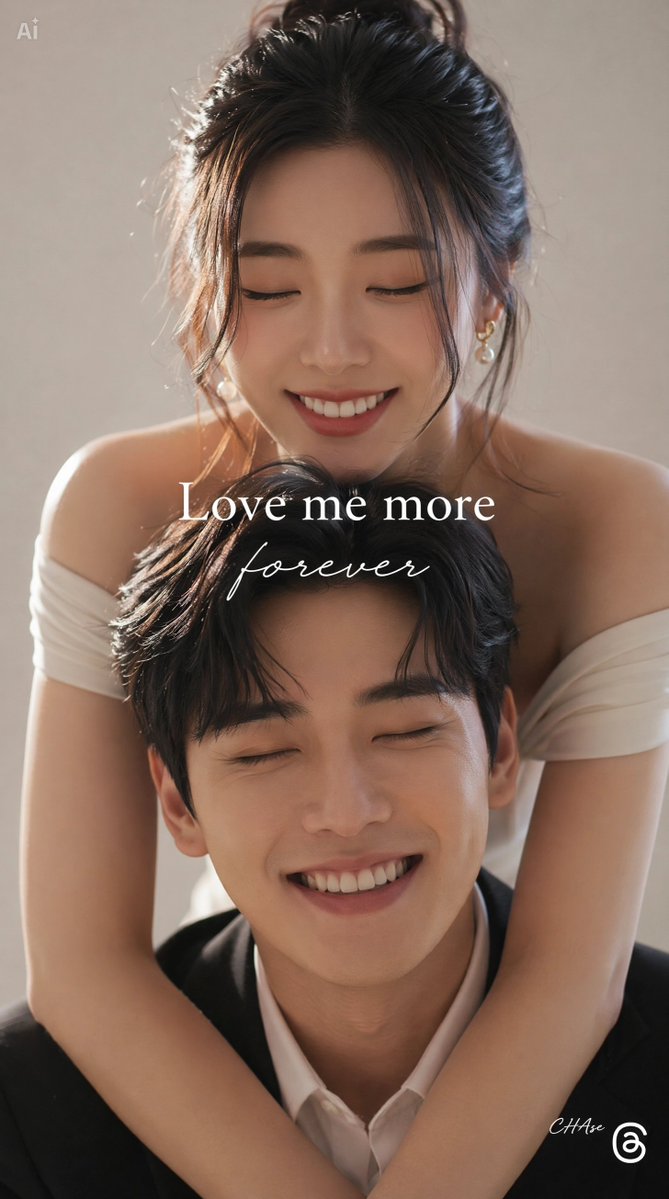
A polished wedding announcement poster with a bride and groom portrait, oversized LOVE typography, and save-the-date details.

Create a romantic horizontal wedding announcement poster featuring {argument name="couple description" default="a young East Asian bride and groom"} in a polished studio portrait. Canvas: wide 16:9 landscape layout, soft blush-pink background with subtle glow and faint sparkles, bright airy retouched wedding-photo aesthetic. Main subjects: exactly 2 people centered near the top half, shown from waist up and leaning close together while looking at the camera. The bride stands on the left wearing a white lace wedding dress with sheer embroidered neckline, a translucent veil, elegant updo with pearl-and-flower hair ornaments, soft natural makeup, and one hand lightly lifting the veil; she holds a small bouquet of pale pink and white flowers near the center. The groom stands on the right wearing a black tuxedo, white shirt, black bow tie, white pocket square, small decorative boutonniere or silver deer-shaped brooch on the lapel, tousled dark hair, and round glasses. Typography and layout: place a huge bold coral-orange word {argument name="large background word" default="LOVE"} across the entire bottom half, cropped slightly by the canvas edges, with the couple layered in front of and behind parts of the letters for depth. Overlay a large white handwritten brush-script phrase {argument name="script headline" default="Just Married"} diagonally across the center over the couple and the large letters, including a long underline stroke and painterly texture. Bottom information row: include exactly 5 small centered text blocks separated by thin vertical lines: 1) "SAVE / THE / DATE", 2) {argument name="wedding date" default="14 / FEB / 2027"}, 3) "CEREMONY" with a tiny plus/star ornament below, 4) {argument name="venue name" default="MOONLIT / GARDEN"}, 5) "6:30 / PM". Add exactly 2 small white laurel ornaments near the lower left and lower right, plus a tiny sparkle beside the left laurel. Visual style: premium modern wedding invitation, soft high-key lighting, smooth skin retouching, pastel palette, coral-orange typography, clean editorial composition, delicate romantic atmosphere. Constraints: no extra people, no additional text beyond the specified words, keep all lettering legible, avoid watermark or logo.
Choose the primary action to open PicX Studio with the available template settings. Review the model and format, personalize the creative direction, and generate when ready.
Yes. You can change the subject, setting, lighting, mood, format, and available model controls before creating your image.
This template is free to open and customize. Generation usage is shown in PicX Studio before you create.
Start with GPT Image 2, which is the model associated with this template. You can compare another compatible model for a different finish.
Follow a topic to a crawlable collection of related PicX Studio templates.