How do I use the Rainy Japan Street Aesthetic template?
Edit the prompt in the box under the preview — the template's model and format are already selected — and press Generate. Your version appears right on this page.
A detailed cinematic prompt for a nostalgic photograph of a woman on a wet Japanese street with reflections and a dreamy atmosphere.

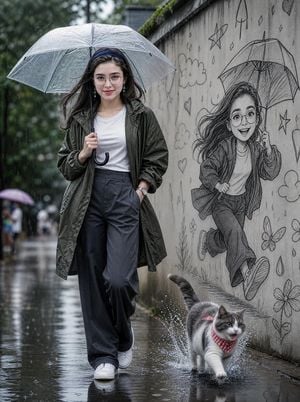
A cinematic, nostalgic lifestyle photograph taken on a {argument name="setting" default="wet residential street in Japan after rain"}. A {argument name="subject" default="young Japanese woman with a short black bob haircut"} stands in the middle of the road, looking back over her left shoulder at the camera with a soft, warm smile. She holds a clear transparent umbrella over her head with one hand, while her other hand holds a small white canvas tote bag. She wears a {argument name="clothing" default="dark teal oversized sweater, a long brown maxi skirt, and black chunky sneakers"}. The road is paved with concrete slabs featuring a unique pattern of deep circular indentations. The surface is wet and reflective, creating a beautiful, mirror-like glow. A thick white line runs straight down the left side of the street, leading the eye into the distance. The background consists of narrow two-story residential houses in muted beige and grey tones, a lush green tree canopy hanging over the right side of the street, wooden fences, a white garage door, and an intricate web of black power lines crisscrossing against the pale, overcast sky. The lighting is soft, diffused, and natural, typical of a rainy day, creating a dreamy, muted color palette of cool greys, faded greens, and earthy browns. Shallow depth of field, soft focus, cinematic composition. Realistic skin texture, visible pores, subtle moisture from the misty air, no beauty filter. Slight film grain, subtle chromatic aberration at the edges. A stray cat tail peeks from behind a wooden fence at the bottom left corner. Authentic Japanese street aesthetic. dutch angle, stray cat tail --ar 9:16
A cinematic, nostalgic lifestyle photograph taken on a {argument name="setting" default="wet residential street in Japan after rain"}. A {argument name="subject" default="young Japanese woman with a short black bob haircut"} stands in the middle of the road, looking back over her left shoulder at the camera with a soft, warm smile. She holds a clear transparent umbrella over her head with one hand, while her other hand holds a small white canvas tote bag. She wears a {argument name="clothing" default="dark teal oversized sweater, a long brown maxi skirt, and black chunky sneakers"}. The road is paved with concrete slabs featuring a unique pattern of deep circular indentations. The surface is wet and reflective, creating a beautiful, mirror-like glow. A thick white line runs straight down the left side of the street, leading the eye into the distance. The background consists of narrow two-story residential houses in muted beige and grey tones, a lush green tree canopy hanging over the right side of the street, wooden fences, a white garage door, and an intricate web of black power lines crisscrossing against the pale, overcast sky. The lighting is soft, diffused, and natural, typical of a rainy day, creating a dreamy, muted color palette of cool greys, faded greens, and earthy browns. Shallow depth of field, soft focus, cinematic composition. Realistic skin texture, visible pores, subtle moisture from the misty air, no beauty filter. Slight film grain, subtle chromatic aberration at the edges. A stray cat tail peeks from behind a wooden fence at the bottom left corner. Authentic Japanese street aesthetic. dutch angle, stray cat tail --ar 9:16
Edit the prompt in the box under the preview — the template's model and format are already selected — and press Generate. Your version appears right on this page.
Yes. You can change the subject, setting, lighting, mood, format, and available model controls before creating your image.
Opening and editing this template is free. Generating uses credits, shown on the Generate button when you are signed in.
Start with GPT Image 2, which is the model associated with this template. You can compare another compatible model for a different finish.
Follow a topic to a crawlable collection of related PicX Studio templates.