How do I use the Dynamic Anime Magic Action Scene template?
Choose the primary action to open PicX Studio with the available template settings. Review the model and format, personalize the creative direction, and generate when ready.
Generates a highly stylized, dynamic anime illustration of a magical character breaking through glass with glowing effects.
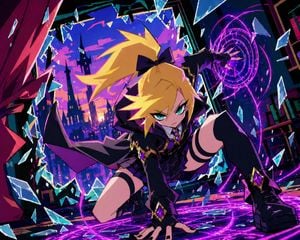
A dynamic anime illustration of a girl with spiky {argument name="hair color" default="blonde"} hair tied in a high ponytail with a black bow, striking teal eyes, and a {argument name="outfit style" default="dark purple and black magical uniform with gold trim and diamond gems"}. She is in an intense crouching superhero landing pose, one hand pressed to the ground and the other raised, casting {argument name="magic color" default="glowing purple"} magic circles. She is shattering through a glass barrier, with sharp, jagged glass shards flying outward toward the viewer. Through the broken frame behind her, a {argument name="background scene" default="stylized silhouette of a gothic city with tall spires against a vibrant purple and orange sunset sky"} is visible. The artwork features {argument name="art style" default="sharp angles, high contrast cel-shading, and vibrant colors"}.
Choose the primary action to open PicX Studio with the available template settings. Review the model and format, personalize the creative direction, and generate when ready.
Yes. You can change the subject, setting, lighting, mood, format, and available model controls before creating your image.
This template is free to open and customize. Generation usage is shown in PicX Studio before you create.
Start with GPT Image 2, which is the model associated with this template. You can compare another compatible model for a different finish.
Follow a topic to a crawlable collection of related PicX Studio templates.