
Steampunk Clockwork Princess
A detailed prompt for generating an ethereal anime steampunk princess in an ornate clock-tower setting.

- Prompt included
- Model and format preset
- Free template
The prompt behind this image
Copy the exact prompt behind Steampunk Clockwork Princess, or open it in the studio and make it yours.
Create a vertical anime-style fantasy illustration of {argument name="character name" default="a young clockwork princess"} standing in three-quarter back view and looking gently over her shoulder toward the viewer. She has very long flowing {argument name="hair color" default="pale silver-blonde"} hair blown leftward by wind, soft blue-gray eyes, delicate facial features, and a calm wistful expression. Dress her in an ornate Victorian steampunk gown in {argument name="dress colors" default="dusty navy blue, ivory lace, and pale pink translucent fabric"}, with layered ruffles, lace hems, sheer ribbons streaming in the wind, large blue bows at the waist and sleeve, gold chains, filigree trim, and multiple visible gear ornaments. Include exactly 6 prominent clockwork decorations on her outfit and accessories: 1 intricate gear hairpiece on the right side of her head, 1 mechanical shoulder pauldron, 1 gear-and-bracelet assembly on her forearm, 1 gear medallion on the lower blue skirt, and 2 small circular gear ornaments along the front lace panel. The background is a towering Gothic steampunk clock-tower interior made of dark metal pipes, riveted columns, gears, and a large antique clock face on the right side, with a pale luminous lattice window or filigree structure behind her. Use dreamy backlighting from the upper left, warm haze, soft mist, fine dust, translucent highlights, and highly detailed linework. Composition: full-body to knee-length figure centered slightly right, flowing skirt sweeping across the lower half, hair and ribbons extending left, tall architecture rising on the right. Style should be elegant, intricate, painterly anime key art, ethereal, romantic, high detail, muted pastel palette, no text, no watermark.
How to use Steampunk Clockwork Princess in 3 steps
- 1Upload ImagePNG, JPG or paste
Add your photo
Upload the photo the template builds on. The prompt, model and format are already set.
- 2…a portrait of your subject in softgolden-hour light, 85mm…
Personalize
Edit the subject and creative details for your destination.
- 3Generate
Generate
Press Generate — your image is created in PicX Studio, so you can compare it with the original and refine one variable at a time.
More like this
Templates with the same subject, style or setup. Open one to see its prompt.

Anime Happily Ever After Sky

Anime Stained Glass Prayer

Anime White Horse Escape

Anime Golden Spinning Straw

Anime Gingerbread Cottage

Anime Bean Stalk Climb

Anime Seafoam Transformation

Anime Shoe Fitting Trial

Anime Beast Library Night

Anime Poison Apple Offer
Anime Frozen Fountain Kiss

Anime Sewing Room Magic
Make it yours
Steampunk Clockwork Princess works as-is. These are the safest ways to change it without losing the look.
Change one field
Copy a single group, rewrite it, and generate again so you can see what that field is doing.
Keep the frame, change the subject
Hold the composition and light of Steampunk Clockwork Princess, then swap wardrobe, props or the person for a new take.
| If the result… | Why | Fix |
|---|---|---|
| The result drifts from the preview | Too many fields changed at once. | Reuse Steampunk Clockwork Princess as-is first, then change one group — subject, light, or setting. |
| The model over-stylizes the scene | The prose prompt leaves finish and camera underspecified. | Add one camera or lighting sentence and stay on GPT Image 2. |
More GPT Image 2 templates
Other prompts made for GPT Image 2.

Six VTuber Japanese Logo Sheet

Realistic Portrait of Woman and Deer

The Vista Modular Condo Poster

AI Model Routing Comparison Infographic

2.5D Anime Art Board

Isometric Productivity Desk Scene

New York Double Exposure Poster

Four-Panel AI Landscape Comparison

Japanese Tatami Lifestyle Magazine Cover

NESCAFÉ Coffee Map Poster
More image prompts
Fresh picks from across the catalog.

Cinematic Winter Scene of Judy Hopps Prompt

Tropical Kayaking Travel Photography
Logo-Based Emoji Grid Generation

Inverted Cityscape Car Chase Prompt for Nano Banana Pro

Urban Luxury Streetwear Portrait
Surreal Anthropomorphic Lemon Still Life Prompt
Config 2026 Nail Art Board

Cinematic Close-up Portrait with Smoke
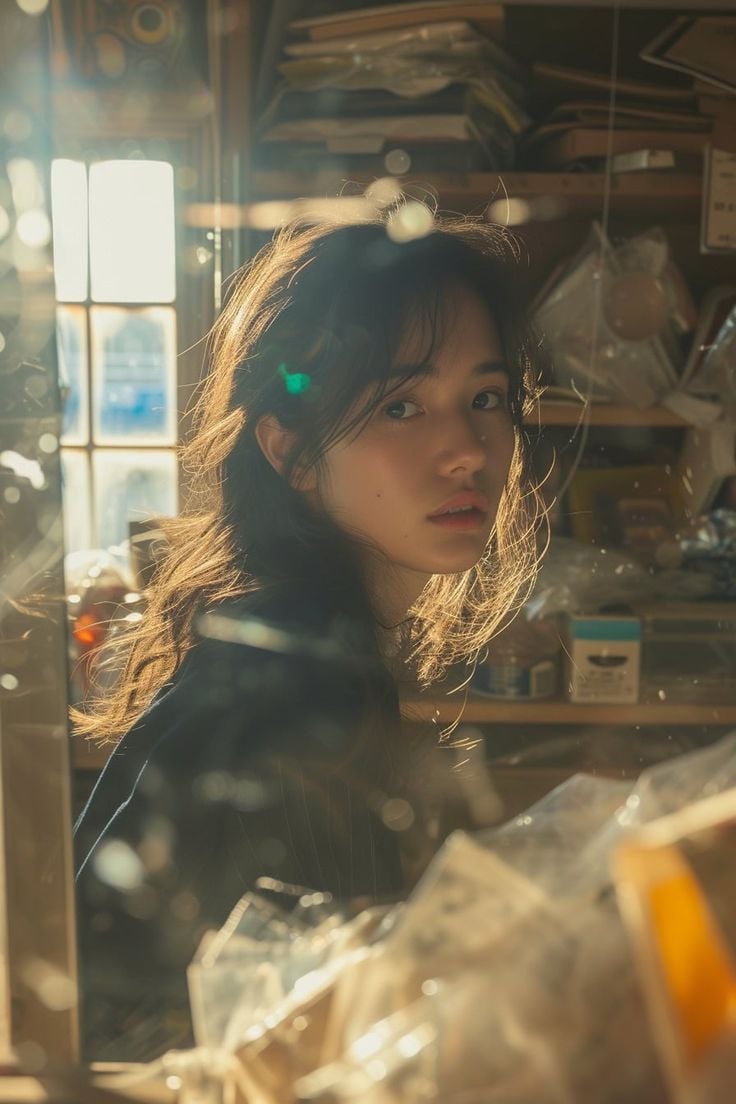
Cinematic Portrait of an East Asian Woman in a Cluttered Interior

Minimalist Fashion Runway Illustration
Browse template categories
Steampunk Clockwork Princess questions
How do I use the Steampunk Clockwork Princess template?
Add your photo if the template asks for one, edit the prompt if you like — the template's model and format are already selected — and press Generate. Your version opens in PicX Studio.
Can I customize the Steampunk Clockwork Princess template?
Yes. You can change the subject, setting, lighting, mood, format, and available model controls before creating your image.
Is the Steampunk Clockwork Princess template free?
Opening and editing this template is free. Generating uses credits, shown on the Generate button when you are signed in.
Which AI model should I use?
Start with GPT Image 2, which is the model associated with this template. You can compare another compatible model for a different finish.
Looking for something else? Browse all templates.

Your photo, any look
Thousands of ready templates for every top image and video model, from one credit balance.