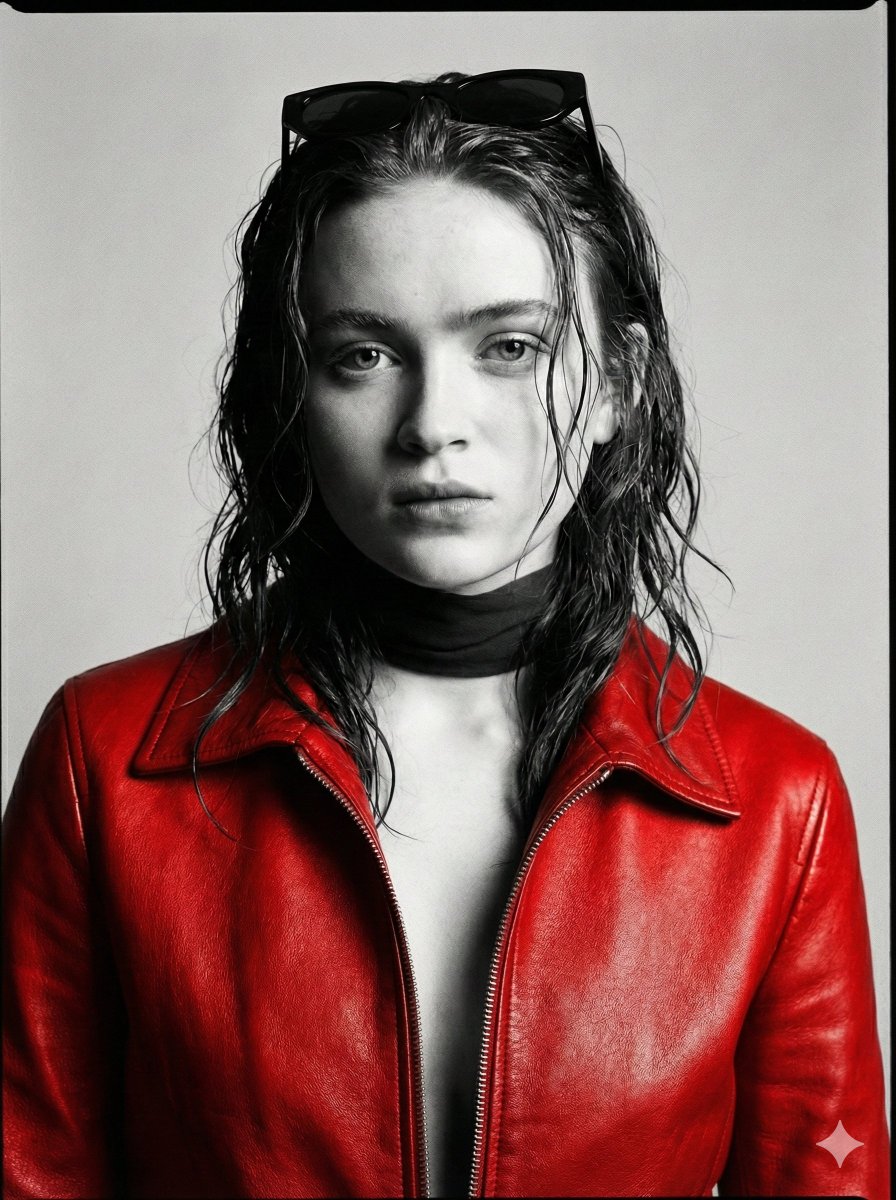
High-Fashion Monochrome Studio Portrait
{
"style": {
"genre": "high-fashion editorial portrait",
"aesthetic": "minimalist monochrome studio",
"color_palette": ["black", "white", "charcoal gray", "soft silver"],
"finish": "ultra-realistic, fine art photography",
"contrast": "medium-high contrast with soft tonal transitions",
"grain": "subtle film grain for editorial authenticity"
},
"subject": {
"type": "woman",
"age": "mid-20s",
"ethnicity": "ambiguous / globally appealing features",
"physique": "slender, elegant proportions",
"facial_features": {
"structure": "defined cheekbones, soft jawline",
"skin": "smooth, luminous, natural texture preserved",
"eyes": "expressive, slightly narrowed gaze",
"lips": "softly parted, natural shape"
},
"hair": {
"style": "loose, slightly tousled",
"texture": "soft with natural movement",
"placement": "falling around face and shoulders with subtle volume"
},
"expression": "calm, introspective, slightly mysterious"
},
"pose": {
"composition": "asymmetrical, fashion-forward",
"body_position": "upright with slight lean",
"arm_position": {
"primary_arm": "raised across the face",
"gesture": "partially obscuring one eye and cheek",
"fingers": "relaxed, elongated, graceful positioning"
},
"head_tilt": "slight tilt to enhance dynamic tension",
"gaze": "direct or slightly off-camera through arm framing"
},
"wardrobe": {
"top": {
"type": "loose white blouse",
"fabric": "lightweight cotton or silk",
"fit": "oversized, softly draped",
"details": [
"subtle folds and creases",
"natural fabric texture visible",
"open or relaxed collar"
]
},
"styling": "minimalist, effortless high-fashion look"
},
"lighting": {
"setup": "studio lighting",
"type": "soft yet directional",
"key_light": {
"position": "45 degrees from subject",
"quality": "diffused but defined",
"effect": "sculpting facial features and fabric folds"
},
"fill_light": {
"intensity": "low",
"purpose": "retain shadow depth without losing detail"
},
"shadow": {
"style": "soft-edged shadows with depth",
"contrast": "balanced for editorial look"
}
},
"background": {
"type": "studio backdrop",
"color": "clean white to light gray gradient",
"texture": "smooth, distraction-free",
"depth": "slight falloff to create separation"
},
"camera": {
"framing": "portrait, mid-shot to close-up",
"angle": "slightly below or eye-level for subtle drama",
"lens": "85mm prime",
"aperture": "f/2.0",
"focus": "sharp on visible eye and hand",
"depth_of_field": "shallow with soft background blur"
},
"composition": {
"rule_of_thirds": true,
"negative_space": "balanced for editorial layout",
}
}








![Naive doodle-style subject illustration — A doodle-style {argument name="subject" default="[subject]"}, naive lines, humorous shape exaggeration](https://pbs.twimg.com/media/G6Wl2YxbsAARB2b.jpg)