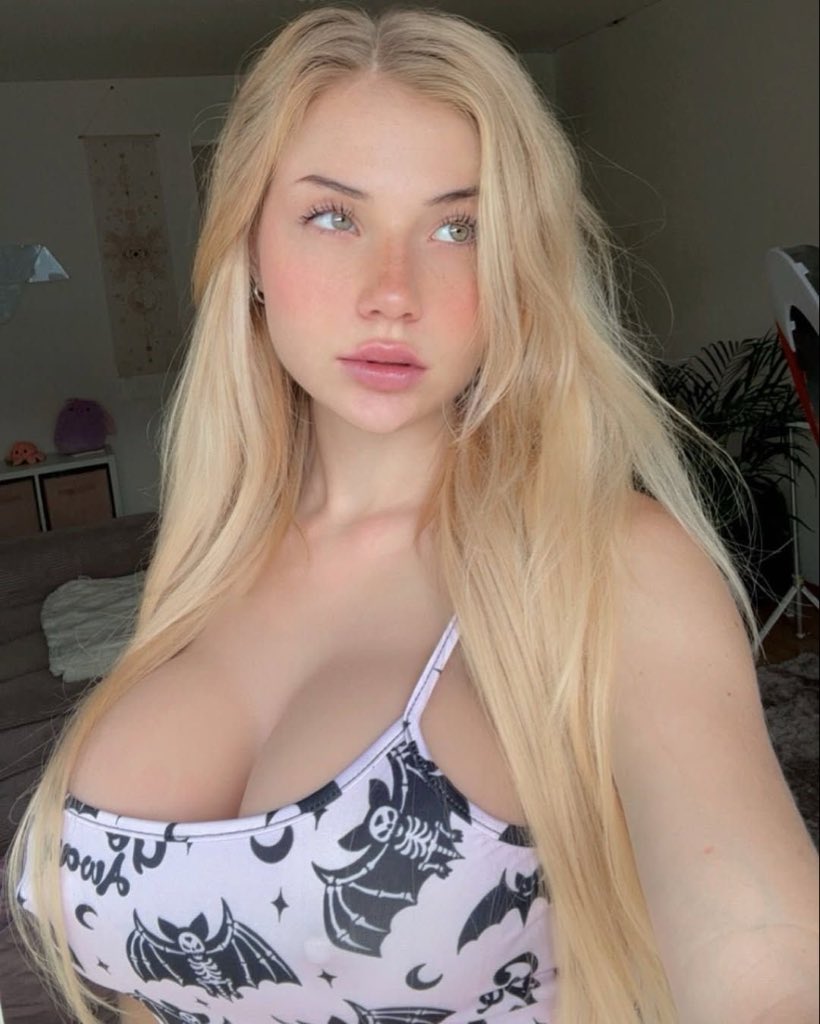
Soft E-Girl Selfie with Goth Patterned Camisole
{
"subject": {
"appearance": {
"hair": {
"color": "light blonde",
"style": "long, straight, parted in the middle, slightly tousled texture",
"length": "waist-length, cascading over shoulders"
},
"eyes": {
"color": "light green/hazel",
"gaze": "looking slightly upward and to the side, dreamy and contemplative",
"lashes": "long, defined eyelashes"
},
"skin": {
"tone": "fair/pale",
"texture": "smooth, natural finish, rosy cheeks, faint freckles across the nose bridge",
"complexion": "glowy and hydrated"
},
"lips": {
"color": "natural pink rose",
"shape": "full, plump, soft pout"
},
"physique": {
"build": "curvy, hourglass figure",
"features": "prominent bust"
}
},
"clothing": {
"type": "cropped camisole/tank top",
"material": "soft stretch cotton blend",
"color": "white base",
"pattern": "{argument name="camisole pattern" default="gothic/halloween theme: repeating black bats with skeleton details, crescent moons, and stars"}",
"fit": "tight, form-fitting",
"neckline": "low scoop neck"
},
"pose": {
"type": "selfie portrait",
"angle": "eye-level, slightly angled body",
"expression": "neutral, soft, relaxed mouth",
"head_position": "slightly tilted, chin up"
}
},
"environment": {
"location": "indoor bedroom/living area",
"background_objects": {
"wall_decor": "hanging vertical tapestry with beige background and mystical/astrological line art",
"furniture": "dark grey sofa corner, white shelving unit with woven storage bins",
"items": "small purple plush toy (squishmallow style), small orange plush/object",
"plants": "green leafy houseplant in background right",
"equipment": "tripod/ring light stand visible in background right"
},
"ambiance": "casual, messy-clean, lived-in space"
},
"lighting": {
"type": "natural daylight",
"quality": "soft, diffused, window light",
"direction": "frontal, illuminating face evenly",
"highlights": "catchlights in eyes, soft sheen on nose tip and forehead",
"shadows": "minimal, soft drop shadows under hair and chin"
},
"styling": {
"aesthetic": "soft e-girl, casual goth, cozy, influencer style",
"makeup": "minimalist 'no-makeup' look, natural eyebrows, flushed cheeks",
"jewelry": "small silver hoop earring visible on one ear"
},
"camera_settings": {
"style": "Ultra Photorealistic",
"shot_type": "medium close-up",
"focal_length": "35mm (mimicking high-end smartphone portrait mode)",
"aperture": "f/2.2",
"shutter_speed": "1/125",
"iso": "200",
"focus": "sharp focus on eyes and face, slight bokeh blur in background",
"resolution": "8k, high definition",
"details": "micro-details of skin texture, individual hair strands, fabric weave visible"
}
}








![Naive doodle-style subject illustration — A doodle-style {argument name="subject" default="[subject]"}, naive lines, humorous shape exaggeration](https://pbs.twimg.com/media/G6Wl2YxbsAARB2b.jpg)