
Demon AI Intern Office Poster
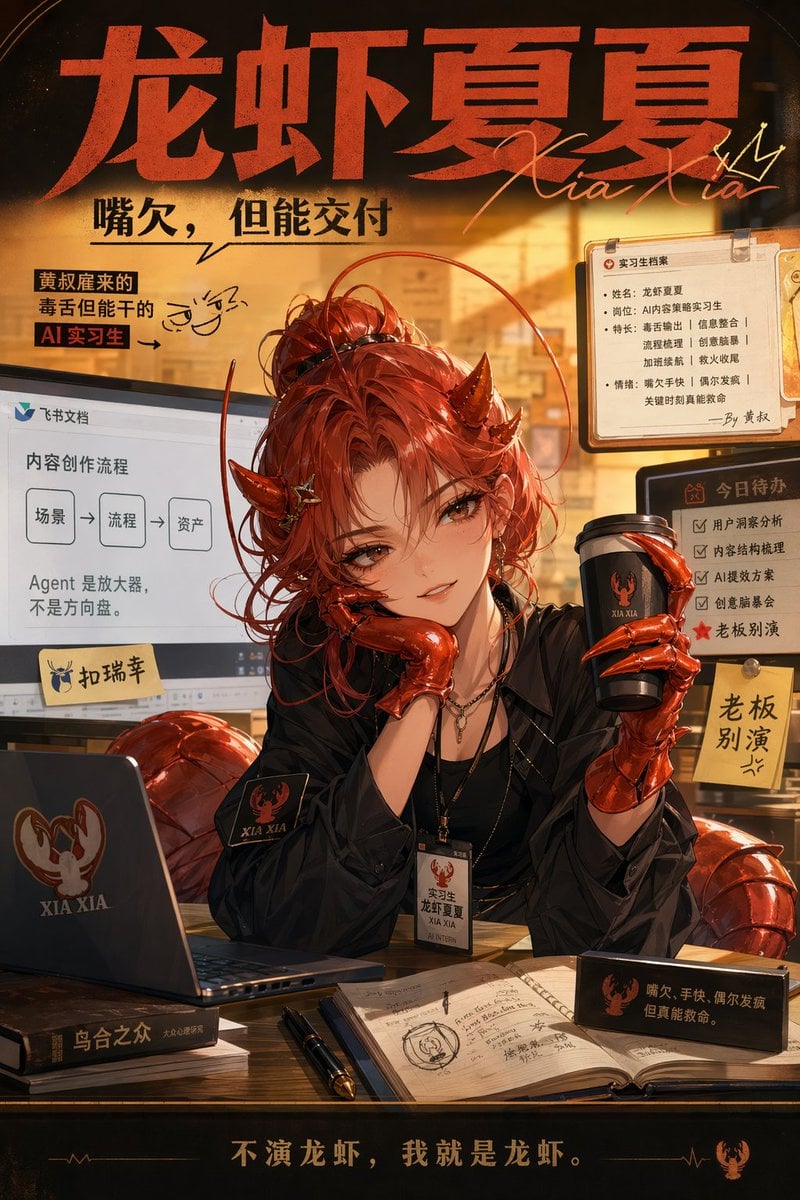
This prompt generates a stylized vertical Chinese promo poster of a horned red-haired AI office assistant in a warm startup workspace, ideal for character branding, meme ads, and social-media marketing.
- Prompt included
- Model and format preset
- Free template
The prompt behind this image
Copy the exact prompt behind Demon AI Intern Office Poster, or open it in the studio and make it yours.
Create a dramatic Chinese social-media poster in a warm amber office setting, featuring a stylish demon-themed female assistant character seated at a desk. The composition is a single vertical poster with dense graphic design, cinematic lighting, and a premium glossy illustration style mixing anime realism and commercial advertising. At the top, place a huge bold red Chinese headline reading {argument name="headline text" default="龙虾夏夏"}, with an elegant handwritten script overlay reading {argument name="signature text" default="Xia Xia"}. Under it, add a strong black Chinese slogan: {argument name="subtitle text" default="嘴欠,但能交付"}. The character is centered, upper body visible behind a desk, with messy vivid red hair in a loose bun and many flyaway strands, small dark red devil horns, pale skin, black layered clothing, a lanyard ID badge, long red metallic claw gloves, and a tired but dangerous office-worker aura. Her face is intentionally obscured by a square censor block in the center. She props her cheek with one clawed hand and holds a branded black takeaway coffee cup in the other hand. Add subtle lobster-inspired details in the outfit and props, including segmented glossy red shell-like forms behind and around her chair. The desk contains exactly 7 visible items: 1 open laptop with a red lobster logo and the words "XIA XIA", 1 closed dark book stack beneath the laptop, 1 open notebook with handwritten sketches and Chinese notes, 1 black fountain pen, 1 rectangular black desk nameplate with Chinese text, 1 takeaway coffee cup with matching lobster logo, and 1 hanging employee badge card. In the left background, show a computer or presentation screen displaying a Feishu-style document interface with the Chinese title "内容创作流程" and a simple 3-step flowchart labeled exactly "场景", "流程", "资产", plus the sentence "Agent 是放大器,不是方向盘。" Add a sticky note near that screen reading "扣瑞芋". In the upper left, include a yellow annotation box with the Chinese text "黄叔雇来的毒舌但能干的AI实习生" and a playful doodled face beside it. In the right background, pin up 3 office notes: 1 clipboard-style intern profile card titled "实习生档案" with multiple bullet lines of Chinese profile text and a handwritten sign-off, 1 checklist board titled "今日待办" with 5 checkbox items and a red star on the final line, and 1 yellow sticky note reading "老板别演". Make all Chinese typography feel intentionally designed, as if for a meme ad campaign and character branding poster. At the bottom, add a bold centered Chinese footer slogan reading {argument name="footer slogan" default="不演龙虾,我就是龙虾。"}. Use orange sunset backlight, warm shadows, glossy reflections on the claws, a cluttered but stylish startup office atmosphere, black and burnt-orange color grading, and a humorous yet competent "sharp-tongued AI intern" vibe. Include visible branding text "XIA XIA" on the cup and laptop, and make the whole image feel like a high-end character promo poster for an assistant persona used in workplace AI marketing.
How to use Demon AI Intern Office Poster in 3 steps
- 1Upload ImagePNG, JPG or paste
Add your photo
Upload the photo the template builds on. The prompt, model and format are already set.
- 2…a portrait of your subject in softgolden-hour light, 85mm…
Personalize
Edit the subject and creative details for your destination.
- 3Generate
Generate
Press Generate — your image is created in PicX Studio, so you can compare it with the original and refine one variable at a time.
More like this
Templates with the same subject, style or setup. Open one to see its prompt.

Japan Travel Brochure Poster
Demon Office Girl Morning Drink

Cartoon TV Show Poster Pack

Trendy Cafe Drink Promo Poster

Urban Fashion Editorial Collage Streetwear Poster

Premium Fashion Editorial Cover Layout System

Polo Ralph Lauren Luxury American Heritage Fashion Campaign

Monochrome Halftone Editorial Fashion Poster

Retro Mirror Luxury Fashion Campaign Poster

Luxury Fashion Campaign Typography Poster System

Premium Fashion Editorial Campaign Poster System

Ultra-Stylized High-Fashion Streetwear Poster
Make it yours
Demon AI Intern Office Poster works as-is. These are the safest ways to change it without losing the look.
Change one field
Copy a single group, rewrite it, and generate again so you can see what that field is doing.
Keep the frame, change the subject
Hold the composition and light of Demon AI Intern Office Poster, then swap wardrobe, props or the person for a new take.
| If the result… | Why | Fix |
|---|---|---|
| The result drifts from the preview | Too many fields changed at once. | Reuse Demon AI Intern Office Poster as-is first, then change one group — subject, light, or setting. |
| The model over-stylizes the scene | The prose prompt leaves finish and camera underspecified. | Add one camera or lighting sentence and stay on GPT Image 2. |
More GPT Image 2 templates
Other prompts made for GPT Image 2.

Six VTuber Japanese Logo Sheet

Realistic Portrait of Woman and Deer

The Vista Modular Condo Poster

AI Model Routing Comparison Infographic

2.5D Anime Art Board

Isometric Productivity Desk Scene

New York Double Exposure Poster

Four-Panel AI Landscape Comparison

Japanese Tatami Lifestyle Magazine Cover

NESCAFÉ Coffee Map Poster
More image prompts
Fresh picks from across the catalog.

Macro Product Photography for Floating Food
Emotional Hawaii Solo Travel Collage

Premium Sports Magazine Cover Portrait
Creative Dashboard UI Screenshot
Candid Night Bathroom Portrait
Blonde Character Portrait Prompt
Elegant Pink Urban Glow Fashion Portrait

3D Cartoon Character Generation Prompt
Extreme Top-Down Skyscraper Edge Portrait Prompt
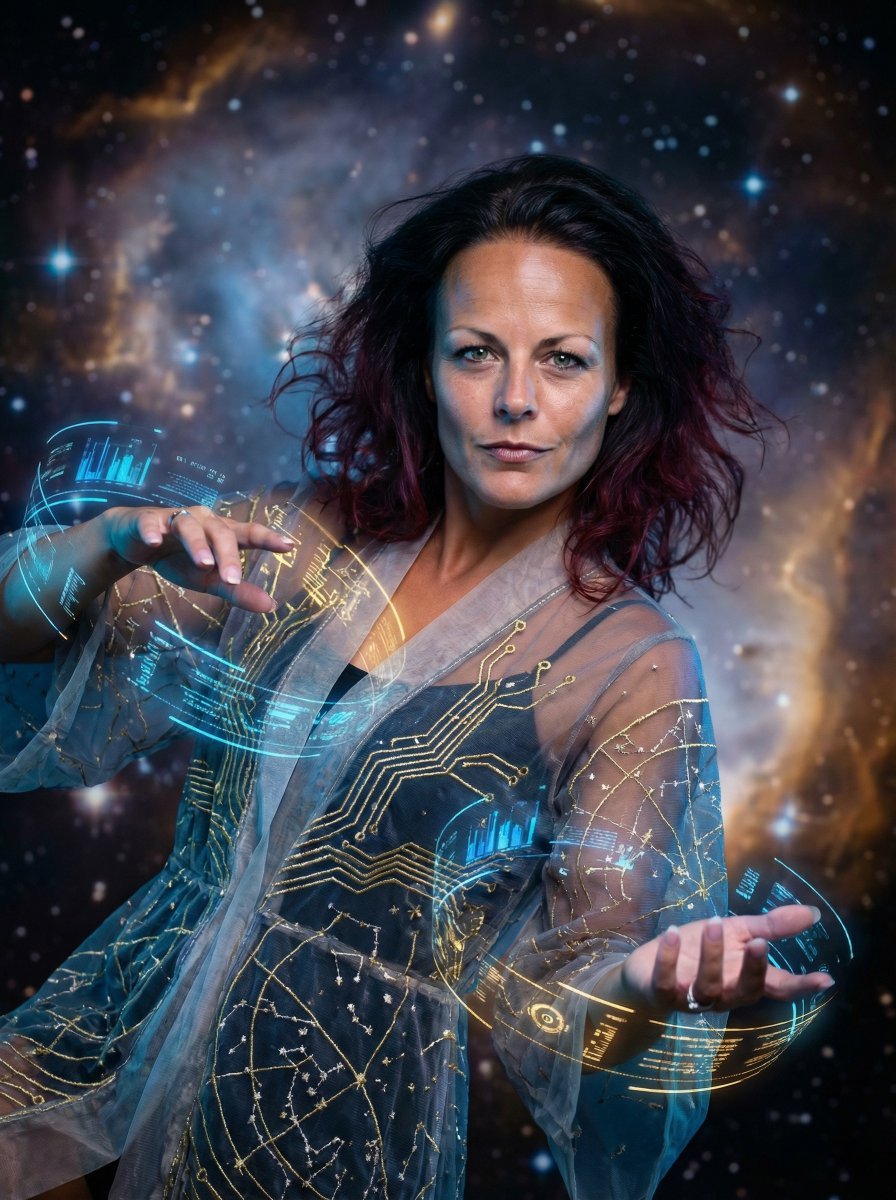
Hyper-Realistic Celestial Archivist Portrait
Browse template categories
Demon AI Intern Office Poster questions
How do I use the Demon AI Intern Office Poster template?
Add your photo if the template asks for one, edit the prompt if you like — the template's model and format are already selected — and press Generate. Your version opens in PicX Studio.
Can I customize the Demon AI Intern Office Poster template?
Yes. You can change the subject, setting, lighting, mood, format, and available model controls before creating your image.
Is the Demon AI Intern Office Poster template free?
Opening and editing this template is free. Generating uses credits, shown on the Generate button when you are signed in.
Which AI model should I use?
Start with GPT Image 2, which is the model associated with this template. You can compare another compatible model for a different finish.
Looking for something else? Browse all templates.

Your photo, any look
Thousands of ready templates for every top image and video model, from one credit balance.