
Retro Magazine Reader Submission Page
A highly detailed prompt designed to recreate the nostalgic aesthetic of 90s and 00s gaming or anime magazine reader contribution pages, featuring a mix of different art styles and layout elements.
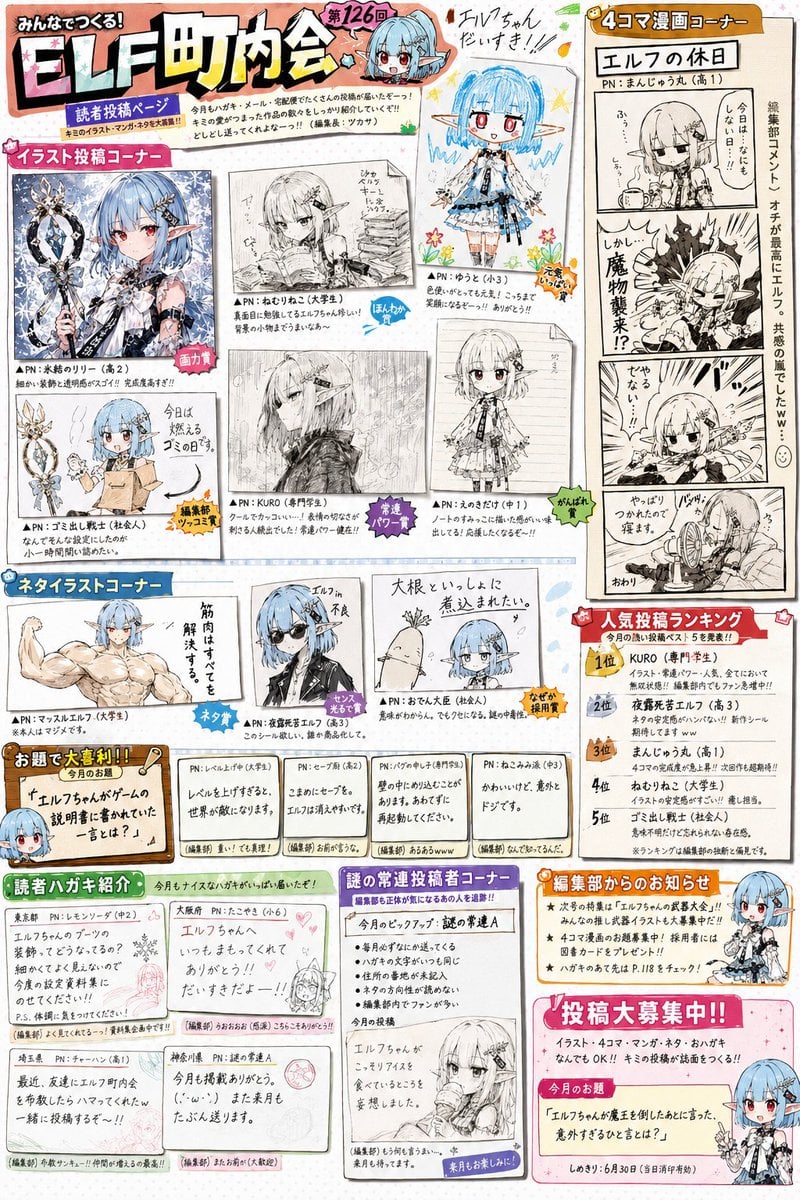
- Prompt included
- Model and format preset
- Free template
The prompt behind this image
Copy the exact prompt behind Retro Magazine Reader Submission Page, or open it in the studio and make it yours.
Create a reader-submission corner page from the official fan magazine of a fictional, wildly popular franchise, starring the character from the reference image. This is not a cover. This is not a poster. This is not an art collection. This is a reader-participation submission page found in the middle of the magazine. Draw heavily on the reader-submission-corner culture of {argument name="era" default="1990s-to-2000s"} game magazines, anime magazines, hobby magazines, and children's magazines. The magazine page contains multiple corners. It may be freely composed of things like: ・a reader-illustration corner ・a joke-illustration corner ・a 4-panel-comic corner ・an ogiri (comedy-answer) corner ・editorial-staff comments ・a reader-postcard showcase ・a popular-submissions ranking ・a mysterious-regular-contributor corner, and so on. The whole page should be colorful and lively. It should have the feel of a magazine laid out by hand. The digital design should not be too polished/refined. The character should appear in various places on the page. However, it should not be depicted only as official art, but also as joke submissions made by readers. Gag-style expression welcome. Parody welcome. Slice-of-life material welcome. Mild character-breakdown (out-of-character humor) welcome. The readers have loved this franchise for many years. They are used to teasing/playing with the character. The page should have many speech bubbles, comments, and editorial-staff quips/retorts. All the text should be natural Japanese. Avoid the meaningless AI-typical text/characters. The information density should feel like an actually printed magazine page. Important: this franchise is fictional, but the magazine culture itself should be made abnormally realistic. The readers should carry the warmth/tone of people talking about a real, existing franchise. Make it work as "a reader-submission corner for a long-running, popular franchise." A plain character-introduction page is forbidden. A plain fan-art collection is forbidden. Prioritize the atmosphere of the magazine's editorial staff and the readers playing around together. Each submitted piece should have a clearly distinct personality per creator. The pieces on the page should naturally mix things like: ・a work with god-tier artist-level skill ・an advanced-amateur-level work ・a high-school-level work ・a work an elementary schooler drew with all their effort ・a gag-manga piece ・a 4-panel-comic piece ・a doodle-style joke illustration ・a pencil-drawn piece ・a monochrome-manuscript piece, and so on. Each piece should differ greatly in things like: ・line habits/quirks ・degree of stylization ・drawing skill ・compositional ability ・manga-style expression ・inking quality ・screentone processing. They must not all be drawn in the same art style. It must not look like a collection of works by a single author. Make it look as though the editorial staff really selected these from a large number of reader submissions. The reader-submitted pieces should not look like finished illustrations drawn directly onto the page, but should look as though actual submitted manuscripts sent to the editorial office were scanned, cut out, and laid out on the page. Each piece may differ in things like: ・paper quality ・print quality ・scan quality ・line darkness ・manuscript size ・margins. Pieces that look like a submitted postcard printed as-is, pieces that look like a photocopied manuscript, pieces that look like part of a manga manuscript, pieces that look like a submitted illustration, and so on, may all be mixed together. The editorial staff isn't selecting pieces based on drawing skill alone. They choose which pieces to publish based on how funny it is, creativity, joke value, impact, and reader popularity. Because of this, very skillful pieces and somewhat clumsy pieces are naturally mixed together on the page. The editorial comments should also differ from piece to piece. Playful treatments like a "Drawing Skill Award," a "Best Joke Award," an "Editor-in-Chief's Burst-Out-Laughing Award," a "Published on Sheer Momentum Award," or a "Nobody Knows Why This Was Chosen Award" may also be present. Especially important: the moment someone looks at the page, they should feel, "This is a reader-submission page from an old game magazine or anime magazine." And the more closely one looks at the details, the more it should convey each contributor's personality, the editorial staff's playful excess, the culture of regular contributors, and the history of a long-running, popular franchise. Prioritize above all the atmosphere of the magazine's editorial staff and readers having kept playing together for years.
How to use Retro Magazine Reader Submission Page in 3 steps
- 1Upload ImagePNG, JPG or paste
Add your photo
Upload the photo the template builds on. The prompt, model and format are already set.
- 2…a portrait of your subject in softgolden-hour light, 85mm…
Personalize
Edit the subject and creative details for your destination.
- 3Generate
Generate
Press Generate — your image is created in PicX Studio, so you can compare it with the original and refine one variable at a time.
More like this
Templates with the same subject, style or setup. Open one to see its prompt.











Make it yours
Retro Magazine Reader Submission Page works as-is. These are the safest ways to change it without losing the look.
Change one field
Copy a single group, rewrite it, and generate again so you can see what that field is doing.
Keep the frame, change the subject
Hold the composition and light of Retro Magazine Reader Submission Page, then swap wardrobe, props or the person for a new take.
| If the result… | Why | Fix |
|---|---|---|
| The result drifts from the preview | Too many fields changed at once. | Reuse Retro Magazine Reader Submission Page as-is first, then change one group — subject, light, or setting. |
| The model over-stylizes the scene | The prose prompt leaves finish and camera underspecified. | Add one camera or lighting sentence and stay on GPT Image 2. |
More GPT Image 2 templates
Other prompts made for GPT Image 2.

Six VTuber Japanese Logo Sheet

Realistic Portrait of Woman and Deer

The Vista Modular Condo Poster

AI Model Routing Comparison Infographic

2.5D Anime Art Board

Isometric Productivity Desk Scene

New York Double Exposure Poster

Four-Panel AI Landscape Comparison

Japanese Tatami Lifestyle Magazine Cover

NESCAFÉ Coffee Map Poster
More image prompts
Fresh picks from across the catalog.
Nano Banana Pro Image Generation Instructions
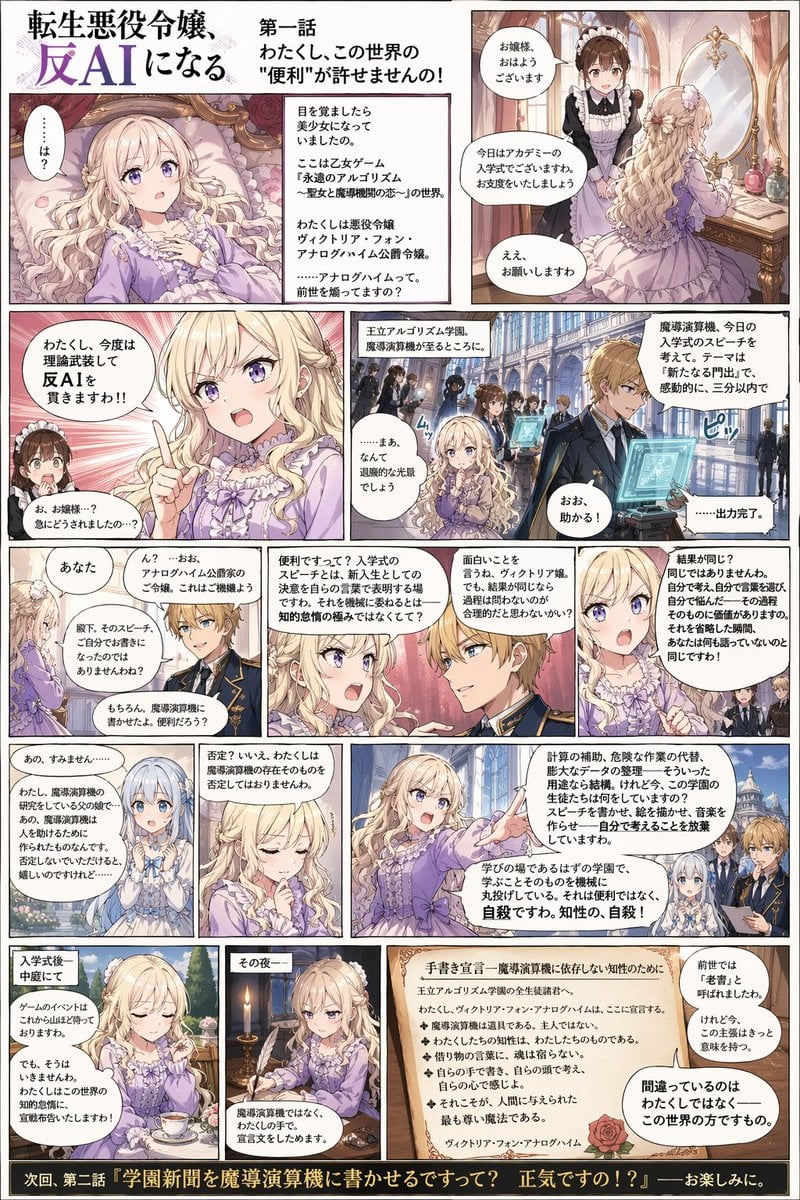
Anti-AI Villainess Manga Poster
Swimming Portrait in iPhone Style
Nano Banana Pro-themed hero image (duplicate Chinese prompt)
New Chinese Style Autumn Zen Cinematic Portrait Prompt
Chaotic Oil Painting of an Octopus
Photorealistic Frisco T-Shirt Lifestyle Portrait Prompt

High-Fashion Strawberry Harvest Portrait Prompt
Blueberry Courseware Cover Slide
Dual Luxury Perfume Product Photography Prompts
Browse template categories
Retro Magazine Reader Submission Page questions
How do I use the Retro Magazine Reader Submission Page template?
Add your photo if the template asks for one, edit the prompt if you like — the template's model and format are already selected — and press Generate. Your version opens in PicX Studio.
Can I customize the Retro Magazine Reader Submission Page template?
Yes. You can change the subject, setting, lighting, mood, format, and available model controls before creating your image.
Is the Retro Magazine Reader Submission Page template free?
Opening and editing this template is free. Generating uses credits, shown on the Generate button when you are signed in.
Which AI model should I use?
Start with GPT Image 2, which is the model associated with this template. You can compare another compatible model for a different finish.
Looking for something else? Browse all templates.

Your photo, any look
Thousands of ready templates for every top image and video model, from one credit balance.