
Retro Amagasaki Travel Poster
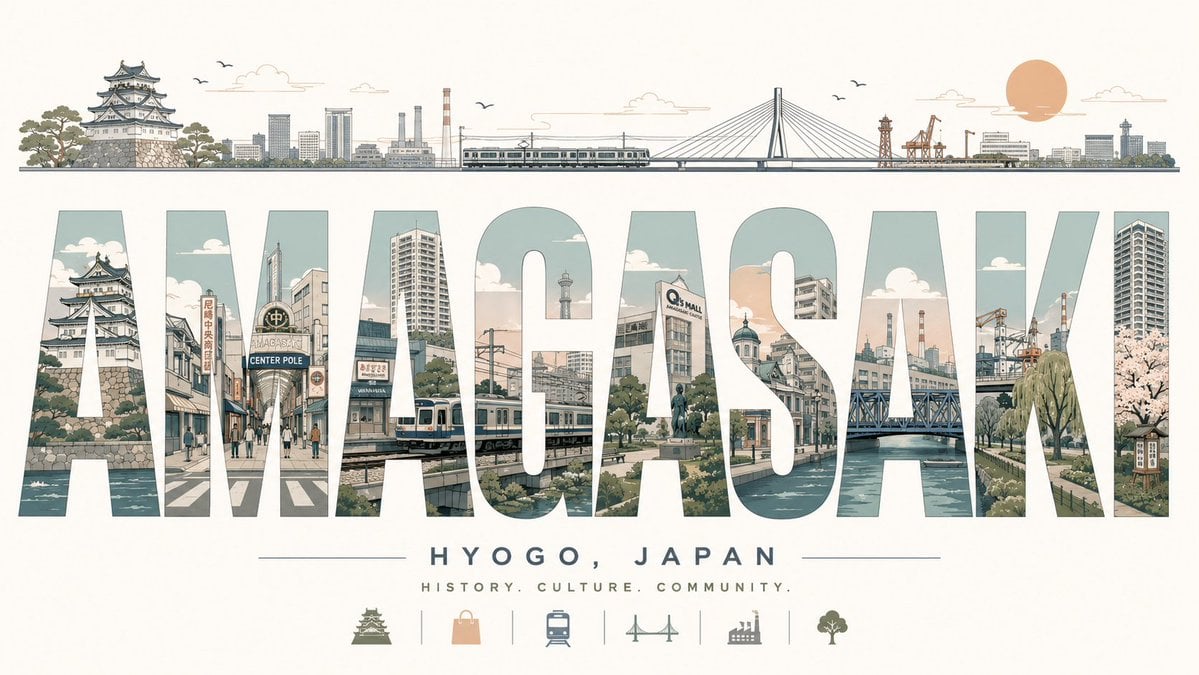
A wide vintage-style Japanese travel poster with giant illustrated city-name typography, skyline landmarks, subtitle text, and tourism icons.
- Prompt included
- Model and format preset
- Free template
The prompt behind this image
Copy the exact prompt behind Retro Amagasaki Travel Poster, or open it in the studio and make it yours.
Goal: Create a stylish retro travel poster for {argument name="city name" default="AMAGASAKI"}, celebrating {argument name="region text" default="HYOGO, JAPAN"} with a refined Japanese tourism aesthetic. Canvas: Wide horizontal poster, 16:9 aspect ratio, warm off-white paper background with subtle vintage texture, muted pastel palette of sage green, pale teal, beige, peach, soft gray, and dark slate outlines. Layout: At the top, draw one thin panoramic skyline strip spanning almost the full width. It should include exactly 12 visible landmark groups from left to right: a Japanese castle on stone walls with pine trees, low city buildings, modern high-rises, factory smokestacks, a commuter train, a long bridge deck, a cable-stayed bridge tower and cables, orange port cranes, a small industrial tower, more harbor buildings, a large peach-colored sun, and distant city towers. Add a few tiny birds and simple line clouds above the skyline. Main typography: The center of the poster is dominated by the enormous word {argument name="city name" default="AMAGASAKI"} in bold condensed block capital letters, very wide and tall, with narrow spacing. The letters act as cutout windows filled with detailed city illustrations. Use exactly 9 letters: A, M, A, G, A, S, A, K, I. Inside the letters, show Amagasaki-inspired scenes including a castle moat and stone wall, shopping street signage, pedestrians at a crosswalk, urban buildings, a train line and station, a tower, a statue and plaza, a river or canal, bridge trusses, factories and chimneys, harbor cranes, riverside trees, a tall apartment tower, and cherry blossoms. Keep the letter interiors cleanly masked so the word remains readable. Subtitle area: Beneath the giant city name, center the text {argument name="region text" default="HYOGO, JAPAN"} in small widely spaced uppercase sans-serif letters, flanked by thin horizontal lines. Under it, add the tagline {argument name="tagline" default="HISTORY. CULTURE. COMMUNITY."} in even smaller spaced uppercase text. Bottom icons: Along the bottom center, include exactly 6 small pictogram icons separated by thin vertical divider lines: 1 castle, 2 shopping bag, 3 train, 4 bridge, 5 factory, 6 tree. Use the same muted colors and simple line-art style. Visual style: Elegant mid-century travel poster meets Japanese architectural illustration, precise thin ink outlines, flat colors, lightly weathered print texture, balanced negative space, calm composition, no photorealism, no 3D rendering, no heavy shadows, no watermark.
How to use Retro Amagasaki Travel Poster in 3 steps
- 1Upload ImagePNG, JPG or paste
Add your photo
Upload the photo the template builds on. The prompt, model and format are already set.
- 2…a portrait of your subject in softgolden-hour light, 85mm…
Personalize
Edit the subject and creative details for your destination.
- 3Generate
Generate
Press Generate — your image is created in PicX Studio, so you can compare it with the original and refine one variable at a time.
More like this
Templates with the same subject, style or setup. Open one to see its prompt.












Make it yours
Retro Amagasaki Travel Poster works as-is. These are the safest ways to change it without losing the look.
Change one field
Copy a single group, rewrite it, and generate again so you can see what that field is doing.
Keep the frame, change the subject
Hold the composition and light of Retro Amagasaki Travel Poster, then swap wardrobe, props or the person for a new take.
| If the result… | Why | Fix |
|---|---|---|
| The result drifts from the preview | Too many fields changed at once. | Reuse Retro Amagasaki Travel Poster as-is first, then change one group — subject, light, or setting. |
| The model over-stylizes the scene | The prose prompt leaves finish and camera underspecified. | Add one camera or lighting sentence and stay on GPT Image 2. |
More GPT Image 2 templates
Other prompts made for GPT Image 2.

Six VTuber Japanese Logo Sheet

Realistic Portrait of Woman and Deer

The Vista Modular Condo Poster

AI Model Routing Comparison Infographic

2.5D Anime Art Board

Isometric Productivity Desk Scene

New York Double Exposure Poster

Four-Panel AI Landscape Comparison

Japanese Tatami Lifestyle Magazine Cover

NESCAFÉ Coffee Map Poster
More image prompts
Fresh picks from across the catalog.
Cinematic Night City Mustang Portrait
Realistic League of Legends Cosplay

Stylized Wicker Caricature Figurine

3D X Social Media Playing Card Poster

Red Vinyl Soundtrack Ad

Ad recreation prompt using your product and brand aesthetics

Photorealistic Portrait of Zhao Lusi (Rosy Zhao) with Cottagecore Vibe
Digital Oil-Painted Bust Portrait
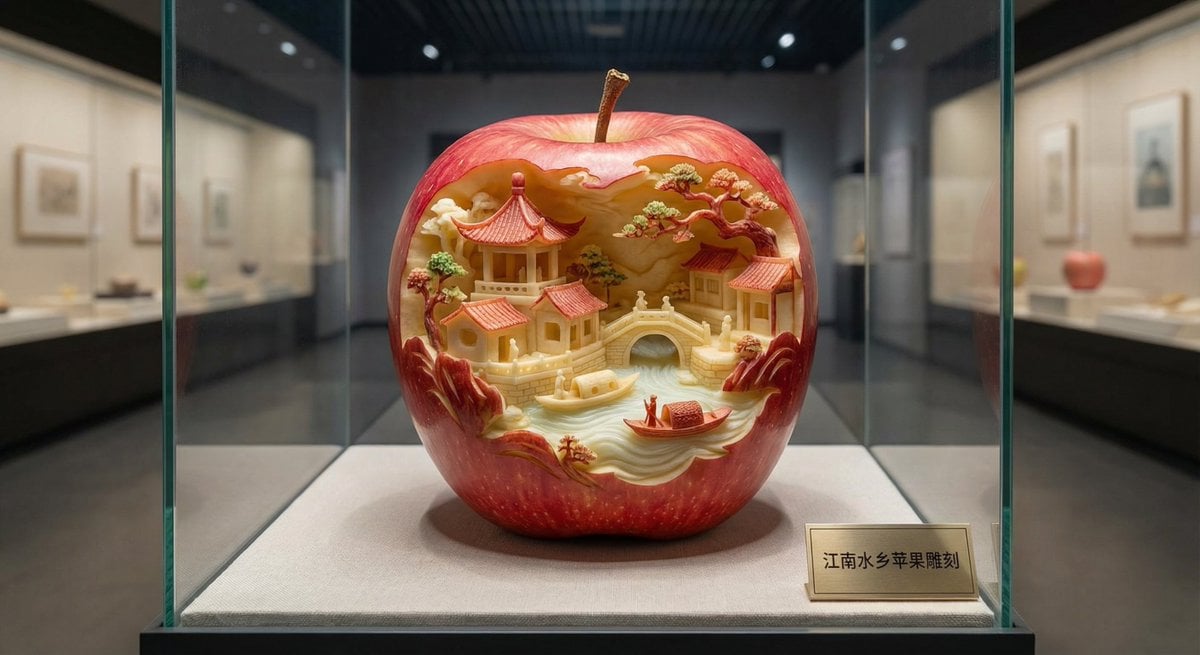
Apple Carving Art Prompt

Japanese Ink Illustration Style
Browse template categories
Retro Amagasaki Travel Poster questions
How do I use the Retro Amagasaki Travel Poster template?
Add your photo if the template asks for one, edit the prompt if you like — the template's model and format are already selected — and press Generate. Your version opens in PicX Studio.
Can I customize the Retro Amagasaki Travel Poster template?
Yes. You can change the subject, setting, lighting, mood, format, and available model controls before creating your image.
Is the Retro Amagasaki Travel Poster template free?
Opening and editing this template is free. Generating uses credits, shown on the Generate button when you are signed in.
Which AI model should I use?
Start with GPT Image 2, which is the model associated with this template. You can compare another compatible model for a different finish.
Looking for something else? Browse all templates.

Your photo, any look
Thousands of ready templates for every top image and video model, from one credit balance.