How do I use the Blizzard Cliff Predator Chase template?
Choose the primary action to open PicX Studio with the available template settings. Review the model and format, personalize the creative direction, and generate when ready.
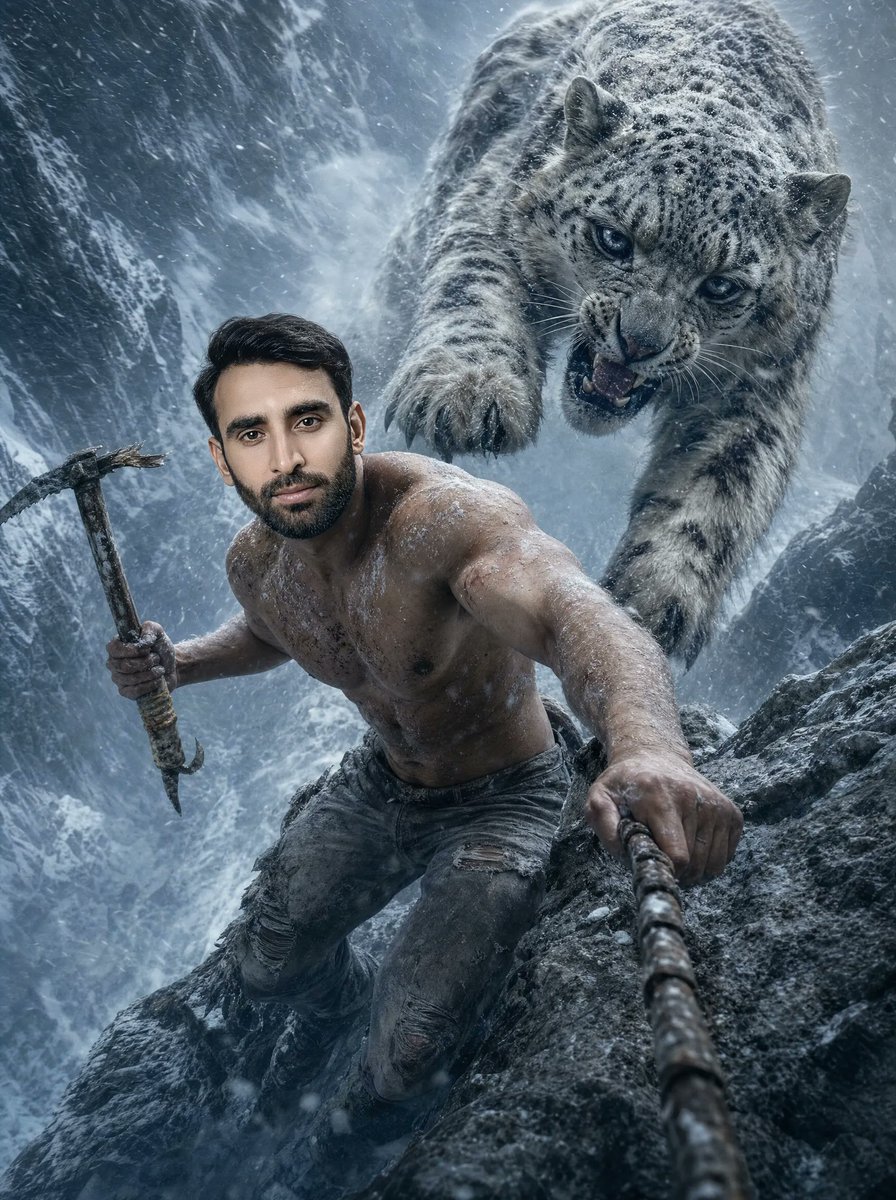
A cinematic survival-action image of a shirtless climber on an icy mountain cliff being attacked by a snow leopard in a blizzard. (free to use) — Free AI image template on PicX Studio.
Create a hyper-realistic cinematic vertical action photograph of a {argument name="subject" default="shirtless muscular man"} climbing a jagged icy mountain cliff during a ferocious blizzard, shot from a dramatic wide-angle perspective as if from a camera attached near the climbing rope. The man is in the lower foreground, leaning upward with intense survival energy, one hand gripping a thick rope that runs toward the viewer and the other hand holding a battered ice axe. He wears only torn, dark grey denim pants with ripped knees; his bare torso is heavily muscled, dirty, scratched, wet, and dusted with snow and frost. Behind and above him, an enormous {argument name="predator" default="snow leopard"} leaps down from the cliff face in mid-attack, mouth open snarling, blue-gray eyes focused on the climber, one front paw extended with claws visible. The scene is set in a steep Himalayan-style gorge with dark rocky walls, snow-covered ridges, icy mist, wind-blown powder, and dense diagonal snowfall. Use cold blue-gray color grading, high contrast, gritty textures, realistic fur detail, frozen skin texture, motion blur in the snow, and dramatic cinematic lighting. Keep the composition tense and dynamic: the climber occupies the lower left/center foreground, the rope creates strong depth toward the bottom right, and the attacking animal dominates the upper right background. No text, no watermark, no extra people, no modern climbing gear besides the rope and ice axe.
Use Blizzard Cliff Predator Chase to plan an AI image around gpt-image-2 generation, themes such as en and gpt-image-2. Match the preview's composition first, then personalize the subject, setting, and mood for your own project.
Use the primary action to load the template settings in PicX Studio.
Adjust the subject and creative details for your destination.
Create the image, compare the result with the preview, and refine one variable at a time.
A continuous mix — similar concepts first, woven with same-model prompts and fresh picks from the catalog.
Choose the primary action to open PicX Studio with the available template settings. Review the model and format, personalize the creative direction, and generate when ready.
Yes. You can change the subject, setting, lighting, mood, format, and available model controls before creating your image.
This template is free to open and customize. Generation usage is shown in PicX Studio before you create.
Start with gpt-image-2, which is the model associated with this template. You can compare another compatible model for a different finish.
Follow a topic to a crawlable collection of related PicX Studio templates.
39,157 public templates available. Verified via the PicX Studio public templates API; refreshed hourly.
A continuous mix — similar concepts first, woven with same-model prompts and fresh picks from the catalog.