How do I use the Korean Baseball Live TV Screenshot template?
Choose the primary action to open PicX Studio with the available template settings. Review the model and format, personalize the creative direction, and generate when ready.
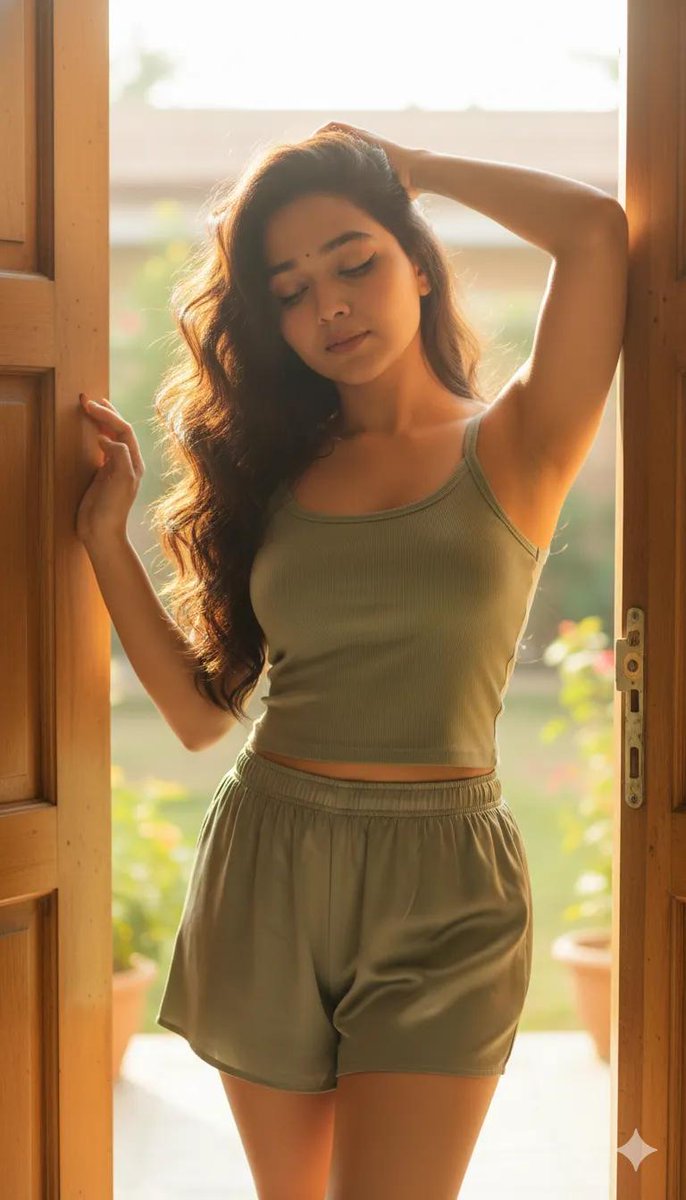
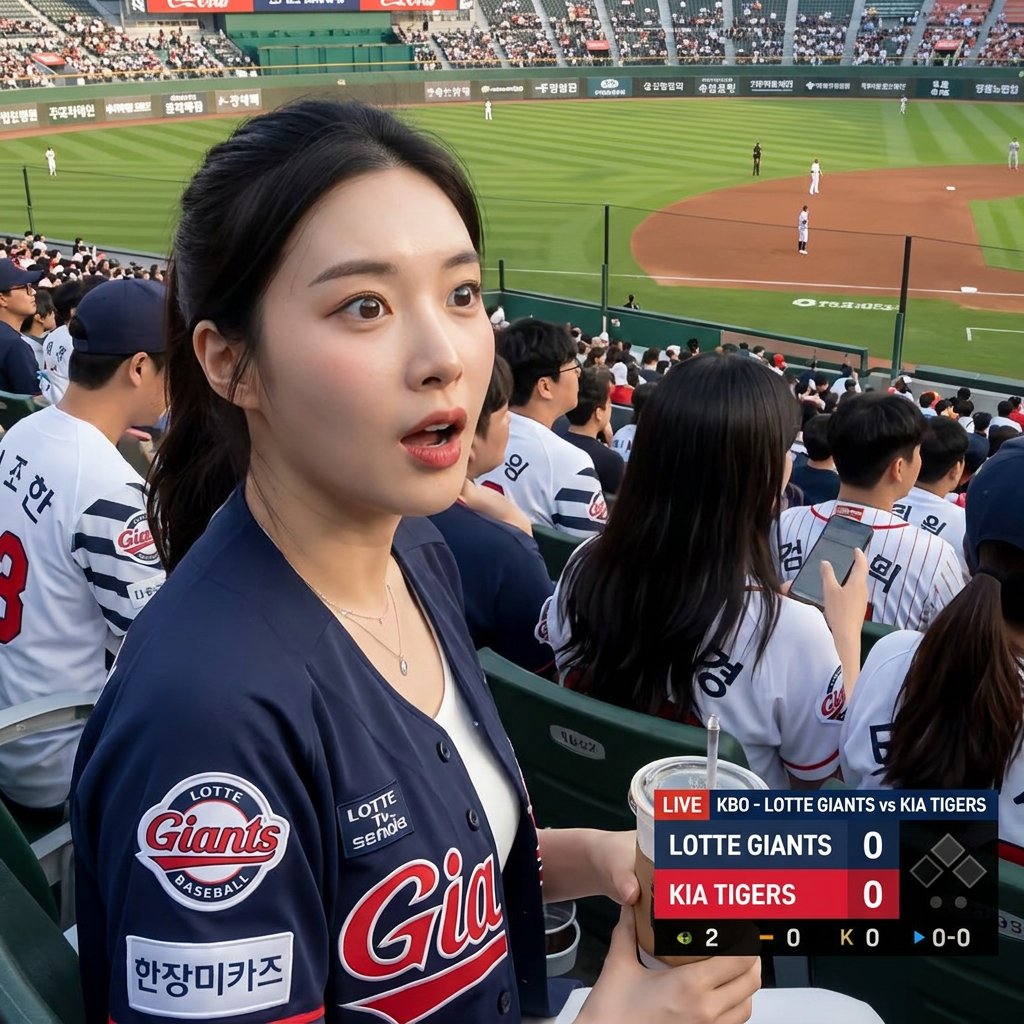
A clever prompt that uses a reference image to generate a realistic candid TV broadcast shot from a Korean baseball stadium, complete with graphics. Change the subject, setting, or lighting one variable at a time.
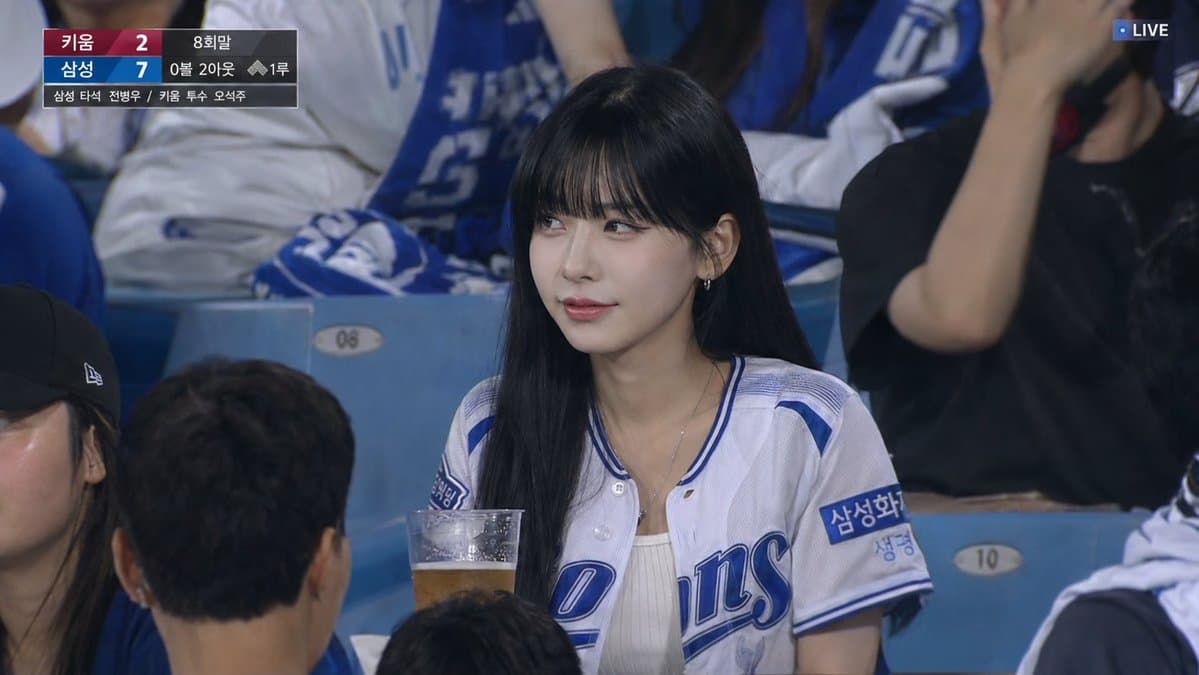
Use the uploaded reference image as the primary identity reference. Create an ultra-realistic Korean professional baseball live broadcast screenshot of a woman accidentally caught by a TV camera while seated in the spectator stands. Preserve the woman’s overall facial identity, hairstyle, soft expression, and natural vibe from the reference image, but do not make it look like a pasted or overly copied face. Render her naturally as part of the scene. She is wearing a Samsung Lions baseball jersey in a summer evening KBO stadium. The camera angle is eye-level from the spectator seats, captured with a realistic telephoto broadcast zoom from far away. The woman is not looking directly at the camera. She is naturally watching the baseball game with a calm, casual expression, slightly smiling as if unaware or only barely noticing the broadcast camera. The scene should feel like a real sports TV capture, not a smartphone photo, selfie, portrait, or fashion shoot. Include realistic Korean baseball stadium elements: crowded stadium seats, lively cheering fans, blue cheering towels, beer cups, iced drinks, stadium lights, LED boards, and softly blurred background spectators. Use telephoto compression, mild broadcast video softness, slight motion blur in the crowd, subtle video noise, and light compression artifacts. Add realistic KBO broadcast graphics / score bug on screen: bottom of the 8th inning, 0 balls, 2 outs, Samsung at bat: Jeon Byeong-woo, Kiwoom pitcher: Oh Seok-joo, runner on first base, Korean team abbreviations, and a small LIVE broadcast indicator. Overall mood: realistic KBO live TV broadcast screenshot, candid, natural, unscripted, authentic stadium atmosphere, imperfect framing, realistic lighting, natural skin texture. smartphone photo, selfie, direct eye contact, looking into camera, posed portrait, fashion shoot, beauty editorial, studio lighting, extreme close-up, low-angle shot, exaggerated glamour, over-retouched skin, AI beauty filter, overly sharp portrait, cinematic hero shot, dramatic model pose, empty background, unrealistic crowd, cartoon, illustration, anime, plastic skin, copy-pasted face, unnatural face, distorted eyes, distorted hands, wrong baseball stadium, non-Korean stadium atmosphere
Choose the primary action to open PicX Studio with the available template settings. Review the model and format, personalize the creative direction, and generate when ready.
Yes. You can change the subject, setting, lighting, mood, format, and available model controls before creating your image.
This template is free to open and customize. Generation usage is shown in PicX Studio before you create.
Start with GPT Image 2, which is the model associated with this template. You can compare another compatible model for a different finish.
© 2026 PicX Studio. All rights reserved.

Follow a topic to a crawlable collection of related PicX Studio templates.
43,474 public templates available. Verified via the PicX Studio public templates API; refreshed hourly.





![Trendy Cafe Drink Promo Poster — Create a trendy 3:2 square promotional poster for "[PRODUCT NAME]" using the uploaded product image or generate a premium reali](/_next/image?url=https%3A%2F%2Fcdn.picxstudio.com%2Fuploads%2F0_908138d6-c2ce-479f-b50d-890fcdc0a491.jpg&w=828&q=100)











![Minimalist Flat Vector Travel Poster — Premium minimalist flat-vector travel poster for {argument name="city name" default="[CITY_NAME]"}, 3:4 vertical format.](https://cms-assets.youmind.com/media/1787917359711_3ug846_HQX205cbMAA6F6S-300x400.jpg)




























![Intricate Paper Folding Morphological Transformation Prompt — Anchor: [Uploaded Image]::3
Morphology: Intricate paper folding, sharp creases, layered topographi](https://pbs.twimg.com/media/G977iLTWQAIDmaS.jpg)