
Complex Infographic Explainer Sheet
Generates a highly detailed, multi-section infographic with charts, flowcharts, and vector illustrations.
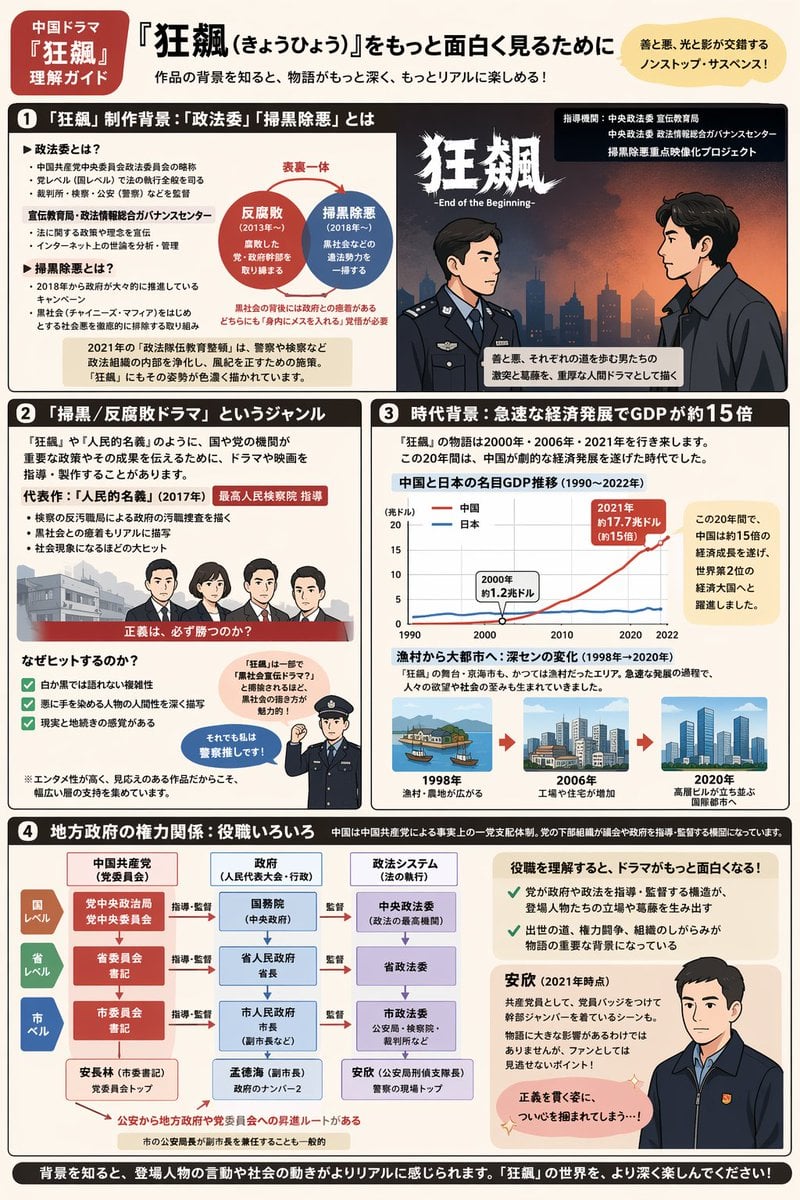
- Prompt included
- Model and format preset
- Free template
The prompt behind this image
Copy the exact prompt behind Complex Infographic Explainer Sheet, or open it in the studio and make it yours.
- Type
- comprehensive infographic explainer sheet
- Style
- {argument name="illustration style" default="flat vector anime style"}
- Color Palette
- {argument name="color palette" default="beige background with dark brown, red, and blue accents"}
- Layout › Header › Tag
- 中国ドラマ『狂飆』理解ガイド
- Layout › Header › Main Title
- {argument name="main title" default="『狂飆(きょうひょう)』をもっと面白く見るために"}
- Layout › Header › Subtitle
- 作品の背景を知ると、物語がもっと深く、もっとリアルに楽しめる!
- Layout › Header › Top Right Badge
- 善と悪、光と影が交錯するノンストップ・サスペンス!
- Layout › Sections › 0 › Number
- 1
- Layout › Sections › 0 › Title
- 「狂飆」制作背景:「政法委」「掃黒除悪」とは
- Layout › Sections › 0 › Components › 0 › Type
- bulleted text
- Layout › Sections › 0 › Components › 0 › Description
- Definitions of political terms
- Layout › Sections › 0 › Components › 1 › Type
- diagram
- Layout › Sections › 0 › Components › 1 › Description
- 2 overlapping circles labeled 反腐敗 and 掃黒除悪
- Layout › Sections › 0 › Components › 2 › Type
- illustration
- Layout › Sections › 0 › Components › 2 › Description
- 2 men facing each other in profile; 1 in a police uniform, 1 in a dark suit with a red tie
- Layout › Sections › 1 › Number
- 2
- Layout › Sections › 1 › Title
- 「掃黒/反腐敗ドラマ」というジャンル
- Layout › Sections › 1 › Components › 0 › Type
- illustration
- Layout › Sections › 1 › Components › 0 › Description
- Lineup of 4 characters (3 men, 1 woman) behind a red banner
- Layout › Sections › 1 › Components › 1 › Type
- checklist
- Layout › Sections › 1 › Components › 1 › Count
- 3
- Layout › Sections › 1 › Components › 1 › Description
- Reasons for the hit, with green checkmarks
- Layout › Sections › 1 › Components › 2 › Type
- illustration
- Layout › Sections › 1 › Components › 2 › Description
- 1 police officer pointing upwards with a speech bubble
Raw JSON
{
  "type": "comprehensive infographic explainer sheet",
  "style": "{argument name=\"illustration style\" default=\"flat vector anime style\"}",
  "color_palette": "{argument name=\"color palette\" default=\"beige background with dark brown, red, and blue accents\"}",
  "layout": {
    "header": {
      "tag": "中国ドラマ『狂飆』理解ガイド",
      "main_title": "{argument name=\"main title\" default=\"『狂飆(きょうひょう)』をもっと面白く見るために\"}",
      "subtitle": "作品の背景を知ると、物語がもっと深く、もっとリアルに楽しめる!",
      "top_right_badge": "善と悪、光と影が交錯するノンストップ・サスペンス!"
    },
    "sections": [
      {
        "number": 1,
        "title": "「狂飆」制作背景:「政法委」「掃黒除悪」とは",
        "components": [
          {"type": "bulleted text", "description": "Definitions of political terms"},
          {"type": "diagram", "description": "2 overlapping circles labeled 反腐敗 and 掃黒除悪"},
          {"type": "illustration", "description": "2 men facing each other in profile; 1 in a police uniform, 1 in a dark suit with a red tie"}
        ]
      },
      {
        "number": 2,
        "title": "「掃黒/反腐敗ドラマ」というジャンル",
        "components": [
          {"type": "illustration", "description": "Lineup of 4 characters (3 men, 1 woman) behind a red banner"},
          {"type": "checklist", "count": 3, "description": "Reasons for the hit, with green checkmarks"},
          {"type": "illustration", "description": "1 police officer pointing upwards with a speech bubble"}
        ]
      },
      {
        "number": 3,
        "title": "時代背景:急速な経済発展でGDPが約15倍",
        "components": [
          {"type": "chart", "chart_type": "{argument name=\"chart type\" default=\"line chart comparing two trends over time\"}", "description": "GDP comparison between China and Japan (1990-2022)"},
          {"type": "timeline", "count": 3, "description": "City evolution showing 3 stages: 1998 village, 2006 factories, 2020 modern high-rise city"}
        ]
      },
      {
        "number": 4,
        "title": "地方政府の権力関係:役職いろいろ",
        "components": [
          {"type": "flowchart", "topic": "{argument name=\"flowchart topic\" default=\"Local government power structure\"}", "description": "3x3 grid showing National, Provincial, and City levels across Party, Government, and Legal systems"},
          {"type": "illustration", "description": "1 man in a dark jacket looking forward, with text explaining his role"}
        ]
      }
    ],
    "footer": {
      "text": "背景を知ると、登場人物の言動や社会の動きがよりリアルに感じられます。「狂飆」の世界を、より深く楽しんでください!"
    }
  }
}How to use Complex Infographic Explainer Sheet in 3 steps
- 1Upload ImagePNG, JPG or paste
Add your photo
Upload the photo the template builds on. The prompt, model and format are already set.
- 2…a portrait of your subject in softgolden-hour light, 85mm…
Personalize
Edit the subject and creative details for your destination.
- 3Generate
Generate
Press Generate — your image is created in PicX Studio, so you can compare it with the original and refine one variable at a time.
More like this
Templates with the same subject, style or setup. Open one to see its prompt.

Japan Travel Brochure Poster

Isometric Process Educational Diorama

Isometric Vehicle Teardown Infographic Template

Dancer Character - Four View Reference Sheet

Movement Sheet - Dance Reference (Seedance 2.0)

Gpt2 E Commerce Main Image Earbuds E Commerce Infographic

Gpt2 Infographic Edu Visual Alishan One Day Travel Poster

Gpt2 Infographic Edu Visual Ethnographic Plate for Tibetan Ceremonial Hat

Gpt2 Infographic Edu Visual Earth Signs Zodiac Character Poster

Gpt2 Infographic Edu Visual Water Signs Zodiac Character Poster

Gpt2 Infographic Edu Visual Ink Wash Tribute Poster for Chen Uen

Gpt2 Infographic Edu Visual Vintage Claude Shannon Infographic Poster
Make it yours
Complex Infographic Explainer Sheet works as-is. These are the safest ways to change it without losing the look.
Change one field
Copy a single group, rewrite it, and generate again so you can see what that field is doing.
Keep the frame, change the subject
Hold the composition and light of Complex Infographic Explainer Sheet, then swap wardrobe, props or the person for a new take.
| If the result… | Why | Fix |
|---|---|---|
| The result drifts from the preview | Too many fields changed at once. | Reuse Complex Infographic Explainer Sheet as-is first, then change one group — subject, light, or setting. |
| GPT Image 2 ignores part of the JSON | Some models flatten or skip nested keys. | Keep the same values and paste them as a short paragraph instead. |
More GPT Image 2 templates
Other prompts made for GPT Image 2.

Six VTuber Japanese Logo Sheet

Realistic Portrait of Woman and Deer

The Vista Modular Condo Poster

AI Model Routing Comparison Infographic

2.5D Anime Art Board

Isometric Productivity Desk Scene

New York Double Exposure Poster

Four-Panel AI Landscape Comparison

Japanese Tatami Lifestyle Magazine Cover

NESCAFÉ Coffee Map Poster
More image prompts
Fresh picks from across the catalog.

Ultra-Realistic Luxury Body Oil Product Photography

Live-action version of an existing image

Depth of field shift to focus on man’s face
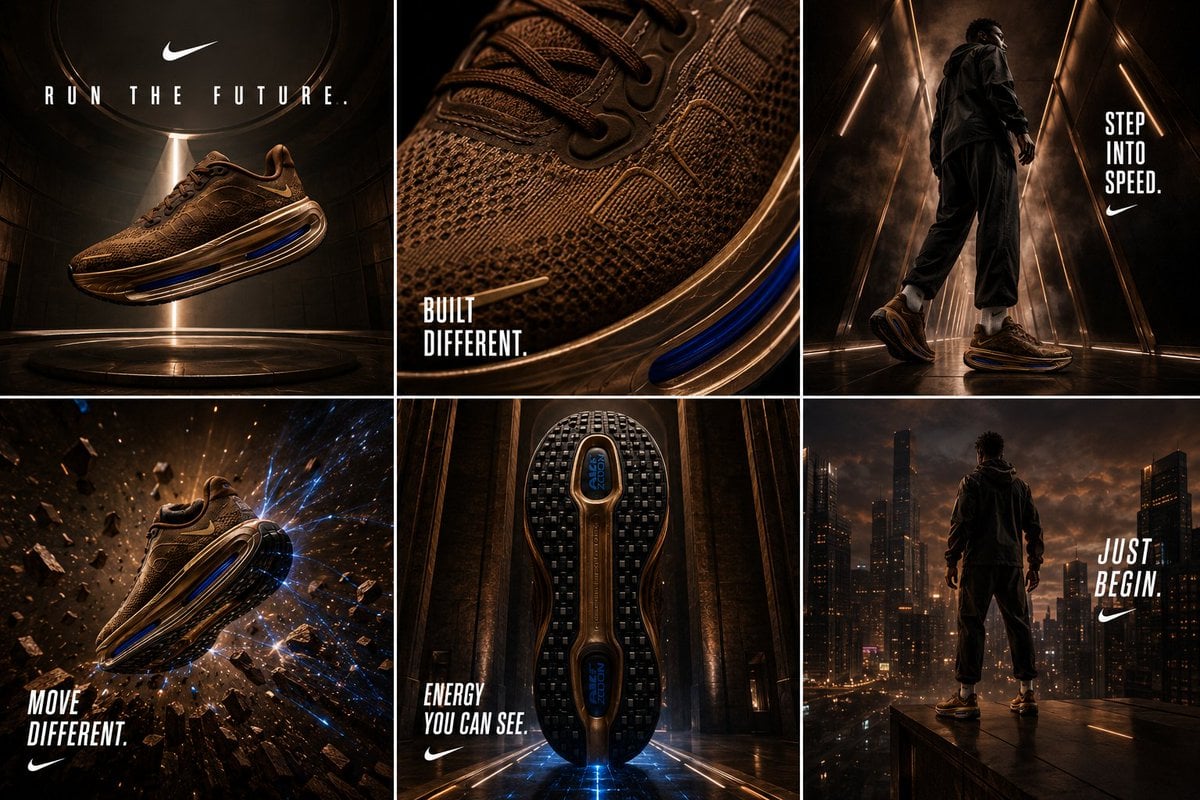
Nike Vomero Future Campaign Master Prompt

Architectural Music Theory Poster

Hyper-Realistic High-Contrast Mirror Selfie Prompt

Christmas Fair Isle Sweater 6-Panel Grid Portrait
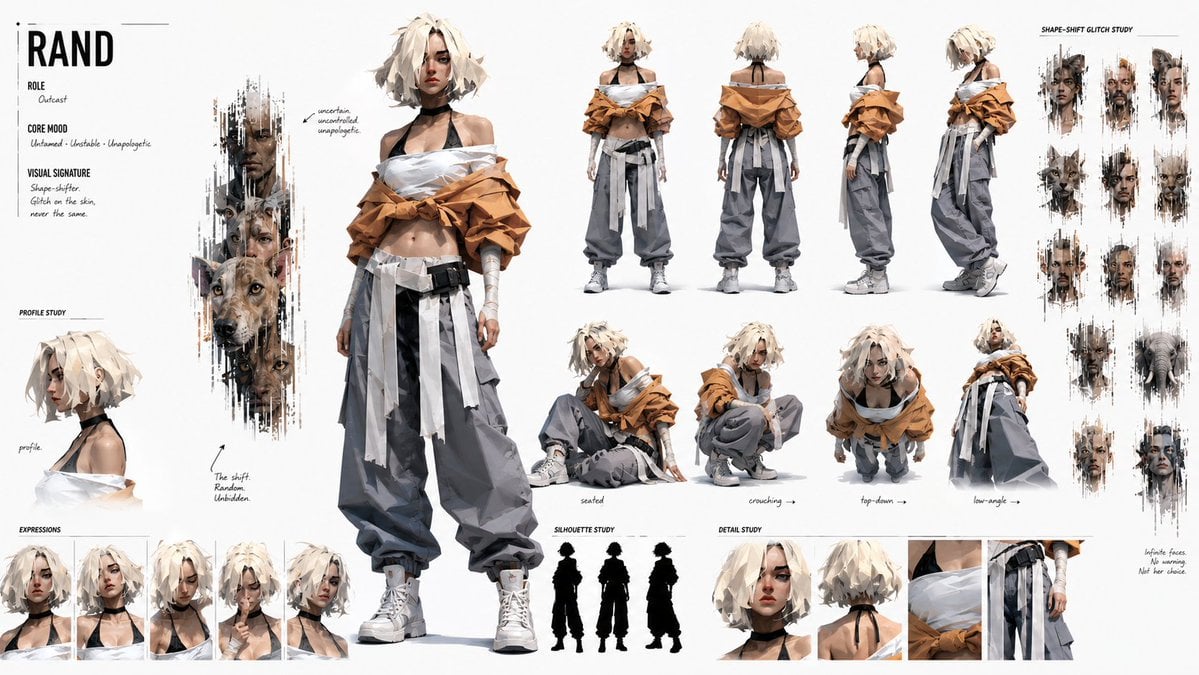
Cinematic Storyboard Project Card
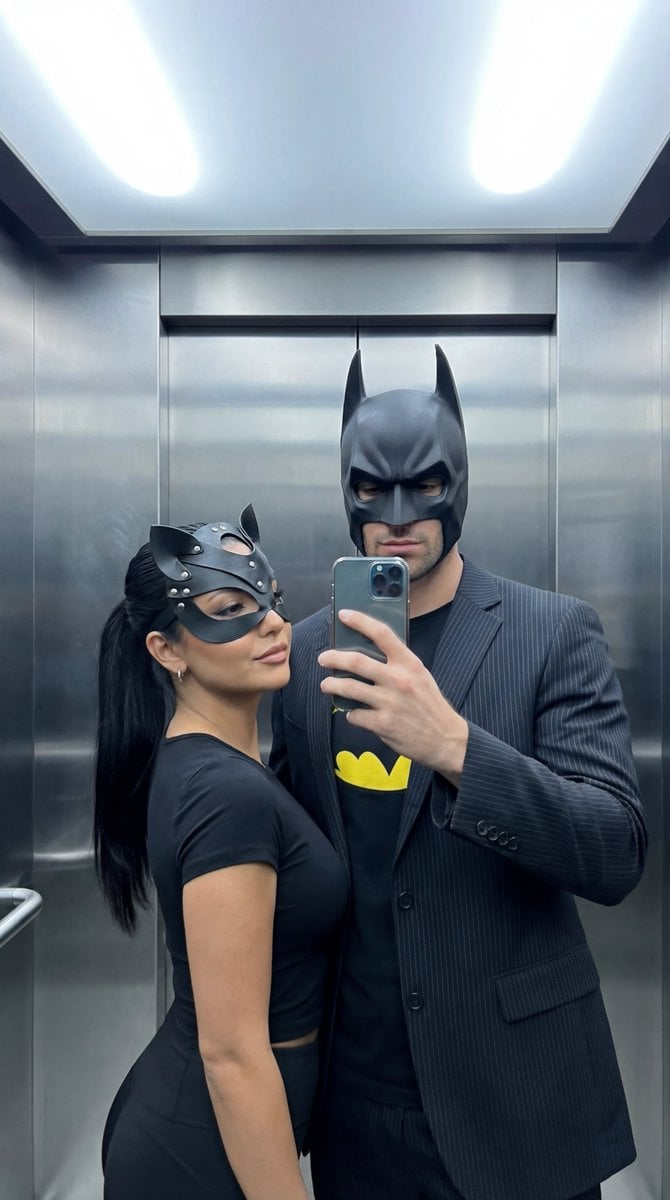
Cinematic Mirror Selfie: Batman and Catwoman Cosplay

Rain-Soaked Anonymous Cowboy
Browse template categories
Complex Infographic Explainer Sheet questions
How do I use the Complex Infographic Explainer Sheet template?
Add your photo if the template asks for one, edit the prompt if you like — the template's model and format are already selected — and press Generate. Your version opens in PicX Studio.
Can I customize the Complex Infographic Explainer Sheet template?
Yes. You can change the subject, setting, lighting, mood, format, and available model controls before creating your image.
Is the Complex Infographic Explainer Sheet template free?
Opening and editing this template is free. Generating uses credits, shown on the Generate button when you are signed in.
Which AI model should I use?
Start with GPT Image 2, which is the model associated with this template. You can compare another compatible model for a different finish.
Looking for something else? Browse all templates.

Your photo, any look
Thousands of ready templates for every top image and video model, from one credit balance.