How do I use the Anime Hacker in Futuristic Server Room template?
Choose the primary action to open PicX Studio with the available template settings. Review the model and format, personalize the creative direction, and generate when ready.
Generates a cinematic anime cyberpunk scene of a woman interacting with a holographic invasion-plan interface in a high-tech data center. Change the subject, setting, or lighting one variable at a time.
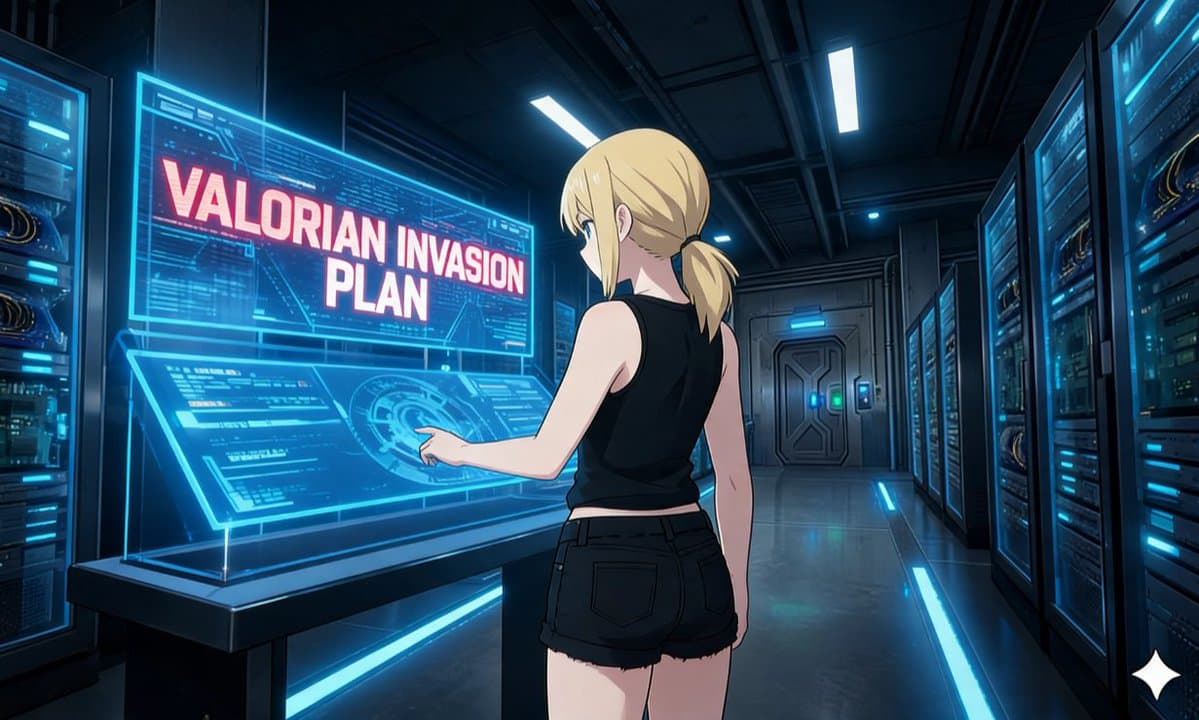
Create a cinematic anime-style sci-fi illustration of a young woman in a high-tech server room, viewed from behind and slightly to the side as she operates a large transparent holographic touchscreen. She has {argument name="hair color" default="blonde"} hair tied in a low ponytail with loose bangs, pale skin, and a focused posture, one arm extended with her index finger touching a glowing circular interface. She wears a {argument name="outfit" default="black sleeveless crop top and black frayed denim shorts"}, giving the scene a sleek casual hacker/agent look. The environment is a dark futuristic data center corridor with tall server racks on both sides, cyan-blue LED strips, cables, illuminated panels, a metallic floor reflecting the lights, overhead rectangular light bars, and a sealed sci-fi door in the distance. The holographic display dominates the left side of the composition and contains dense technical UI graphics, circuit patterns, data panels, and one large warning headline in bold pink-white capital letters reading {argument name="headline text" default="VALORIAN INVASION PLAN"}. Use dramatic blue cyberpunk lighting, crisp linework, polished anime rendering, detailed background perspective, luminous transparent glass effects, and a tense secret-mission atmosphere. Wide 16:9 composition, medium-full body view from behind, high detail, sharp focus, no extra characters.
Choose the primary action to open PicX Studio with the available template settings. Review the model and format, personalize the creative direction, and generate when ready.
Yes. You can change the subject, setting, lighting, mood, format, and available model controls before creating your image.
This template is free to open and customize. Generation usage is shown in PicX Studio before you create.
Start with GPT Image 2, which is the model associated with this template. You can compare another compatible model for a different finish.
© 2026 PicX Studio. All rights reserved.

Follow a topic to a crawlable collection of related PicX Studio templates.
43,474 public templates available. Verified via the PicX Studio public templates API; refreshed hourly.















![Minimalist Flat Vector Travel Poster — Premium minimalist flat-vector travel poster for {argument name="city name" default="[CITY_NAME]"}, 3:4 vertical format.](https://cms-assets.youmind.com/media/1787917359711_3ug846_HQX205cbMAA6F6S-300x400.jpg)





























![118-google-nano-banana-pro-skincare-product- — A professional skincare shot of a [product container] with [cap/lid], labeled [brand, product, descriptor, volume](/_next/image?url=https%3A%2F%2Fcdn.picxstudio.com%2Fuploads%2Fpost118_img0_332898b8-29ea-42a9-87ab-9ed746a3f944.jpg&w=828&q=100)