
Candid Smartphone Club Portrait
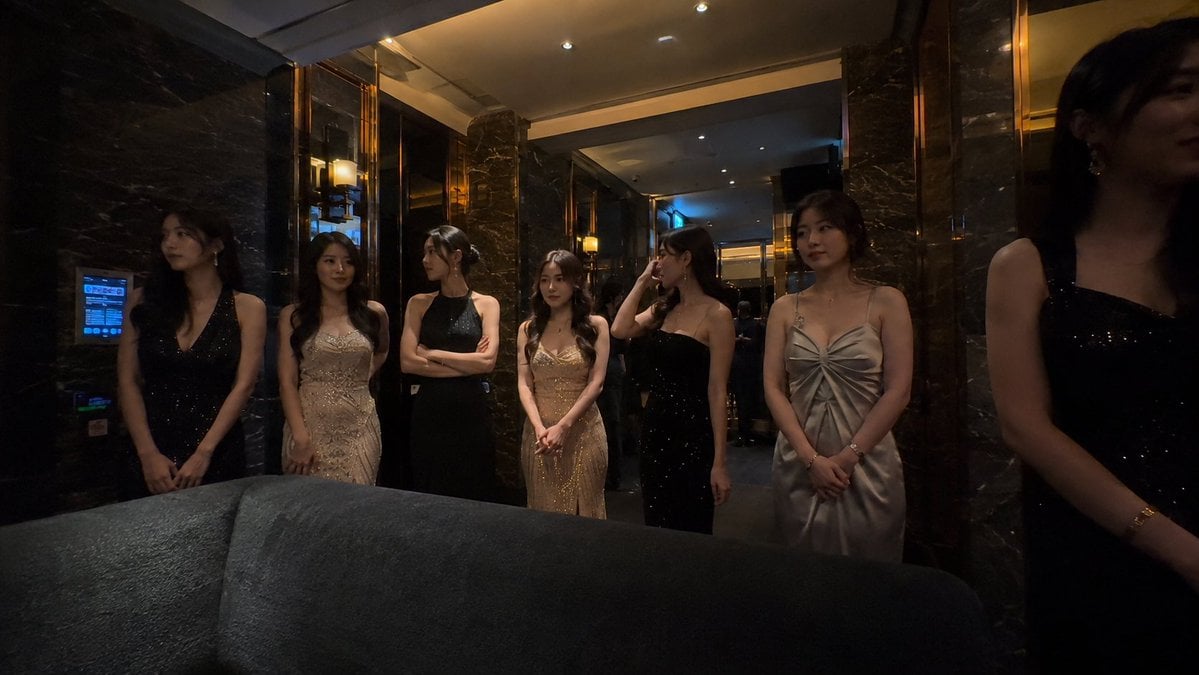
A detailed prompt for generating realistic, unpolished smartphone-style photos of a group in a luxury karaoke or club setting.
- Prompt included
- Model and format preset
- Free template
The prompt behind this image
Copy the exact prompt behind Candid Smartphone Club Portrait, or open it in the studio and make it yours.
A realistic wide-angle phone photo, at night, inside a high-end private karaoke lounge or a luxury club hallway, in a low-light environment, with warm yellow wall sconces and ceiling spotlights, black marble walls, mirror reflections, and metallic decor; in the foreground, a dark fabric sofa partially blocks the frame. In the image, {argument name="number of people" default="seven"} adult East Asian women stand in a row, as if candidly caught waiting in a lounge area or before a group photo. They are wearing {argument name="clothing style" default="elegant evening gowns, mainly in black, champagne, gold, and silver"}, in materials including satin, sequins, velvet, and fitted gowns. Each person's pose is slightly different, with natural, restrained expressions; they either aren't looking at the camera or only a few are. Shot with a real smartphone wide-angle lens, 24mm equivalent focal length, horizontal composition, slight wide-angle perspective distortion, with figures' edges slightly warped; the composition is not perfectly centered, with the person on the right partially cropped out of frame, giving it a candid, on-the-spot feel. The image is on the darker side, with conservative exposure, heavier shadows, warm ambient light, slight noise, a high-ISO texture, and the look of an authentic, unedited social media photo — not a commercial studio shoot, not overly retouched. photorealistic, candid smartphone photo, luxury karaoke lounge, private club hallway, dim warm lighting, black marble wall, mirrors, velvet sofa foreground, elegant evening gowns, natural poses, realistic skin texture, low light, slight grain, wide angle, social media snapshot, 16:9
How to use Candid Smartphone Club Portrait in 3 steps
- 1
Open
The prompt is already in the box next to the preview, with the template's model and format selected.
- 2…a portrait of your subject in softgolden-hour light, 85mm…
Personalize
Edit the subject and creative details for your destination.
- 3Generate
Generate
Press Generate — your image is created in PicX Studio, so you can compare it with the original and refine one variable at a time.
More like this
Templates with the same subject, style or setup. Open one to see its prompt.









Make it yours
Candid Smartphone Club Portrait works as-is. These are the safest ways to change it without losing the look.
Change one field
Copy a single group, rewrite it, and generate again so you can see what that field is doing.
Keep the frame, change the subject
Hold the composition and light of Candid Smartphone Club Portrait, then swap wardrobe, props or the person for a new take.
| If the result… | Why | Fix |
|---|---|---|
| The result drifts from the preview | Too many fields changed at once. | Reuse Candid Smartphone Club Portrait as-is first, then change one group — subject, light, or setting. |
| The model over-stylizes the scene | The prose prompt leaves finish and camera underspecified. | Add one camera or lighting sentence and stay on GPT Image 2. |
More GPT Image 2 templates
Other prompts made for GPT Image 2.

Six VTuber Japanese Logo Sheet

Realistic Portrait of Woman and Deer

The Vista Modular Condo Poster

AI Model Routing Comparison Infographic

2.5D Anime Art Board

Isometric Productivity Desk Scene

New York Double Exposure Poster

Four-Panel AI Landscape Comparison

Japanese Tatami Lifestyle Magazine Cover

NESCAFÉ Coffee Map Poster
More image prompts
Fresh picks from across the catalog.
Playful Wink Studio Portrait
Censored Realistic Spa Portrait
Character to Ball-Jointed Doll Conversion

Nike Dunk Bursting Through Crystalline Wall

Full Body Portrait with Identity Reference
Miniature Tennis Court on Smartphone Screen

Neo-Traditional Tattoo Flash Prompt
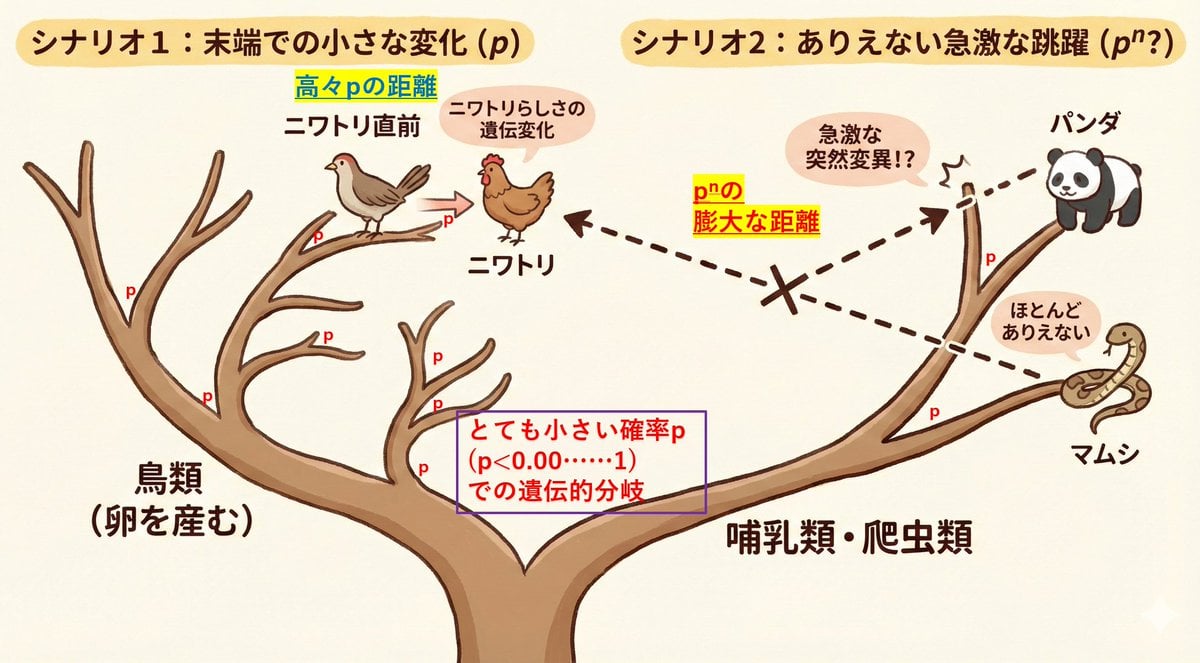
Visualize conceptual difficulty: from chicken to chicken vs. panda to chicken

Packaging Design Proposal Board Prompt
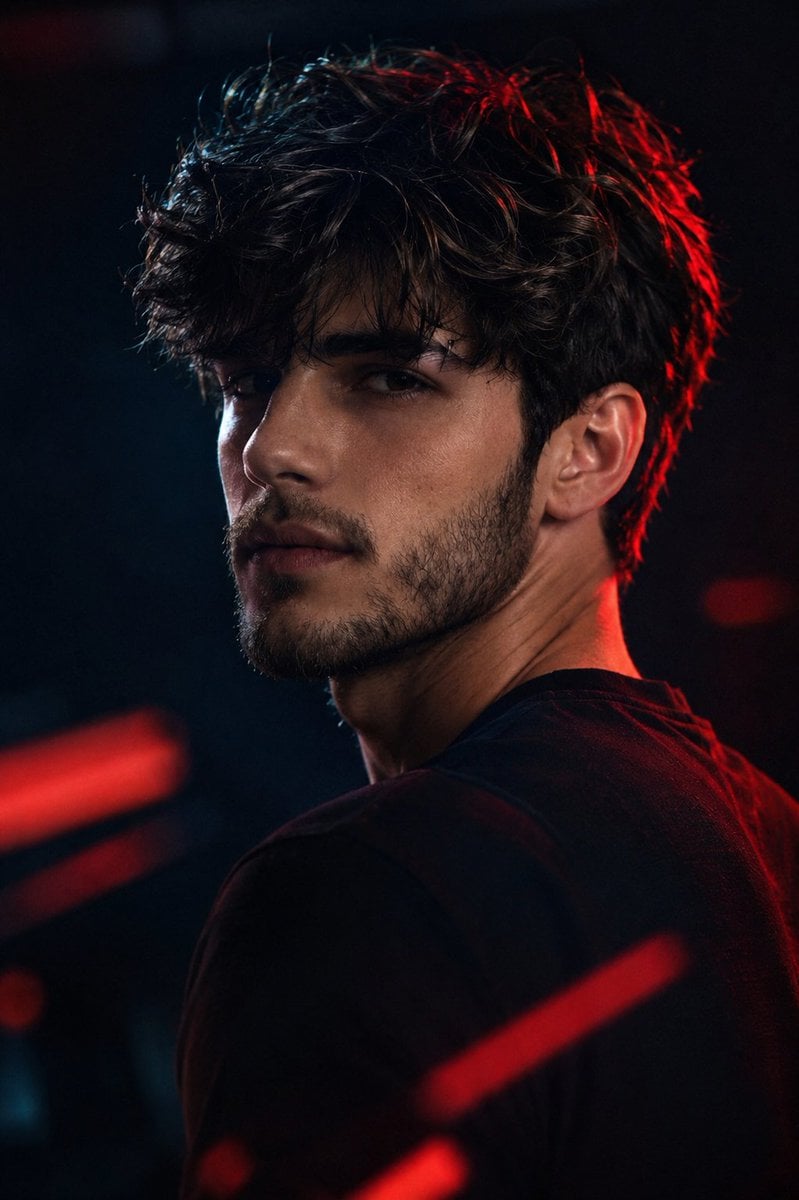
Cinematic Rim Lighting Portrait
Browse template categories
Candid Smartphone Club Portrait questions
How do I use the Candid Smartphone Club Portrait template?
Add your photo if the template asks for one, edit the prompt if you like — the template's model and format are already selected — and press Generate. Your version opens in PicX Studio.
Can I customize the Candid Smartphone Club Portrait template?
Yes. You can change the subject, setting, lighting, mood, format, and available model controls before creating your image.
Is the Candid Smartphone Club Portrait template free?
Opening and editing this template is free. Generating uses credits, shown on the Generate button when you are signed in.
Which AI model should I use?
Start with GPT Image 2, which is the model associated with this template. You can compare another compatible model for a different finish.
Looking for something else? Browse all templates.

Your photo, any look
Thousands of ready templates for every top image and video model, from one credit balance.