How do I use the Anime Hiker Over Scenic Mountain View template?
Edit the prompt in the box under the preview — the template's model and format are already selected — and press Generate. Your version appears right on this page.
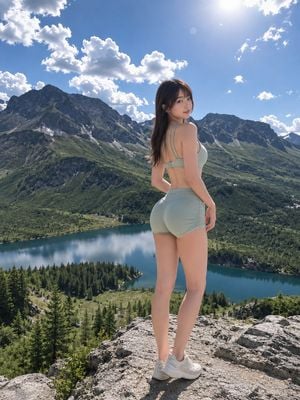
Transforms a mountain-view travel photo into a clean anime hiking illustration with a foreground character and no app overlays.

This template uses your photo — add one with the + button.
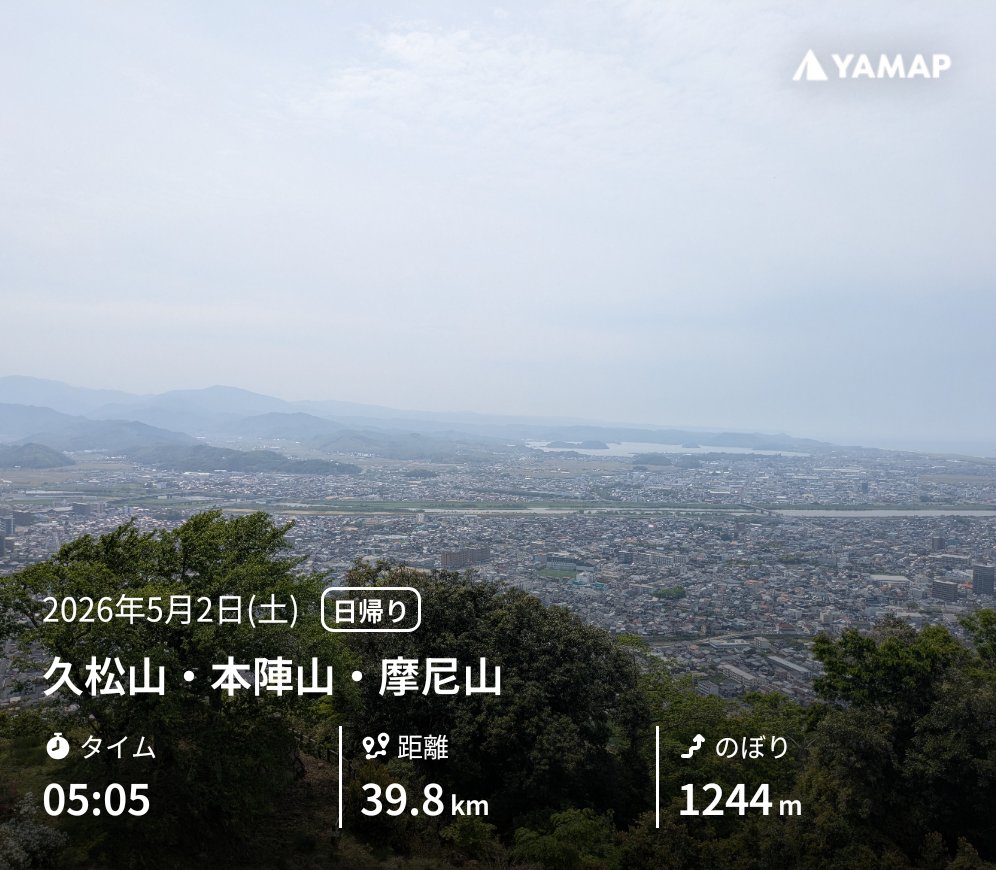
Using REFERENCE_0 as the base landscape, remove all YAMAP branding, date, route, and metric overlay text, then transform the scene into a polished anime-style travel illustration while preserving the mountaintop viewpoint over the city, lake, distant mountains, hazy sky, and green forested foreground. Add one foreground character: a young anime hiker viewed from behind/three-quarter back, standing on an old stone castle-wall lookout and gazing over the scenery. Give the character {argument name="hair color" default="long aqua-blue hair"} in a high ponytail with a blue ribbon and star hair ornament, a light blue hiking shirt, beige cargo hiking pants, brown hiking boots, fingerless gloves, and a large dark hiking backpack. Add exactly 4 visible gear/accessory elements on or near the character: 1 rolled sleeping mat strapped to the backpack, 1 dangling blue star charm, 1 small blue bird-like companion perched near the shoulder, and 1 small hiking pouch/strap detail. Add weathered stone blocks under the character and soft blurred green leaves in the lower foreground for depth. Keep the composition scenic and peaceful, with bright morning light, gentle atmospheric haze, crisp anime linework on the character, and a softly detailed semi-realistic background. Do not include any text, logos, UI, or watermark.
Using REFERENCE_0 as the base landscape, remove all YAMAP branding, date, route, and metric overlay text, then transform the scene into a polished anime-style travel illustration while preserving the mountaintop viewpoint over the city, lake, distant mountains, hazy sky, and green forested foreground. Add one foreground character: a young anime hiker viewed from behind/three-quarter back, standing on an old stone castle-wall lookout and gazing over the scenery. Give the character {argument name="hair color" default="long aqua-blue hair"} in a high ponytail with a blue ribbon and star hair ornament, a light blue hiking shirt, beige cargo hiking pants, brown hiking boots, fingerless gloves, and a large dark hiking backpack. Add exactly 4 visible gear/accessory elements on or near the character: 1 rolled sleeping mat strapped to the backpack, 1 dangling blue star charm, 1 small blue bird-like companion perched near the shoulder, and 1 small hiking pouch/strap detail. Add weathered stone blocks under the character and soft blurred green leaves in the lower foreground for depth. Keep the composition scenic and peaceful, with bright morning light, gentle atmospheric haze, crisp anime linework on the character, and a softly detailed semi-realistic background. Do not include any text, logos, UI, or watermark.
Anime Hiker Over Scenic Mountain View needs input media to work. Open it in the studio and these load alongside the prompt — pick whichever ones your chosen model can take.
Edit the prompt in the box under the preview — the template's model and format are already selected — and press Generate. Your version appears right on this page.
Yes. You can change the subject, setting, lighting, mood, format, and available model controls before creating your image.
Opening and editing this template is free. Generating uses credits, shown on the Generate button when you are signed in.
Start with GPT Image 2, which is the model associated with this template. You can compare another compatible model for a different finish.
Follow a topic to a crawlable collection of related PicX Studio templates.