How do I use the Crochet Doll Movie Snacks template?
Choose the primary action to open PicX Studio with the available template settings. Review the model and format, personalize the creative direction, and generate when ready.
Generates a realistic crochet amigurumi cinema-goer holding popcorn, nachos, salsa, jalapeños, and a drink in a theater lobby.
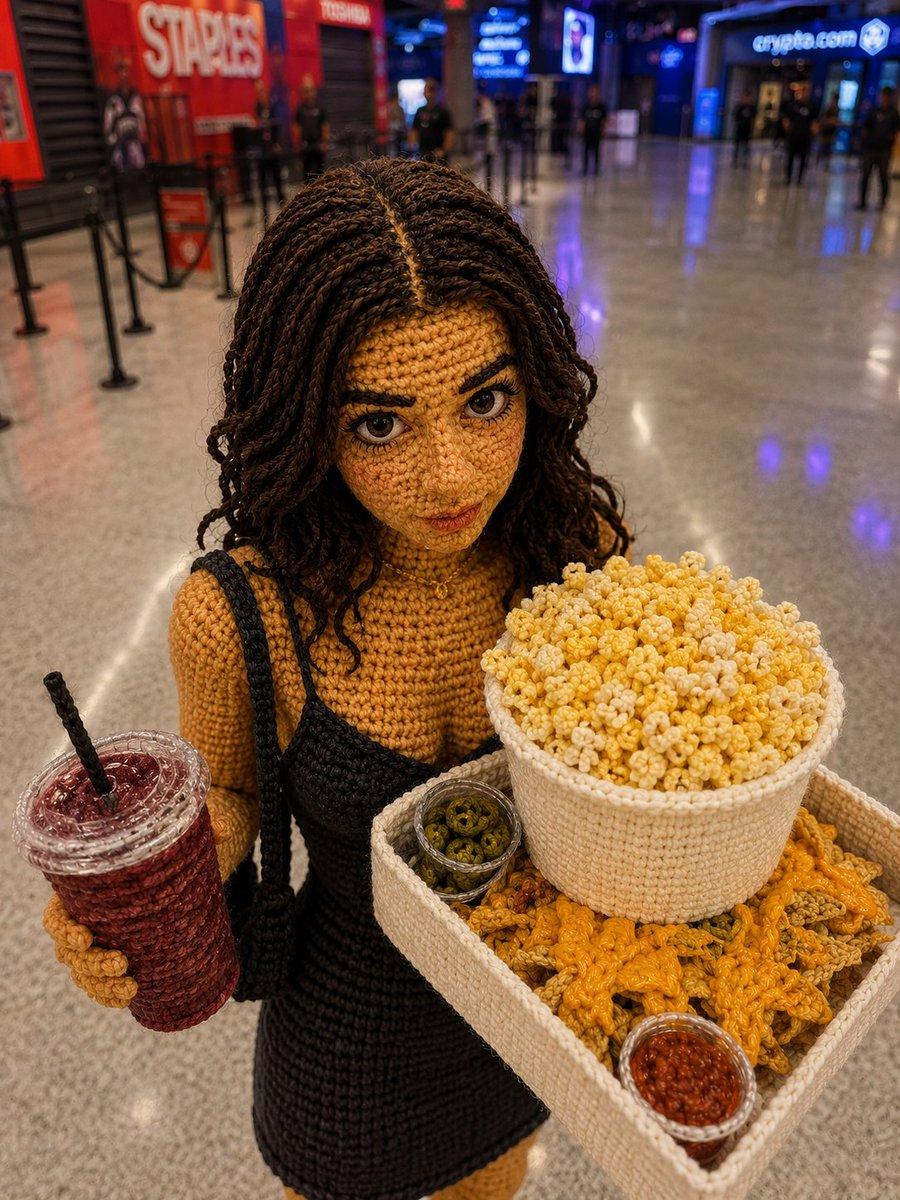
Create a realistic close-up photo of a handmade crochet amigurumi doll posed in a modern movie theater lobby, shot from slightly above with shallow depth of field. The doll is {argument name="character name" default="a young woman cinema-goer"} with medium-brown yarn skin, long dark brown micro-braid/twist crochet hair parted down the center, and a plain opaque square covering the face in a matching dark brown tone. She wears exactly 2 visible outfit pieces: a mustard-yellow ribbed crochet long-sleeve top and a black crochet pinafore-style dress with thin black straps. She holds exactly 5 cinema snack items: 1 clear-lidded red iced drink with a black straw in her left hand, 1 cream crochet tray in her right arm, 1 large cream crochet popcorn bucket piled high with yellow-and-white popcorn on the tray, 1 pile of orange crochet nachos in the tray, 1 small clear cup of green jalapeño slices, and 1 small clear cup of red salsa. The background is an indoor multiplex concourse with glossy polished stone floors reflecting blue and purple lights, blurred people, queue stanchions, a red storefront/sign on the left reading “STAPLES,” and a blue illuminated storefront/sign on the right reading “crypto.com.” Use warm indoor lighting, detailed yarn texture, realistic scale, documentary smartphone-photo look, bokeh background, no extra characters in the foreground, no watermark, and keep all objects made of crochet except the clear plastic-looking cup lids and sauce cups. Customize the doll’s hair as {argument name="hair color" default="dark brown"}, the top as {argument name="top color" default="mustard yellow"}, the dress as {argument name="dress color" default="black"}, and the lobby setting as {argument name="location" default="a modern movie theater lobby"}.
Choose the primary action to open PicX Studio with the available template settings. Review the model and format, personalize the creative direction, and generate when ready.
Yes. You can change the subject, setting, lighting, mood, format, and available model controls before creating your image.
This template is free to open and customize. Generation usage is shown in PicX Studio before you create.
Start with GPT Image 2, which is the model associated with this template. You can compare another compatible model for a different finish.
© 2026 PicX Studio. All rights reserved.

Follow a topic to a crawlable collection of related PicX Studio templates.