How do I use the Live-Action Movie Poster & Character Sheet template?
Edit the prompt in the box under the preview — the template's model and format are already selected — and press Generate. Your version appears right on this page.
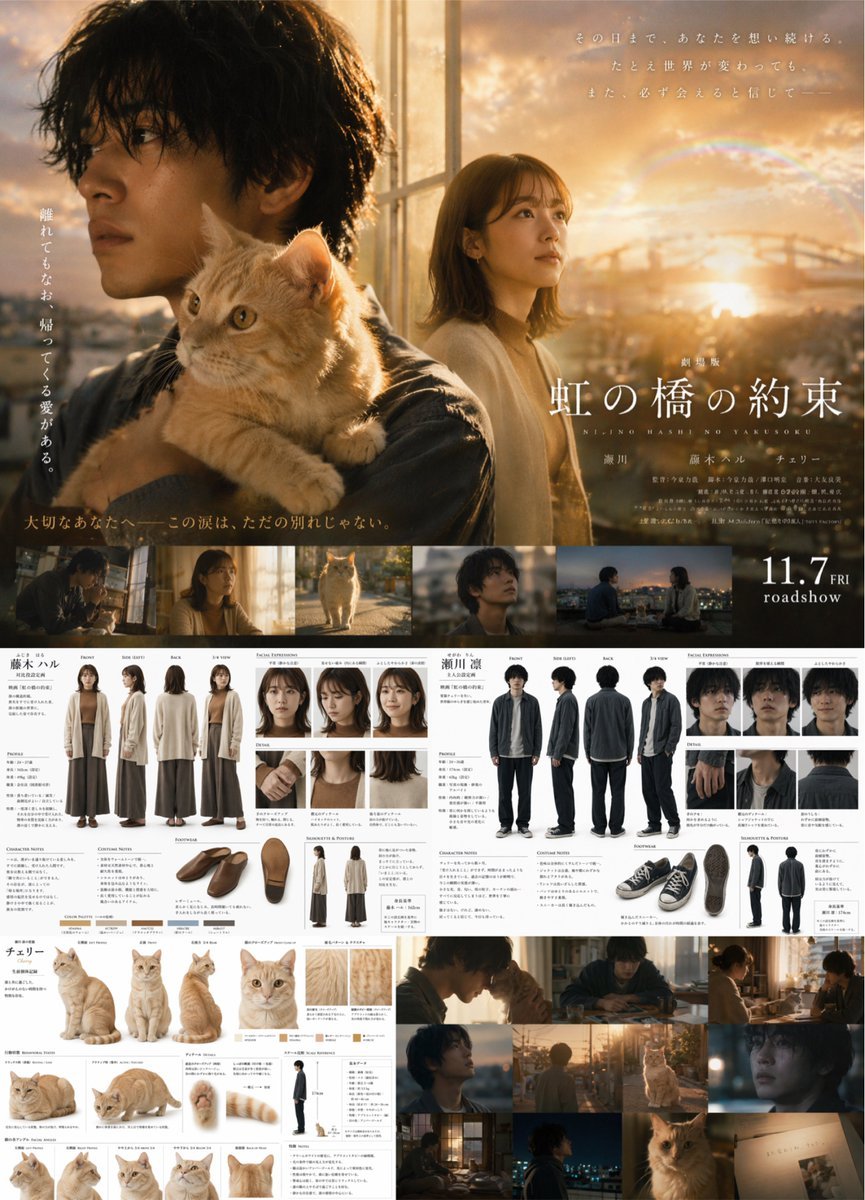
Generates a complex layout combining a cinematic movie poster with detailed live-action character reference sheets for two humans and a cat.

This template uses your photo — add one with the + button.
{ "type": "live-action movie poster and comprehensive character reference sheet", "layout": { "top_half": { "type": "cinematic movie poster", "visuals": "Young Japanese man holding an orange tabby cat in foreground, young Japanese woman looking right in background, golden hour city skyline with bridge and faint rainbow.", "typography": { "title": "{argument name=\"movie title\" default=\"虹の橋の約束\"}", "subtitle": "NIJI NO HASHI NO YAKUSOKU", "release_date": "{argument name=\"release date\" default=\"11.7 FRI roadshow\"}", "taglines": "Multiple vertical and horizontal Japanese text blocks." } }, "middle_band": { "type": "film strip", "count": 5, "description": "Horizontal row of 5 cinematic stills showing characters in various scenes." }, "bottom_half": { "type": "character design sheets", "sections": [ { "subject": "Female Character", "name": "{argument name=\"female character name\" default=\"藤木 ハル\"}", "full_body_poses": 4, "pose_labels": ["FRONT", "SIDE (LEFT)", "BACK", "3/4 VIEW"], "facial_expressions": 3, "detail_shots": 3, "footwear_angles": 3, "silhouette_postures": 2, "color_swatches": 5 }, { "subject": "Male Character", "name": "{argument name=\"male character name\" default=\"瀬川 凛\"}", "full_body_poses": 4, "pose_labels": ["FRONT", "SIDE (LEFT)", "BACK", "3/4 VIEW"], "facial_expressions": 3, "detail_shots": 3, "footwear_angles": 3, "silhouette_postures": 2 }, { "subject": "Orange Tabby Cat", "name": "{argument name=\"cat name\" default=\"チェリー\"}", "full_body_poses": 3, "large_headshot": 1, "small_headshots": 4, "detail_shots": 3, "color_swatches": 4, "scale_reference": 1 }, { "subject": "Additional Stills", "count": 6, "description": "Grid of 6 cinematic shots featuring the characters and cat." } ] } } }
Edit the prompt in the box under the preview — the template's model and format are already selected — and press Generate. Your version appears right on this page.
Yes. You can change the subject, setting, lighting, mood, format, and available model controls before creating your image.
Opening and editing this template is free. Generating uses credits, shown on the Generate button when you are signed in.
Start with GPT Image 2, which is the model associated with this template. You can compare another compatible model for a different finish.
Follow a topic to a crawlable collection of related PicX Studio templates.