How do I use the Pixar Style Ensemble Movie Poster template?
Edit the prompt in the box under the preview — the template's model and format are already selected — and press Generate. Your version appears right on this page.
Curated from MeiGen gallery (ID: 2037141030047215944) by TechieSA.

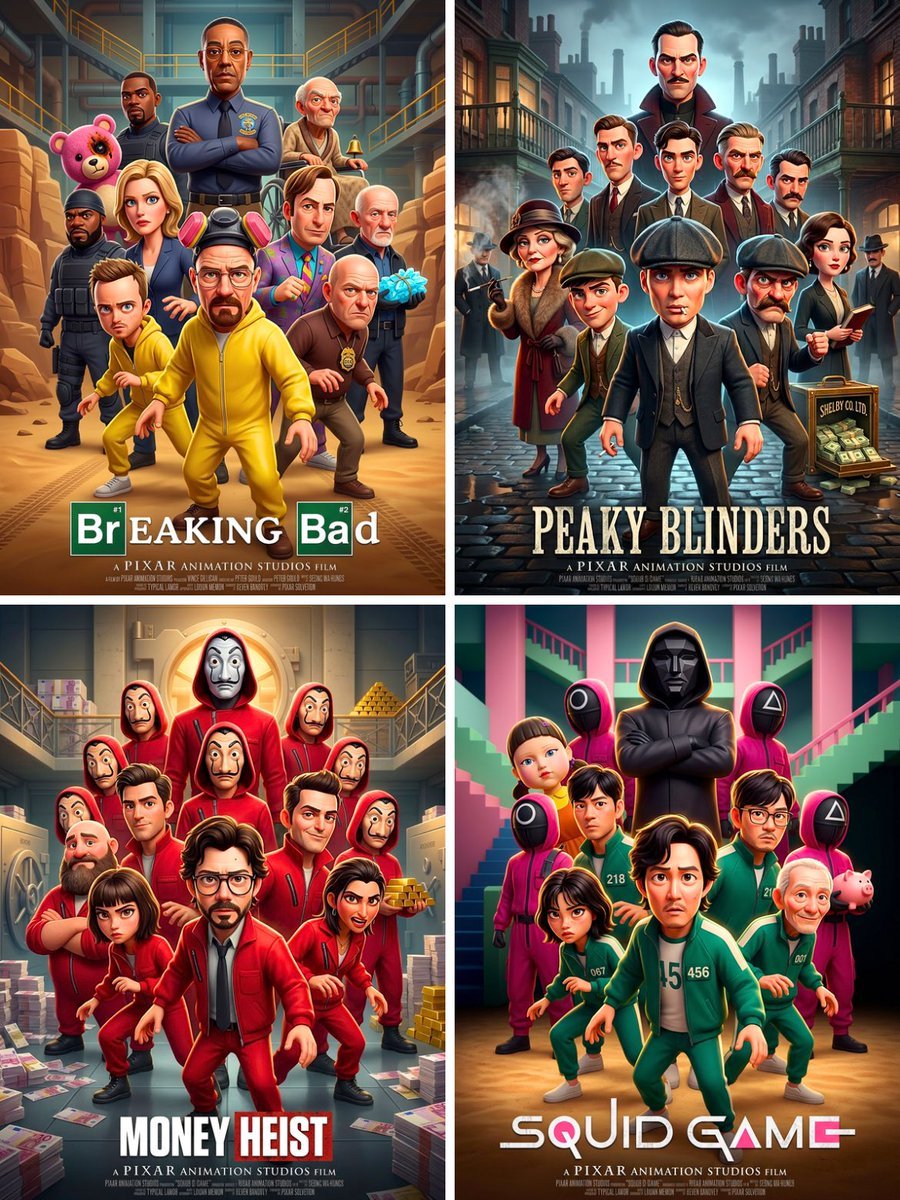
Pixar 3D CGI animated movie poster style, ensemble cast featuring the most iconic and recognizable characters from [MOVIE/SHOW], all rendered as Pixar-style 3D animated characters with exaggerated expressive faces, smooth stylized skin, big eyes, chunky proportions. Characters automatically selected as the most famous heroes and villains from [MOVIE/SHOW]. Dramatic layered composition: central hero front and center, others fanned behind in dynamic action poses. Background color automatically chosen to match the iconic tone and palette of [MOVIE/SHOW]. Bold title text at bottom: [MOVIE/SHOW] in the original film's iconic font style. Cinematic lighting, rim light on characters, deep shadows. 3:4 vertical aspect ratio. High detail, polished Pixar feature film aesthetic.
Pixar 3D CGI animated movie poster style, ensemble cast featuring the most iconic and recognizable characters from [MOVIE/SHOW], all rendered as Pixar-style 3D animated characters with exaggerated expressive faces, smooth stylized skin, big eyes, chunky proportions. Characters automatically selected as the most famous heroes and villains from [MOVIE/SHOW]. Dramatic layered composition: central hero front and center, others fanned behind in dynamic action poses. Background color automatically chosen to match the iconic tone and palette of [MOVIE/SHOW]. Bold title text at bottom: [MOVIE/SHOW] in the original film's iconic font style. Cinematic lighting, rim light on characters, deep shadows. 3:4 vertical aspect ratio. High detail, polished Pixar feature film aesthetic.
Edit the prompt in the box under the preview — the template's model and format are already selected — and press Generate. Your version appears right on this page.
Yes. You can change the subject, setting, lighting, mood, format, and available model controls before creating your image.
Opening and editing this template is free. Generating uses credits, shown on the Generate button when you are signed in.
Choose a compatible model in PicX Studio based on the style, speed, and output controls your project needs.
Follow a topic to a crawlable collection of related PicX Studio templates.