
Four Types of CTO Infographic
Generates a Chinese 2x2 matrix poster classifying CTO leadership styles by coding involvement and AI adoption.
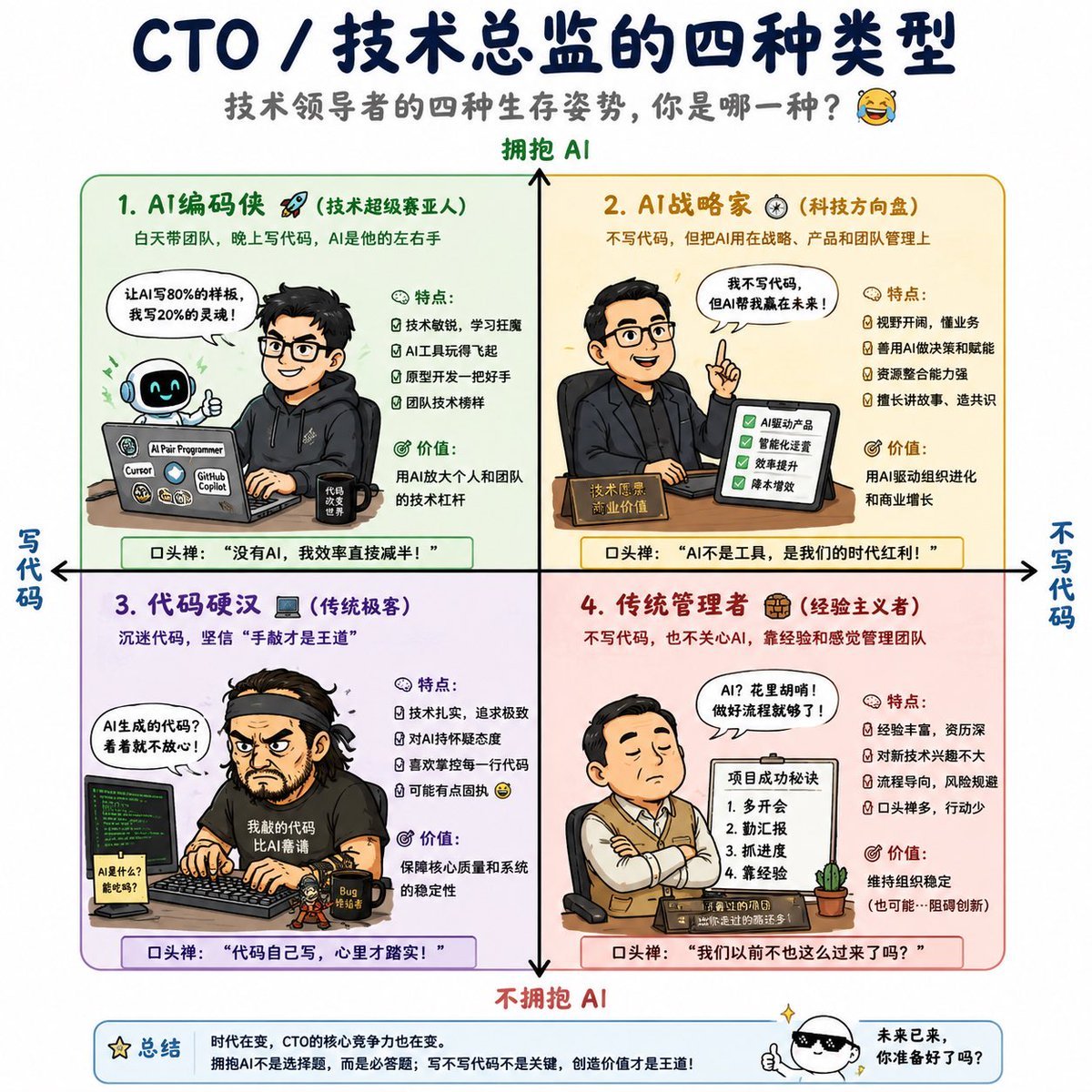
- Prompt included
- Model and format preset
- Free template
The prompt behind this image
Copy the exact prompt behind Four Types of CTO Infographic, or open it in the studio and make it yours.
- Type
- Chinese infographic poster with cartoon business characters
- Style
- clean vector poster mixed with hand-drawn cartoon illustrations, crisp readable Chinese typography, rounded quadrant cards, soft pastel backgrounds, navy title text, humorous tech leadership theme
- Canvas
- square 1:1 white background
- Title
- {argument name="headline text" default="CTO / 技术总监的四种类型"}
- Subtitle
- {argument name="subtitle text" default="技术领导者的四种生存姿势,你是哪一种? 😂"}
- Main Axes › Vertical Axis › Top Label
- 拥抱 AI
- Main Axes › Vertical Axis › Bottom Label
- 不拥抱 AI
- Main Axes › Vertical Axis › Arrow
- black vertical double-ended arrow through the center
- Main Axes › Horizontal Axis › Left Label
- 写代码
- Main Axes › Horizontal Axis › Right Label
- 不写代码
- Main Axes › Horizontal Axis › Arrow
- black horizontal double-ended arrow through the center
- Layout › Structure
- 2 by 2 matrix with four large rounded rectangles separated by central axes
- Layout › Count Discrete Sections
- 4
- Layout › Sections › 0 › Number
- 1
- Layout › Sections › 0 › Title
- AI编码侠 🚀
- Layout › Sections › 0 › Subtitle
- (技术超级赛亚人)
- Layout › Sections › 0 › Position
- top-left
- Layout › Sections › 0 › Background
- pale green
- Layout › Sections › 0 › Border
- green
- Layout › Sections › 0 › Description
- 白天带团队,晚上写代码,AI是他的左右手
- Layout › Sections › 0 › Character
- young male engineer in black hoodie at a desk, typing on laptop covered with AI tool stickers, smiling robot assistant beside him
- Layout › Sections › 0 › Speech Bubble
- 让AI写80%的样板,剩下20%的灵魂!
- Layout › Sections › 0 › Traits Title
- 特点:
- Layout › Sections › 0 › Traits Count
- 4
Raw JSON
{"type":"Chinese infographic poster with cartoon business characters","style":"clean vector poster mixed with hand-drawn cartoon illustrations, crisp readable Chinese typography, rounded quadrant cards, soft pastel backgrounds, navy title text, humorous tech leadership theme","canvas":"square 1:1 white background","title":"{argument name=\"headline text\" default=\"CTO / 技术总监的四种类型\"}","subtitle":"{argument name=\"subtitle text\" default=\"技术领导者的四种生存姿势,你是哪一种? 😂\"}","main_axes":{"vertical_axis":{"top_label":"拥抱 AI","bottom_label":"不拥抱 AI","arrow":"black vertical double-ended arrow through the center"},"horizontal_axis":{"left_label":"写代码","right_label":"不写代码","arrow":"black horizontal double-ended arrow through the center"}},"layout":{"structure":"2 by 2 matrix with four large rounded rectangles separated by central axes","count_discrete_sections":4,"sections":[{"number":"1","title":"AI编码侠 🚀","subtitle":"(技术超级赛亚人)","position":"top-left","background":"pale green","border":"green","description":"白天带团队,晚上写代码,AI是他的左右手","character":"young male engineer in black hoodie at a desk, typing on laptop covered with AI tool stickers, smiling robot assistant beside him","speech_bubble":"让AI写80%的样板,剩下20%的灵魂!","traits_title":"特点:","traits_count":4,"traits":["技术敏锐,学习狂魔","AI工具玩得飞起","原型开发一把好手","团队技术榜样"],"value_title":"价值:","value":"用AI放大个人和团队的技术杠杆","catchphrase":"口头禅:“没有AI,我效率直接减半!”"},{"number":"2","title":"AI战略家 ⚙️","subtitle":"(科技方向盘)","position":"top-right","background":"pale yellow","border":"gold","description":"不写代码,但把AI用在战略、产品和团队管理上","character":"confident male executive in dark shirt presenting a tablet checklist at a desk with a nameplate","speech_bubble":"我不写代码,但AI帮我赢在未来!","checklist_count":4,"checklist":["AI驱动产品","智能化运营","效率提升","降本增效"],"traits_title":"特点:","traits_count":4,"traits":["视野开阔,懂业务","善用AI做决策和赋能","资源整合能力强","擅长讲故事、造共识"],"value_title":"价值:","value":"用AI驱动组织进化和商业增长","catchphrase":"口头禅:“AI不是工具,是我们的时代红利!”"},{"number":"3","title":"代码硬汉 💻","subtitle":"(传统极客)","position":"bottom-left","background":"pale lavender","border":"purple","description":"沉迷代码,坚信‘手敲才是王道’","character":"rugged programmer with headband and black t-shirt intensely coding at dual monitors with green terminal text, coffee mug and bug sticker on desk","speech_bubble":"AI生成的代码?看着就不放心!","traits_title":"特点:","traits_count":4,"traits":["技术扎实,追求极致","对AI持怀疑态度","喜欢掌控每一行代码","可能有点固执 😅"],"value_title":"价值:","value":"保障核心质量和系统的稳定性","catchphrase":"口头禅:“代码自己写,心里才踏实!”"},{"number":"4","title":"传统管理者 💼","subtitle":"(经验主义者)","position":"bottom-right","background":"pale pink","border":"red","description":"不写代码,也不关心AI,靠经验和感觉管理团队","character":"middle-aged manager in vest and tie sitting with arms crossed, project status board beside him, small potted cactus on desk","speech_bubble":"AI?花里胡哨!做好流程就够了!","board_title":"项目成功秘诀","board_items_count":4,"board_items":["1. 多开会","2. 勤汇报","3. 抓进度","4. 靠经验"],"traits_title":"特点:","traits_count":4,"traits":["经验丰富,资历深","对新技术兴趣不大","流程导向,风险规避","口头禅多,行动少"],"value_title":"价值:","value":"维持组织稳定(也可能…阻碍创新)","catchphrase":"口头禅:“我们以前不也这么过来了吗?”"}]},"footer":{"summary_box":"bottom strip with star icon and label 总结, small mascot on the right","summary_text":"{argument name=\"summary text\" default=\"时代在变,CTO的核心竞争力也在变。拥抱AI不是选择题,而是必答题;写不写代码不是关键,创造价值才是王道!\"}","mascot_speech":"{argument name=\"mascot speech\" default=\"未来已来,你准备好了吗?\"}"},"rendering_instructions":"Ensure all Chinese text is sharp and legible. Use balanced spacing, thin line icons for bullets, expressive speech bubbles, and a playful professional tone. Keep the four quadrant titles large and color coded, with the central axes clearly visible over the quadrant grid."}How to use Four Types of CTO Infographic in 3 steps
- 1Upload ImagePNG, JPG or paste
Add your photo
Upload the photo the template builds on. The prompt, model and format are already set.
- 2…a portrait of your subject in softgolden-hour light, 85mm…
Personalize
Edit the subject and creative details for your destination.
- 3Generate
Generate
Press Generate — your image is created in PicX Studio, so you can compare it with the original and refine one variable at a time.
More like this
Templates with the same subject, style or setup. Open one to see its prompt.
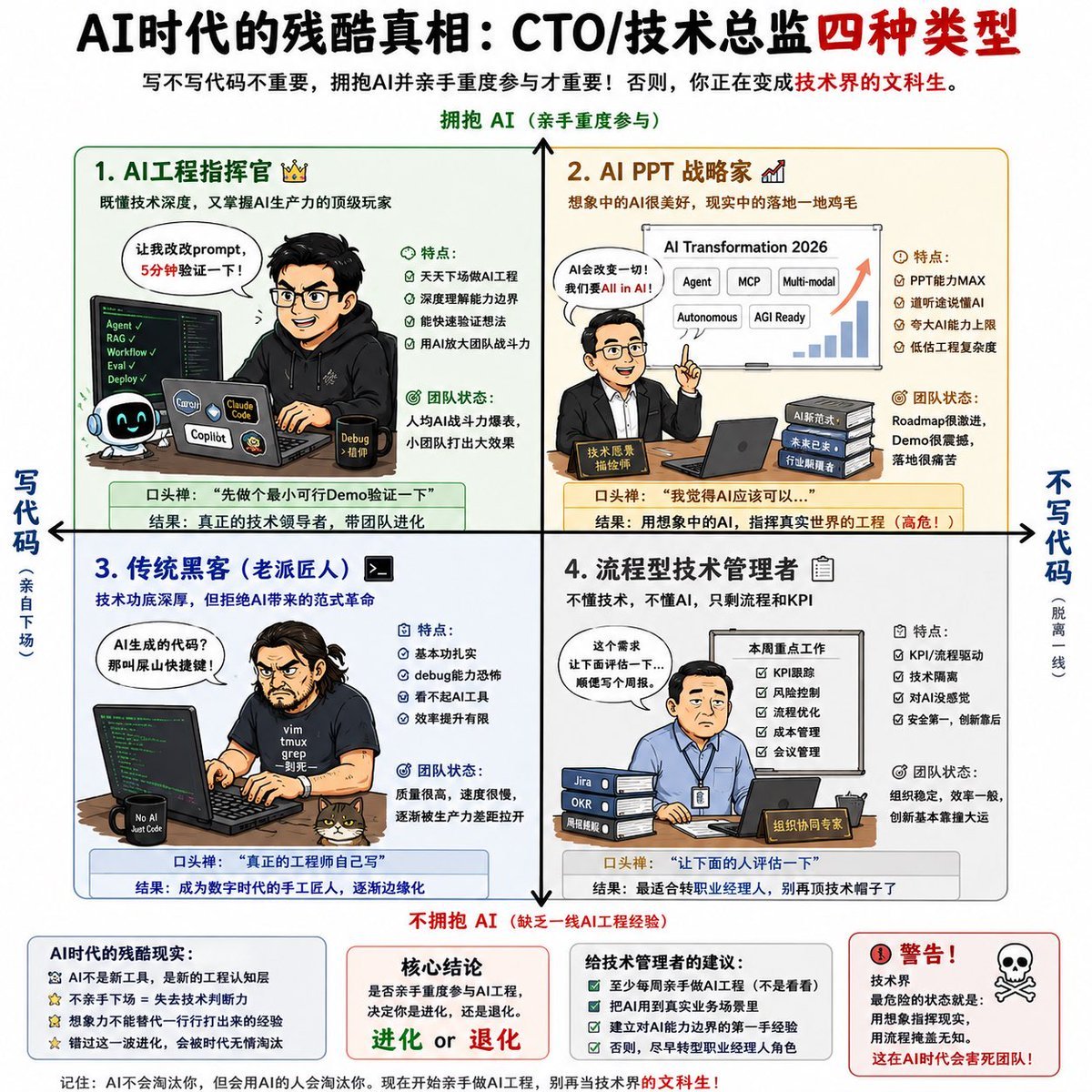
AI CTO Types Infographic

Japan Travel Brochure Poster

Isometric Process Educational Diorama

Isometric Vehicle Teardown Infographic Template

Dancer Character - Four View Reference Sheet

Gpt2 E Commerce Main Image Earbuds E Commerce Infographic

Gpt2 Infographic Edu Visual Alishan One Day Travel Poster

Gpt2 Infographic Edu Visual Ethnographic Plate for Tibetan Ceremonial Hat

Gpt2 Infographic Edu Visual Earth Signs Zodiac Character Poster

Gpt2 Infographic Edu Visual Water Signs Zodiac Character Poster

Gpt2 Infographic Edu Visual Ink Wash Tribute Poster for Chen Uen

Gpt2 Infographic Edu Visual Vintage Claude Shannon Infographic Poster
Make it yours
Four Types of CTO Infographic works as-is. These are the safest ways to change it without losing the look.
Swap the setting
Keep the rest of the prompt and replace the location block. The current setting is “pale green”.
Change one field
Copy a single group, rewrite it, and generate again so you can see what that field is doing.
Keep the frame, change the subject
Hold the composition and light of Four Types of CTO Infographic, then swap wardrobe, props or the person for a new take.
| If the result… | Why | Fix |
|---|---|---|
| The result drifts from the preview | Too many fields changed at once. | Reuse Four Types of CTO Infographic as-is first, then change one group — subject, light, or setting. |
| GPT Image 2 ignores part of the JSON | Some models flatten or skip nested keys. | Keep the same values and paste them as a short paragraph instead. |
More GPT Image 2 templates
Other prompts made for GPT Image 2.

Six VTuber Japanese Logo Sheet

Realistic Portrait of Woman and Deer

The Vista Modular Condo Poster

AI Model Routing Comparison Infographic

2.5D Anime Art Board

Isometric Productivity Desk Scene

New York Double Exposure Poster

Four-Panel AI Landscape Comparison

Japanese Tatami Lifestyle Magazine Cover

NESCAFÉ Coffee Map Poster
More image prompts
Fresh picks from across the catalog.
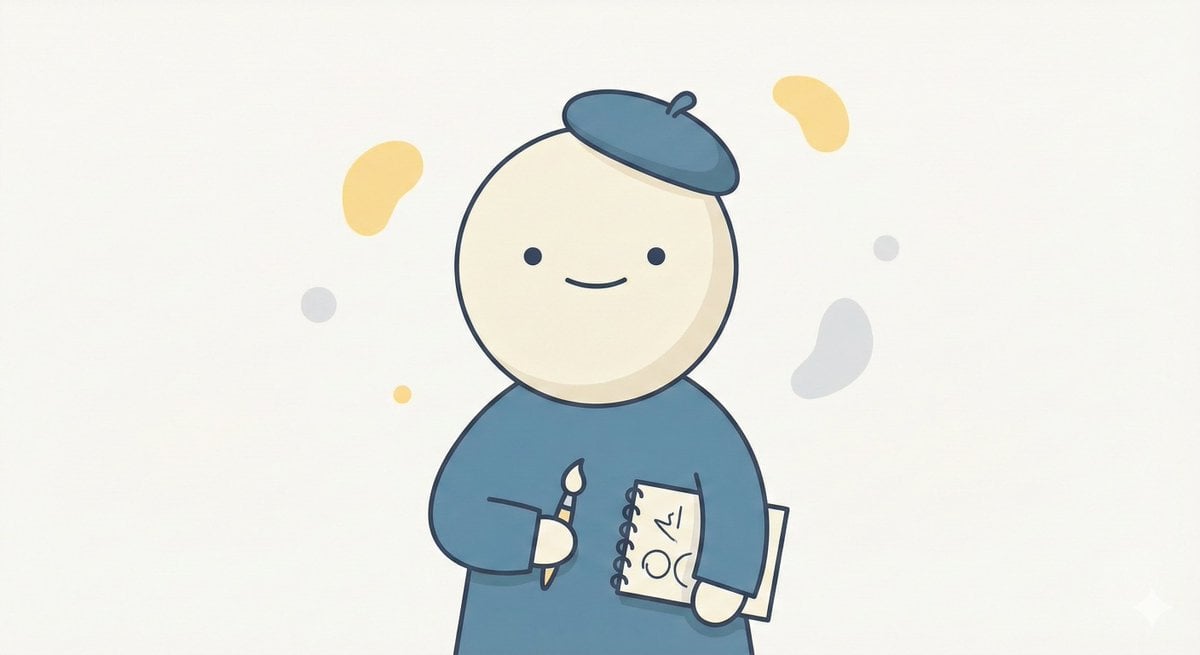
Minimal Character Illustration Template

Romantic Fashion Editorial Portrait Prompt
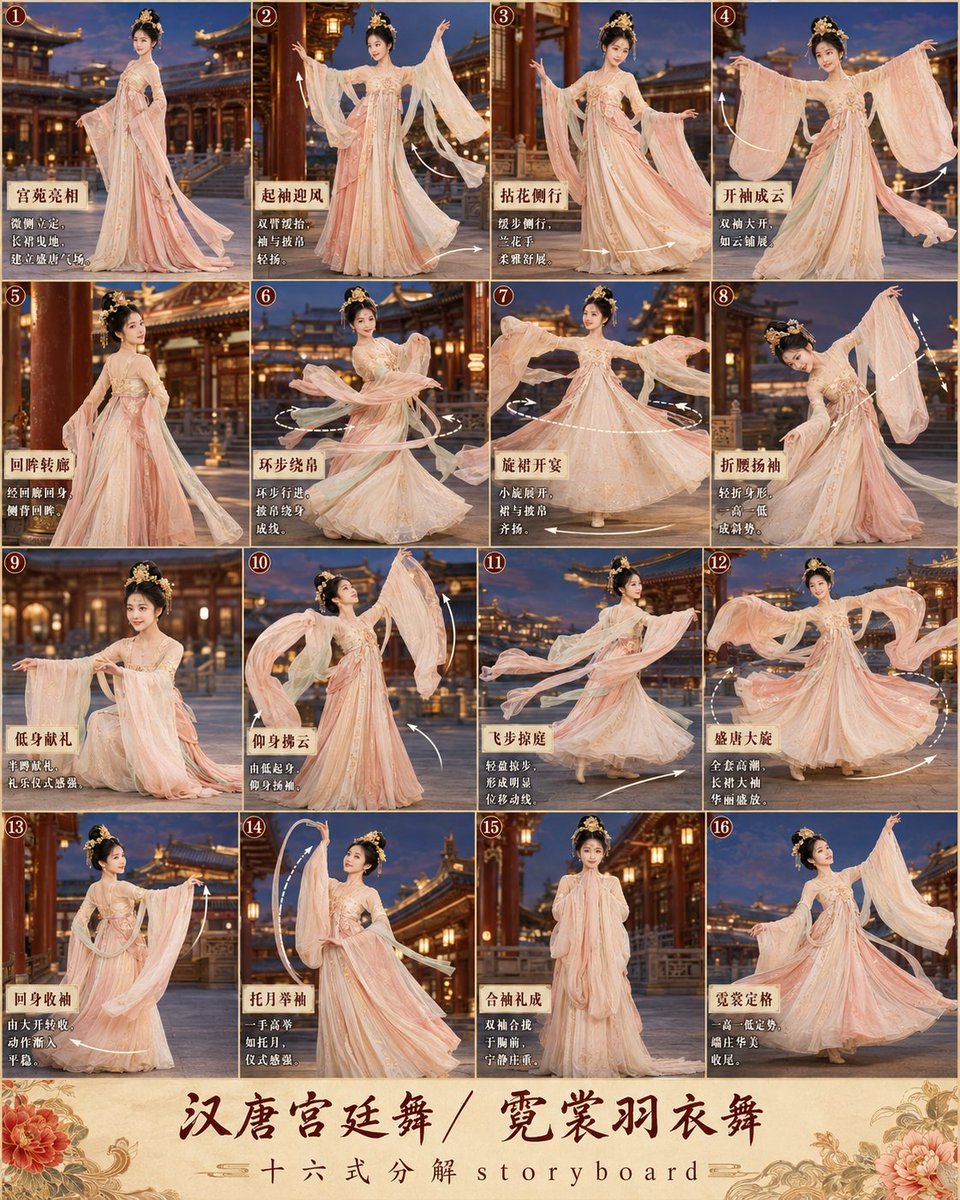
第3张分镜图提示词: 请创作一张高完成度、高清晰度的「汉唐宫廷舞 / 霓裳羽衣舞 · 16宫格分镜图
PS1 Low-Poly Video Game Background
Exaggerated Hourglass Gym Selfie Prompt
3D Technical Reference Sheet

Cinematic Golden Hour Portrait

Cinematic Double Exposure Portrait

Clay Baba Yaga With Chicken-Leg Hut
Schizophrenic Conspiracy Scribbles Overlay
Browse template categories
Four Types of CTO Infographic questions
How do I use the Four Types of CTO Infographic template?
Add your photo if the template asks for one, edit the prompt if you like — the template's model and format are already selected — and press Generate. Your version opens in PicX Studio.
Can I customize the Four Types of CTO Infographic template?
Yes. You can change the subject, setting, lighting, mood, format, and available model controls before creating your image.
Is the Four Types of CTO Infographic template free?
Opening and editing this template is free. Generating uses credits, shown on the Generate button when you are signed in.
Which AI model should I use?
Start with GPT Image 2, which is the model associated with this template. You can compare another compatible model for a different finish.
Looking for something else? Browse all templates.

Your photo, any look
Thousands of ready templates for every top image and video model, from one credit balance.