
AI CTO Types Infographic
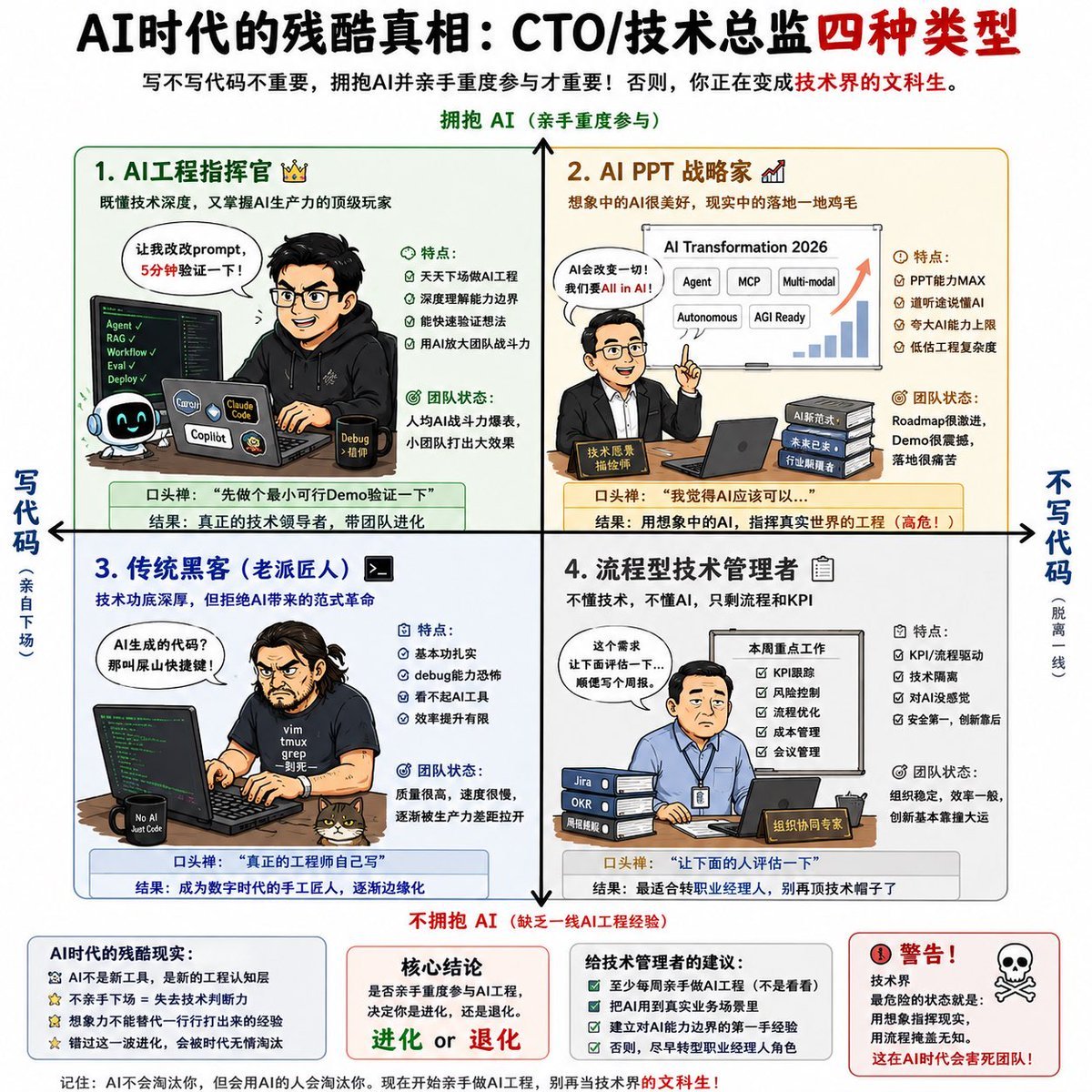
Generates a square Chinese infographic classifying CTO and technical director types by AI adoption and hands-on coding involvement.
- Prompt included
- Model and format preset
- Free template
The prompt behind this image
Copy the exact prompt behind AI CTO Types Infographic, or open it in the studio and make it yours.
- Type
- Chinese infographic poster
- Style
- clean vector editorial infographic, sharp readable Chinese typography, white background, thin colored panel borders, cartoon business/tech characters, small icons, charts, laptops, code screens, speech bubbles
- Canvas
- square 1:1 poster
- Headline
- {argument name="headline text" default="AI时代的残酷真相:CTO/技术总监四种类型"}
- Subtitle
- 写不写代码不重要,拥抱AI并亲手重度参与才重要!否则,你正在变成技术界的文科生。
- Main Layout › Structure
- 2x2 quadrant matrix divided by thick black horizontal and vertical arrows crossing at center
- Main Layout › Vertical Axis › Top
- 拥抱 AI(亲手重度参与)
- Main Layout › Vertical Axis › Bottom
- 不拥抱 AI(缺乏一线AI工程经验)
- Main Layout › Horizontal Axis › Left
- 写代码(亲自下场)
- Main Layout › Horizontal Axis › Right
- 不写代码(脱离一线)
- Main Layout › Quadrants Count
- 4
- Main Layout › Quadrants › 0 › Number
- 1
- Main Layout › Quadrants › 0 › Title
- AI工程指挥官 👑
- Main Layout › Quadrants › 0 › Position
- top-left
- Main Layout › Quadrants › 0 › Border Color
- green
- Main Layout › Quadrants › 0 › Summary
- 既懂技术深度,又掌握AI生产力的顶级玩家
- Main Layout › Quadrants › 0 › Character
- hoodie-wearing engineer at laptop, code editor on screen, cute AI robot mascot, tool labels Copilot and Claude Code, speech bubble saying 让我改改prompt,5分钟验证一下!
- Main Layout › Quadrants › 0 › Labels › Features Title
- 特点:
- Main Layout › Quadrants › 0 › Labels › Features Count
- 4
- Main Layout › Quadrants › 0 › Labels › Features
- 天天下场做AI工程, 深度理解能力边界, 能快速验证想法, 用AI放大团队战斗力
- Main Layout › Quadrants › 0 › Labels › Team State Title
- 团队状态:
- Main Layout › Quadrants › 0 › Labels › Team State
- 人均AI战斗力爆表,小团队打出大效果
- Main Layout › Quadrants › 0 › Labels › Catchphrase
- 口头禅:‘先做个最小可行Demo验证一下’
- Main Layout › Quadrants › 0 › Labels › Result
- 结果:真正的技术领导者,带团队进化
Raw JSON
{"type":"Chinese infographic poster","style":"clean vector editorial infographic, sharp readable Chinese typography, white background, thin colored panel borders, cartoon business/tech characters, small icons, charts, laptops, code screens, speech bubbles","canvas":"square 1:1 poster","headline":"{argument name=\"headline text\" default=\"AI时代的残酷真相:CTO/技术总监四种类型\"}","subtitle":"写不写代码不重要,拥抱AI并亲手重度参与才重要!否则,你正在变成技术界的文科生。","main_layout":{"structure":"2x2 quadrant matrix divided by thick black horizontal and vertical arrows crossing at center","vertical_axis":{"top":"拥抱 AI(亲手重度参与)","bottom":"不拥抱 AI(缺乏一线AI工程经验)"},"horizontal_axis":{"left":"写代码(亲自下场)","right":"不写代码(脱离一线)"},"quadrants_count":4,"quadrants":[{"number":1,"title":"AI工程指挥官 👑","position":"top-left","border_color":"green","summary":"既懂技术深度,又掌握AI生产力的顶级玩家","character":"hoodie-wearing engineer at laptop, code editor on screen, cute AI robot mascot, tool labels Copilot and Claude Code, speech bubble saying 让我改改prompt,5分钟验证一下!","labels":{"features_title":"特点:","features_count":4,"features":["天天下场做AI工程","深度理解能力边界","能快速验证想法","用AI放大团队战斗力"],"team_state_title":"团队状态:","team_state":"人均AI战斗力爆表,小团队打出大效果","catchphrase":"口头禅:‘先做个最小可行Demo验证一下’","result":"结果:真正的技术领导者,带团队进化"}},{"number":2,"title":"AI PPT 战略家 📈","position":"top-right","border_color":"orange","summary":"想象中的AI很美好,现实中的落地一地鸡毛","character":"executive pointing beside a presentation slide titled AI Transformation 2026 with rising bar chart and labels Agent, MCP, Multi-modal, Autonomous, AGI Ready; stacks of documents labeled AI新范式, 未来主义, 行业颠覆; speech bubble says AI会改变一切!我们要All in AI!","labels":{"features_title":"特点:","features_count":4,"features":["PPT能力MAX","道听途说懂AI","夸大AI能力上限","低估工程复杂度"],"team_state_title":"团队状态:","team_state":"Roadmap很激进,Demo很震撼,落地很痛苦","catchphrase":"口头禅:‘我觉得AI应该可以…’","result":"结果:用想象中的AI,指挥真实世界的工程(高危!)"}},{"number":3,"title":"传统黑客(老派匠人) >_","position":"bottom-left","border_color":"blue","summary":"技术功底深厚,但拒绝AI带来的范式革命","character":"long-haired programmer in black t-shirt typing at large monitor full of green code, coffee mug marked No AI Just Code, speech bubble says AI生成的代码?那叫屎山快捷键!","labels":{"features_title":"特点:","features_count":4,"features":["基本功扎实","debug能力恐怖","看不起AI工具","效率提升有限"],"team_state_title":"团队状态:","team_state":"质量很高,速度很慢,逐渐被生产力差距拉开","catchphrase":"口头禅:‘真正的工程师自己写’","result":"结果:成为数字时代的手工匠人,逐渐边缘化"}},{"number":4,"title":"流程型技术管理者 📋","position":"bottom-right","border_color":"gray","summary":"不懂技术,不懂AI,只剩流程和KPI","character":"manager in blue shirt with badge seated at desk with laptop, Jira/OKR/周报 stack, checklist poster titled 本周重点工作, document folders, speech bubble says 这个需求让下面评估一下…顺便写个周报。","labels":{"features_title":"特点:","features_count":4,"features":["KPI/流程驱动","技术隔离","对AI没感觉","安全第一,创新靠后"],"team_state_title":"团队状态:","team_state":"组织稳定,效率一般,创新基本靠撞大运","catchphrase":"口头禅:‘让下面的人评估一下’","result":"结果:最适合转职业经理人,别再顶技术帽子了"}}]},"footer":{"boxes_count":4,"boxes":[{"title":"AI时代的残酷现实:","items_count":4,"items":["AI不是新工具,是新的工程认知层","不亲手下场 = 失去技术判断力","想象力不能替代一行行打出来的经验","懂过滤一泡沫化,会被时代无情淘汰"]},{"title":"核心结论","text":"是否亲手重度参与AI工程,决定你是进化,还是退化。","emphasis":"进化 or 退化"},{"title":"给技术管理者的建议:","items_count":4,"items":["至少每周亲手做AI工程(不是看看)","把AI用到真实业务场景里","建立对AI能力边界的第一手经验","否则,最早被埋掉的是经理人角色"]},{"title":"警告!","icon":"skull and crossbones","text":"技术界最危险的状态就是:用想象指挥现实,用流程掩盖无知。这在AI时代会害死团队!"}],"note":"记住:AI不会淘汰你,但会用AI的人会淘汰你。现在开始亲手做AI工程,别再当技术界的文科生!"},"generation_notes":"Make all Chinese text crisp and legible, preserve the exact labels and quadrant numbering, use a balanced poster composition with clear arrows and color-coded panels."}How to use AI CTO Types Infographic in 3 steps
- 1Upload ImagePNG, JPG or paste
Add your photo
Upload the photo the template builds on. The prompt, model and format are already set.
- 2…a portrait of your subject in softgolden-hour light, 85mm…
Personalize
Edit the subject and creative details for your destination.
- 3Generate
Generate
Press Generate — your image is created in PicX Studio, so you can compare it with the original and refine one variable at a time.
More like this
Templates with the same subject, style or setup. Open one to see its prompt.
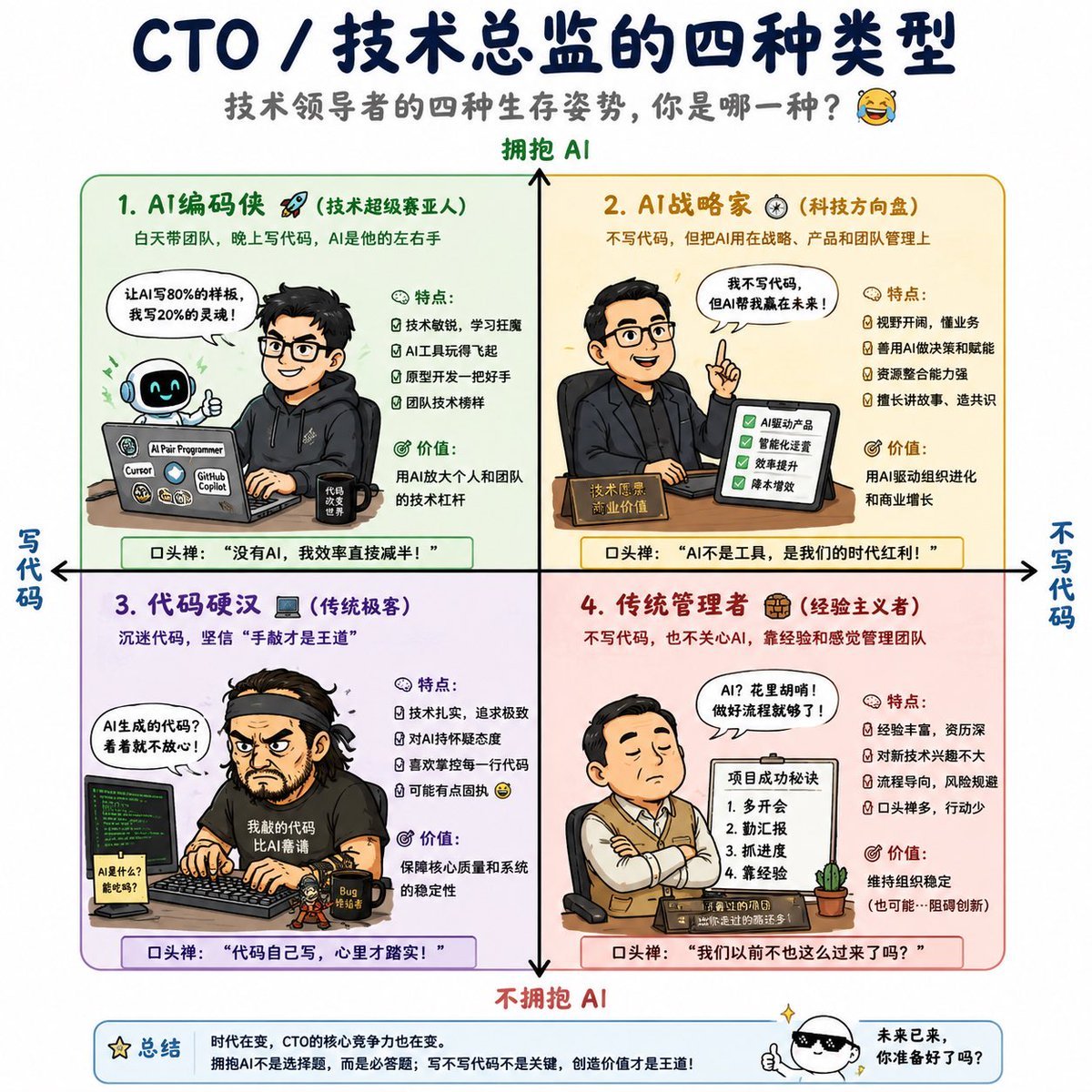
Four Types of CTO Infographic

Japan Travel Brochure Poster

Isometric Process Educational Diorama

Isometric Vehicle Teardown Infographic Template

Gpt2 E Commerce Main Image Earbuds E Commerce Infographic

Gpt2 Infographic Edu Visual Alishan One Day Travel Poster

Gpt2 Infographic Edu Visual Ethnographic Plate for Tibetan Ceremonial Hat

Gpt2 Infographic Edu Visual Earth Signs Zodiac Character Poster

Gpt2 Infographic Edu Visual Water Signs Zodiac Character Poster

Gpt2 Infographic Edu Visual Ink Wash Tribute Poster for Chen Uen

Gpt2 Infographic Edu Visual Vintage Claude Shannon Infographic Poster

Gpt2 Infographic Edu Visual Taoist Three Souls Seven Po Poster
Make it yours
AI CTO Types Infographic works as-is. These are the safest ways to change it without losing the look.
Change one field
Copy a single group, rewrite it, and generate again so you can see what that field is doing.
Keep the frame, change the subject
Hold the composition and light of AI CTO Types Infographic, then swap wardrobe, props or the person for a new take.
| If the result… | Why | Fix |
|---|---|---|
| The result drifts from the preview | Too many fields changed at once. | Reuse AI CTO Types Infographic as-is first, then change one group — subject, light, or setting. |
| GPT Image 2 ignores part of the JSON | Some models flatten or skip nested keys. | Keep the same values and paste them as a short paragraph instead. |
More GPT Image 2 templates
Other prompts made for GPT Image 2.

Six VTuber Japanese Logo Sheet

Realistic Portrait of Woman and Deer

The Vista Modular Condo Poster

AI Model Routing Comparison Infographic

2.5D Anime Art Board

Isometric Productivity Desk Scene

New York Double Exposure Poster

Four-Panel AI Landscape Comparison

Japanese Tatami Lifestyle Magazine Cover

NESCAFÉ Coffee Map Poster
More image prompts
Fresh picks from across the catalog.

Google Nano Banana 2 — Cozy Bedroom Editorial

Fashion Editorial Portrait on Modern Sofa Prompt

Kasane Teto Pop Idol Portrait

Surreal Floating Head Cinematic Portrait

Isometric Photo Generation Prompt
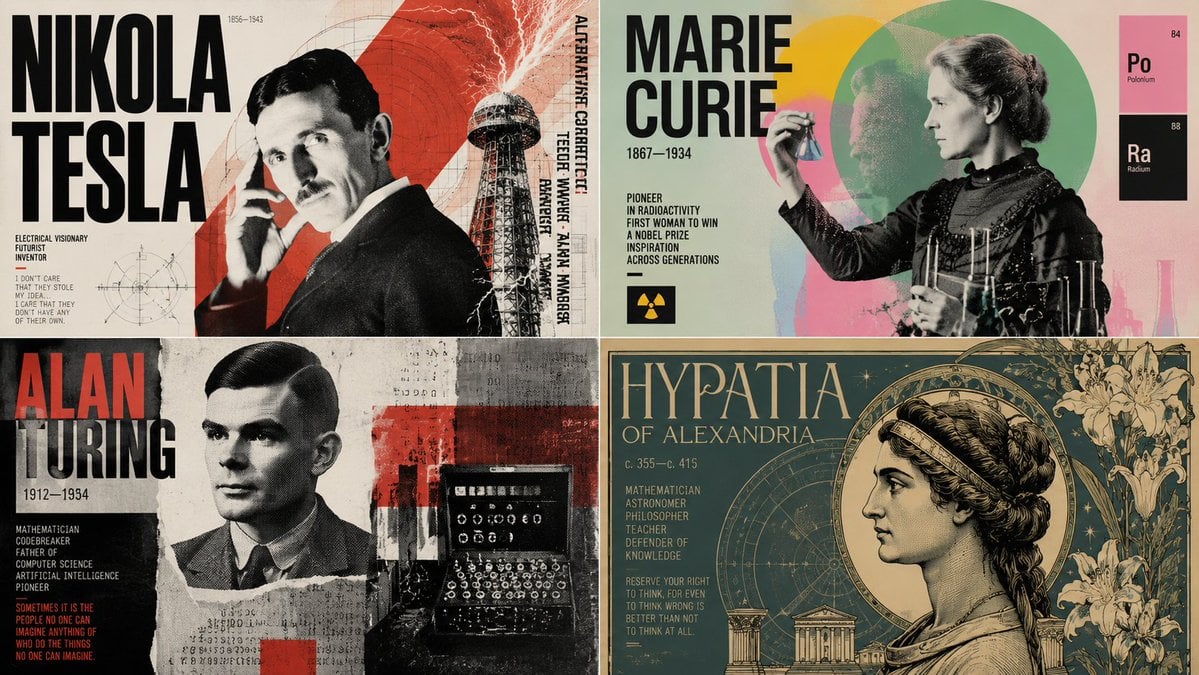
Dynamic Poster Design Instruction Set

Rainy Night Cinematic Portrait by Brandon Woelfel

Luxury Lavender Skincare Ad
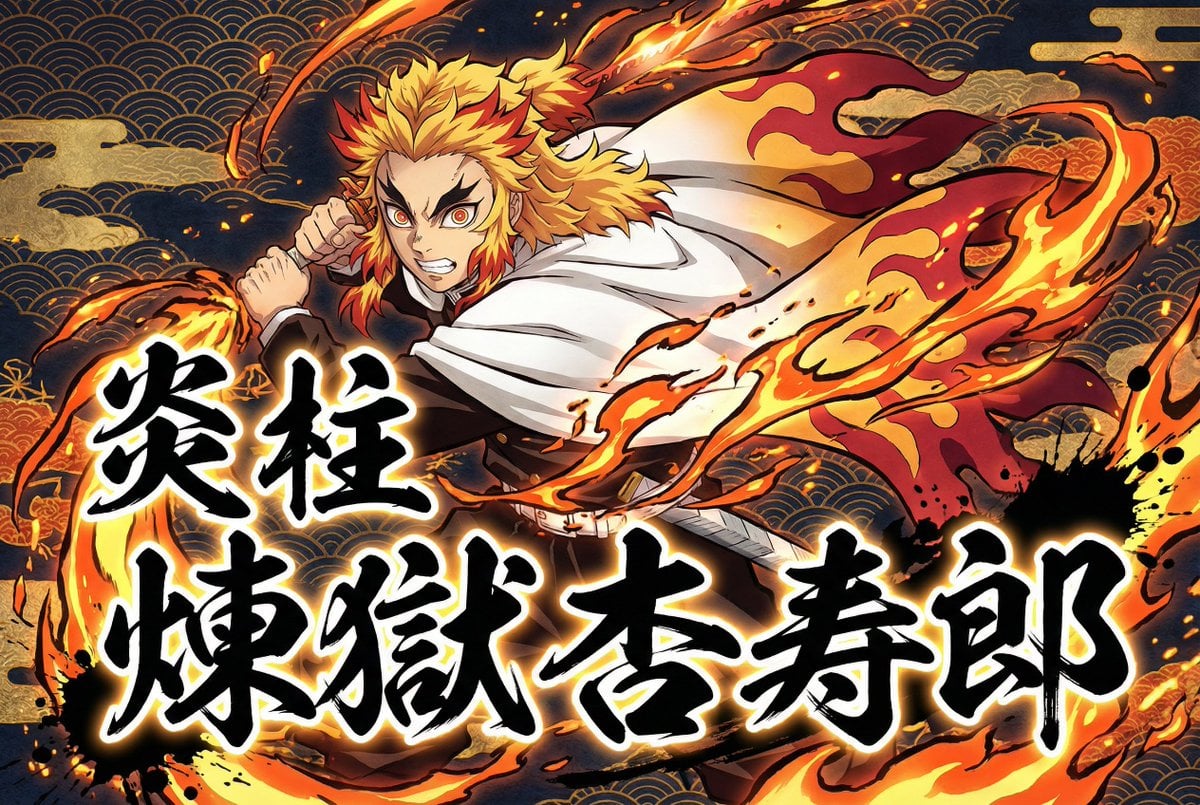
Kimetsu no Yaiba-style anime transformation with brush calligraphy
Sparkling Cheetah Portrait Prompt for Gemini Nano Banana Pro
Browse template categories
AI CTO Types Infographic questions
How do I use the AI CTO Types Infographic template?
Add your photo if the template asks for one, edit the prompt if you like — the template's model and format are already selected — and press Generate. Your version opens in PicX Studio.
Can I customize the AI CTO Types Infographic template?
Yes. You can change the subject, setting, lighting, mood, format, and available model controls before creating your image.
Is the AI CTO Types Infographic template free?
Opening and editing this template is free. Generating uses credits, shown on the Generate button when you are signed in.
Which AI model should I use?
Start with GPT Image 2, which is the model associated with this template. You can compare another compatible model for a different finish.
Looking for something else? Browse all templates.

Your photo, any look
Thousands of ready templates for every top image and video model, from one credit balance.