How do I use the Travel Ad Phone Portal 3D Effect template?
Edit the prompt in the box under the preview — the template's model and format are already selected — and press Generate. Your version appears right on this page.
Curated from MeiGen gallery (ID: 2007190982408974659) by TechieSA.

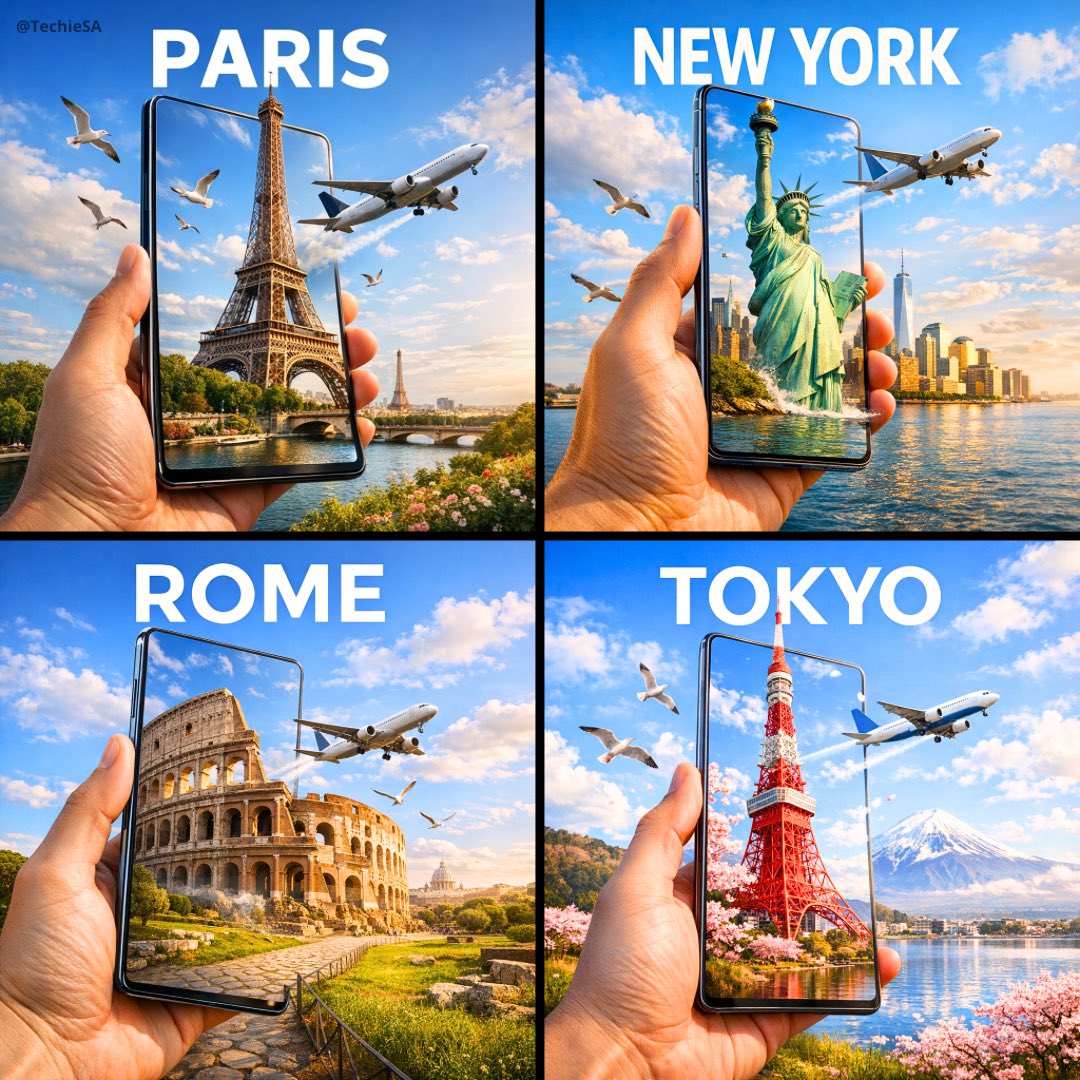
A hyper-realistic travel advertisement in square format (1080x1080), featuring a hand holding a sleek, ultra-thin smartphone or tablet in portrait orientation, tilted slightly sideways to create a striking 3D portal effect. The screen displays a high-resolution image of an iconic landmark from [COUNTRY], which continues into the real background, blending seamlessly. The landmark appears to emerge from the screen. Birds fly nearby and a commercial airplane passes through a bright blue sky with soft white clouds. Bold, clean sans-serif text reading [CITY] is placed prominently above. The lighting is warm and natural, casting soft shadows across the landscape. The surroundings reflect the region's natural environment (like meadows, coastlines, or city skylines). The device is glossy and minimal-bezel, enhancing realism and depth.
A hyper-realistic travel advertisement in square format (1080x1080), featuring a hand holding a sleek, ultra-thin smartphone or tablet in portrait orientation, tilted slightly sideways to create a striking 3D portal effect. The screen displays a high-resolution image of an iconic landmark from [COUNTRY], which continues into the real background, blending seamlessly. The landmark appears to emerge from the screen. Birds fly nearby and a commercial airplane passes through a bright blue sky with soft white clouds. Bold, clean sans-serif text reading [CITY] is placed prominently above. The lighting is warm and natural, casting soft shadows across the landscape. The surroundings reflect the region's natural environment (like meadows, coastlines, or city skylines). The device is glossy and minimal-bezel, enhancing realism and depth.
Edit the prompt in the box under the preview — the template's model and format are already selected — and press Generate. Your version appears right on this page.
Yes. You can change the subject, setting, lighting, mood, format, and available model controls before creating your image.
Opening and editing this template is free. Generating uses credits, shown on the Generate button when you are signed in.
Choose a compatible model in PicX Studio based on the style, speed, and output controls your project needs.
Follow a topic to a crawlable collection of related PicX Studio templates.