How do I use the Supreme Section 9 Cyberpunk Fashion Portrait template?
Edit the prompt in the box under the preview — the template's model and format are already selected — and press Generate. Your version appears right on this page.
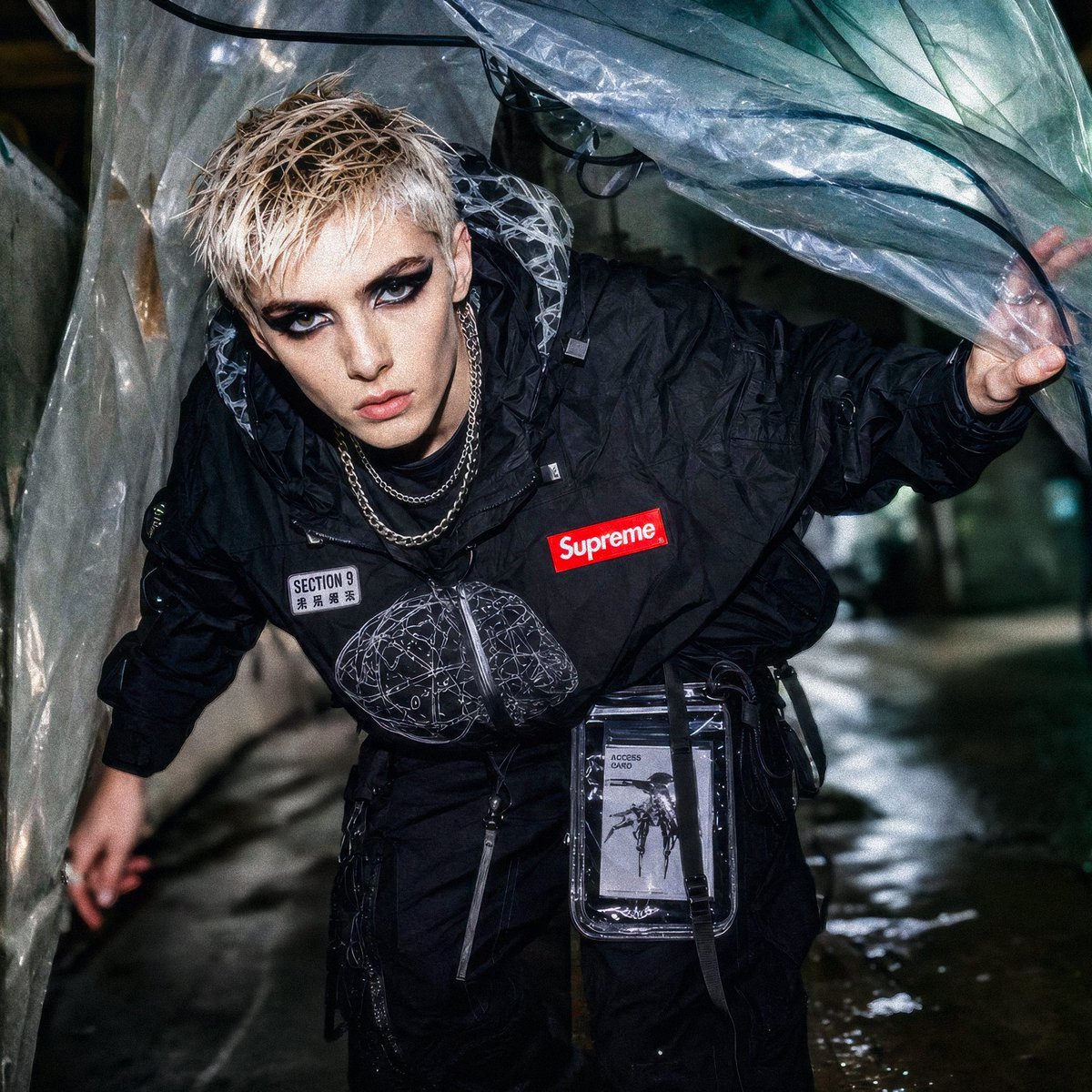
Generates a realistic streetwear editorial portrait blending Supreme-style branding with Ghost in the Shell Section 9 cyberpunk aesthetics.

This template uses your photo — add one with the + button.
Create a gritty flash-photography cyberpunk fashion editorial portrait of a young woman styled as a fictional {argument name="collaboration concept" default="Supreme x Ghost in the Shell Section 9"} streetwear agent. She stands indoors in a dim concrete industrial corridor, framed from head to hips, looking down and to the left with a calm, introspective expression. She has pale skin and long straight {argument name="hair color" default="black"} hair falling over one shoulder. She wears a fitted cropped black long-sleeve shirt with a red {argument name="brand logo text" default="Supreme"} box logo across the chest, a small white cybernetic brain emblem above it, and a rectangular sleeve patch reading “SECTION 9 PUBLIC SECURITY” with small Japanese-style characters beneath. Add dark tactical wide-leg pants with a hanging ID badge, clips, and utility hardware at the waist. A transparent plastic umbrella strap or clear vinyl accessory crosses diagonally from her shoulder to her hand, with a black coiled cable detail near the shoulder for a techwear feel. The setting is moody and urban, with rough stained concrete walls, a large dark circular window or mirror on the right, deep shadows, visible film grain, harsh on-camera flash, slightly desaturated colors, and the candid look of a 1990s Japanese cyberpunk magazine photo. Keep the composition vertical, realistic, fashion-forward, understated, and cinematic.
Create a gritty flash-photography cyberpunk fashion editorial portrait of a young woman styled as a fictional {argument name="collaboration concept" default="Supreme x Ghost in the Shell Section 9"} streetwear agent. She stands indoors in a dim concrete industrial corridor, framed from head to hips, looking down and to the left with a calm, introspective expression. She has pale skin and long straight {argument name="hair color" default="black"} hair falling over one shoulder. She wears a fitted cropped black long-sleeve shirt with a red {argument name="brand logo text" default="Supreme"} box logo across the chest, a small white cybernetic brain emblem above it, and a rectangular sleeve patch reading “SECTION 9 PUBLIC SECURITY” with small Japanese-style characters beneath. Add dark tactical wide-leg pants with a hanging ID badge, clips, and utility hardware at the waist. A transparent plastic umbrella strap or clear vinyl accessory crosses diagonally from her shoulder to her hand, with a black coiled cable detail near the shoulder for a techwear feel. The setting is moody and urban, with rough stained concrete walls, a large dark circular window or mirror on the right, deep shadows, visible film grain, harsh on-camera flash, slightly desaturated colors, and the candid look of a 1990s Japanese cyberpunk magazine photo. Keep the composition vertical, realistic, fashion-forward, understated, and cinematic.
Edit the prompt in the box under the preview — the template's model and format are already selected — and press Generate. Your version appears right on this page.
Yes. You can change the subject, setting, lighting, mood, format, and available model controls before creating your image.
Opening and editing this template is free. Generating uses credits, shown on the Generate button when you are signed in.
Start with GPT Image 2, which is the model associated with this template. You can compare another compatible model for a different finish.
Follow a topic to a crawlable collection of related PicX Studio templates.