How do I use the Gothic Rainy Yami Sign Portrait template?
Edit the prompt in the box under the preview — the template's model and format are already selected — and press Generate. Your version appears right on this page.
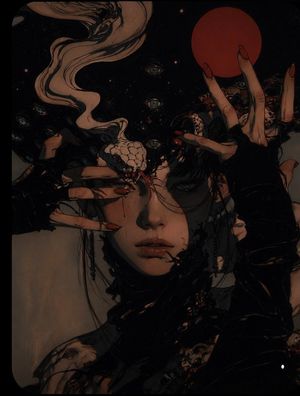
Generates a melancholic photorealistic gothic girl scene with a handwritten Japanese sign, rainy reflections, and an eerie anonymous mood.

This template uses your photo — add one with the + button.
Create a moody photorealistic cinematic portrait of {argument name="character name" default="Yami"}, a small gothic girl sitting on a rain-soaked riverside walkway at dusk, centered in the frame and facing the viewer. She has very long messy {argument name="hair color" default="black"} hair falling over her shoulders, wears a layered black lace dress or mourning-style outfit with black shoes, and her face is deliberately hidden by a dark blurred square censor block, giving an eerie anonymous feeling. She holds one aged rectangular wooden sign with worn brown edges and off-white painted surface; the sign has handwritten Japanese brush text reading {argument name="sign text" default="今日は、泣いてもいい。理由なんて、あとからでいい。- yami"} plus a small black ink splatter beside the signature. Count exactly 3 main foreground objects: the seated girl, the wooden sign, and one dark plush rabbit doll sitting on the wet ground to her left with floppy ears, stitched X details, and a worn handmade look. The environment is rainy and melancholic, with glossy puddles reflecting the girl, sign, Japanese writing, and warm lamp glow on the pavement. Use a shallow depth of field: a blurred bridge or railing recedes along the left background, and exactly 2 visible old-fashioned street lamps glow warmly on the right side against a cold gray-blue overcast sky. Style should be realistic, dark, soft, emotional, slightly gothic, with muted colors, wet textures, bokeh lights, low camera angle, portrait orientation, and a quiet lonely atmosphere.
Create a moody photorealistic cinematic portrait of {argument name="character name" default="Yami"}, a small gothic girl sitting on a rain-soaked riverside walkway at dusk, centered in the frame and facing the viewer. She has very long messy {argument name="hair color" default="black"} hair falling over her shoulders, wears a layered black lace dress or mourning-style outfit with black shoes, and her face is deliberately hidden by a dark blurred square censor block, giving an eerie anonymous feeling. She holds one aged rectangular wooden sign with worn brown edges and off-white painted surface; the sign has handwritten Japanese brush text reading {argument name="sign text" default="今日は、泣いてもいい。理由なんて、あとからでいい。- yami"} plus a small black ink splatter beside the signature. Count exactly 3 main foreground objects: the seated girl, the wooden sign, and one dark plush rabbit doll sitting on the wet ground to her left with floppy ears, stitched X details, and a worn handmade look. The environment is rainy and melancholic, with glossy puddles reflecting the girl, sign, Japanese writing, and warm lamp glow on the pavement. Use a shallow depth of field: a blurred bridge or railing recedes along the left background, and exactly 2 visible old-fashioned street lamps glow warmly on the right side against a cold gray-blue overcast sky. Style should be realistic, dark, soft, emotional, slightly gothic, with muted colors, wet textures, bokeh lights, low camera angle, portrait orientation, and a quiet lonely atmosphere.
Edit the prompt in the box under the preview — the template's model and format are already selected — and press Generate. Your version appears right on this page.
Yes. You can change the subject, setting, lighting, mood, format, and available model controls before creating your image.
Opening and editing this template is free. Generating uses credits, shown on the Generate button when you are signed in.
Start with GPT Image 2, which is the model associated with this template. You can compare another compatible model for a different finish.
Follow a topic to a crawlable collection of related PicX Studio templates.