How do I use the Neon Gothic Anime Rooftop Girl template?
Edit the prompt in the box under the preview — the template's model and format are already selected — and press Generate. Your version appears right on this page.
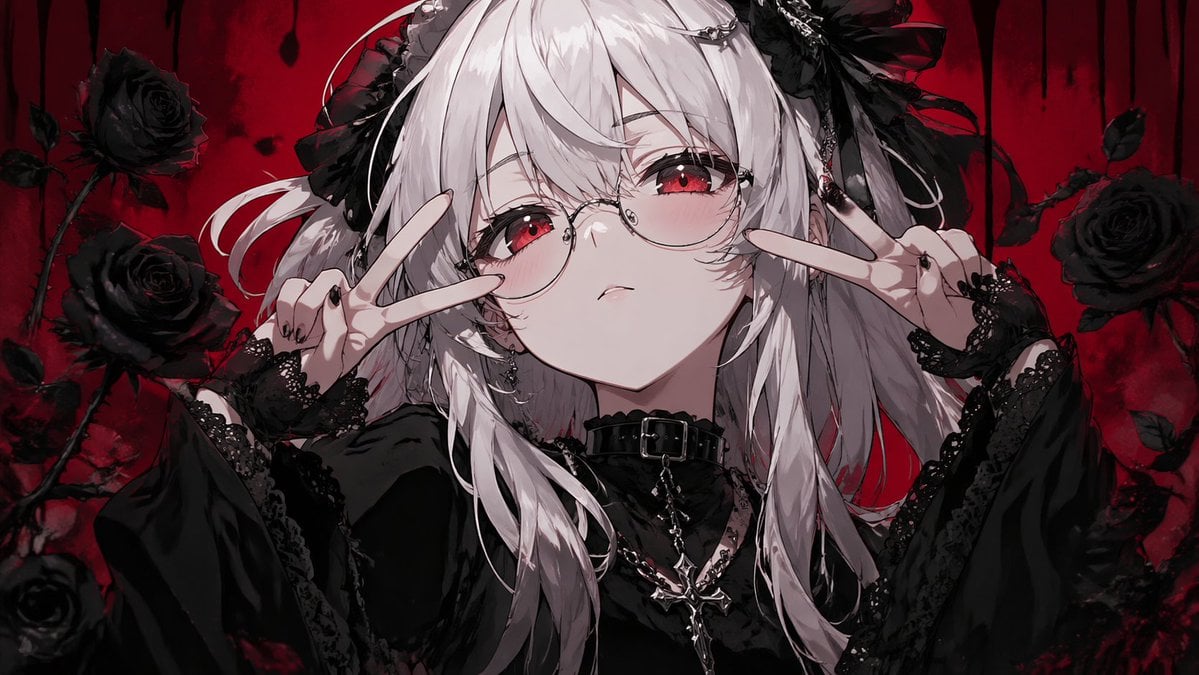
Generates a cinematic neon-blue gothic anime scene of a girl reaching toward the viewer above a futuristic city, ideal for dramatic character art or cover illustrations.

This template uses your photo — add one with the + button.
Create a dramatic vertical anime illustration of {argument name="character description" default="a mysterious teenage girl with very long flowing black hair and glowing magenta-red eyes"} reaching one hand toward the viewer in an intense low-angle perspective, as if pulling the viewer into her world. She wears {argument name="outfit" default="a dark gothic school-uniform-inspired dress with a pleated skirt, black thigh straps, chain details, long black nails, and magenta ribbon-like fabric trailing behind her"}. The setting is {argument name="setting" default="a rooftop above a futuristic night city skyline"}, with railings and distant skyscrapers below. Surround her with shattered black feathers, floating picture frames, glossy liquid droplets and bubble-like hearts, splashes of ink, and fragments of reflective glass suspended in the air. Use a high-energy composition with hair, ribbons, feathers, and droplets whipping diagonally across the frame, creating a sense of weightless motion and emotional turbulence. The color palette should be {argument name="color palette" default="electric cobalt blue, deep navy, violet, cyan, hot magenta, and black"}, with luminous neon rim lighting, glossy reflections, painterly splatter textures, and high contrast between the glowing background and the dark character silhouette. Render in a detailed modern anime art style with cinematic lighting, sharp expressive eyes, intricate hair strands, dynamic foreshortening on the outstretched hand, and a surreal dreamlike atmosphere. Aspect ratio 3:4, ultra-detailed, vibrant, dramatic, immersive, no text.
Create a dramatic vertical anime illustration of {argument name="character description" default="a mysterious teenage girl with very long flowing black hair and glowing magenta-red eyes"} reaching one hand toward the viewer in an intense low-angle perspective, as if pulling the viewer into her world. She wears {argument name="outfit" default="a dark gothic school-uniform-inspired dress with a pleated skirt, black thigh straps, chain details, long black nails, and magenta ribbon-like fabric trailing behind her"}. The setting is {argument name="setting" default="a rooftop above a futuristic night city skyline"}, with railings and distant skyscrapers below. Surround her with shattered black feathers, floating picture frames, glossy liquid droplets and bubble-like hearts, splashes of ink, and fragments of reflective glass suspended in the air. Use a high-energy composition with hair, ribbons, feathers, and droplets whipping diagonally across the frame, creating a sense of weightless motion and emotional turbulence. The color palette should be {argument name="color palette" default="electric cobalt blue, deep navy, violet, cyan, hot magenta, and black"}, with luminous neon rim lighting, glossy reflections, painterly splatter textures, and high contrast between the glowing background and the dark character silhouette. Render in a detailed modern anime art style with cinematic lighting, sharp expressive eyes, intricate hair strands, dynamic foreshortening on the outstretched hand, and a surreal dreamlike atmosphere. Aspect ratio 3:4, ultra-detailed, vibrant, dramatic, immersive, no text.
Edit the prompt in the box under the preview — the template's model and format are already selected — and press Generate. Your version appears right on this page.
Yes. You can change the subject, setting, lighting, mood, format, and available model controls before creating your image.
Opening and editing this template is free. Generating uses credits, shown on the Generate button when you are signed in.
Start with GPT Image 2, which is the model associated with this template. You can compare another compatible model for a different finish.
Follow a topic to a crawlable collection of related PicX Studio templates.