How do I use the Enhance Rooftop EO Image template?
Edit the prompt in the box under the preview — the template's model and format are already selected — and press Generate. Your version appears right on this page.
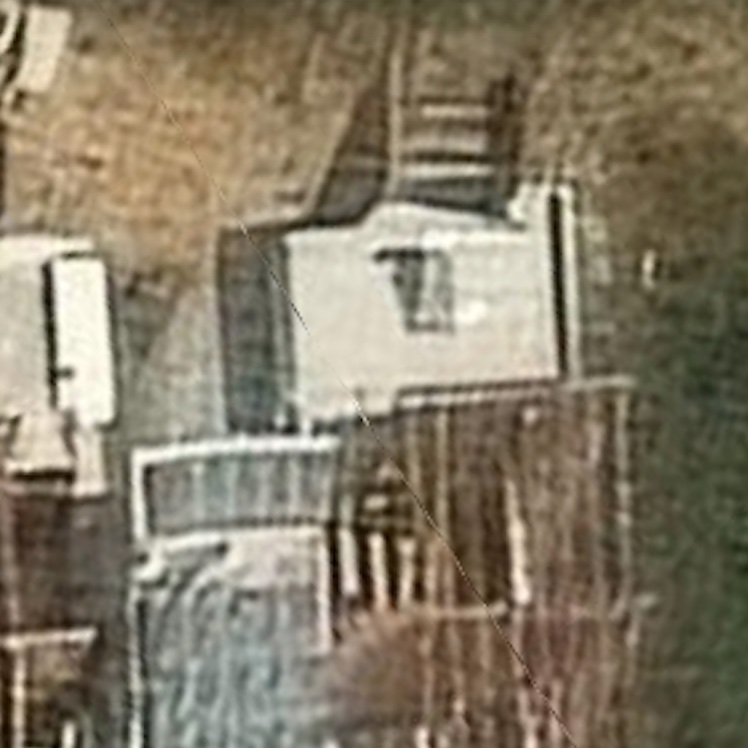
This prompt upgrades a blurry rooftop satellite crop into a sharper, more interpretable Earth-observation image for visual analysis of details like a solar water heater.

This template uses your photo — add one with the + button.
Using the provided reference image, enhance it as a higher-resolution nadir satellite/aerial crop of the same rooftop scene. Keep the same building geometry, staircase at the top edge, rooftop enclosure, blue-tinted awning at lower left, and brown slatted roof at lower right, but sharpen edges, increase contrast, correct the perspective slightly, and clean up compression noise. Make the rooftop details more legible, especially clarifying the single solar water heater on the white roof as a distinct rectangular panel with its small tank/cylinder attachment and a clear shadow. Preserve the tight cropped composition and realistic Earth-observation imagery look.
Using the provided reference image, enhance it as a higher-resolution nadir satellite/aerial crop of the same rooftop scene. Keep the same building geometry, staircase at the top edge, rooftop enclosure, blue-tinted awning at lower left, and brown slatted roof at lower right, but sharpen edges, increase contrast, correct the perspective slightly, and clean up compression noise. Make the rooftop details more legible, especially clarifying the single solar water heater on the white roof as a distinct rectangular panel with its small tank/cylinder attachment and a clear shadow. Preserve the tight cropped composition and realistic Earth-observation imagery look.
Enhance Rooftop EO Image needs input media to work. Open it in the studio and these load alongside the prompt — pick whichever ones your chosen model can take.
Edit the prompt in the box under the preview — the template's model and format are already selected — and press Generate. Your version appears right on this page.
Yes. You can change the subject, setting, lighting, mood, format, and available model controls before creating your image.
Opening and editing this template is free. Generating uses credits, shown on the Generate button when you are signed in.
Start with GPT Image 2, which is the model associated with this template. You can compare another compatible model for a different finish.
Follow a topic to a crawlable collection of related PicX Studio templates.