
Moonlight Blue Anime Cover
Generates a romantic moonlit anime beach cover with elegant typography and a sailor-uniform girl reaching toward the viewer.
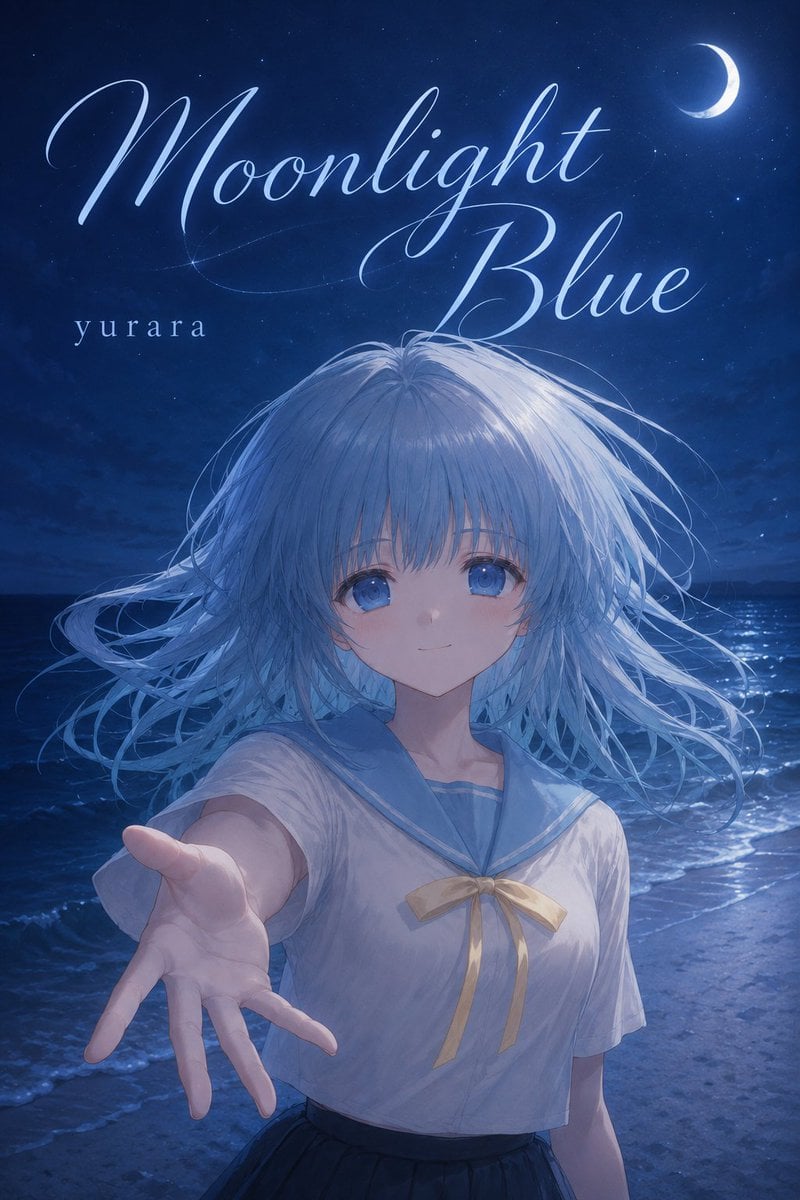
- Prompt included
- Model and format preset
- Free template
The prompt behind this image
Copy the exact prompt behind Moonlight Blue Anime Cover, or open it in the studio and make it yours.
Create a vertical anime-style light novel or illustration collection cover set on a moonlit beach at night, dominated by deep cobalt and navy blue tones. At the top, place the large elegant cursive title {argument name="title text" default="Moonlight Blue"} in glowing pale blue-white calligraphy, with long sweeping flourishes, and add the small lowercase author name {argument name="author name" default="yurara"} on the upper left beneath the title. In the upper right sky, include a bright crescent moon surrounded by tiny stars and subtle atmospheric glow. The central subject is a teenage anime girl standing waist-up on the shoreline, reaching one hand toward the viewer in a dramatic invitation pose; her long {argument name="hair color" default="silvery pale blue"} hair is windswept in many fine strands across the image, catching moonlight. Her face is covered by a centered opaque muted blue-gray square censor block, hiding the facial features. She wears a white short-sleeved sailor school uniform with a light blue collar and a soft gold ribbon bow, plus a dark skirt visible at the bottom. Behind her, render dark rolling ocean waves, wet sand, and a shimmering path of moonlight reflected on the water. Use soft painterly anime rendering, luminous rim lighting, cinematic composition, delicate hair detail, romantic melancholy mood, and high-resolution book-cover typography.
How to use Moonlight Blue Anime Cover in 3 steps
- 1Upload ImagePNG, JPG or paste
Add your photo
Upload the photo the template builds on. The prompt, model and format are already set.
- 2…a portrait of your subject in softgolden-hour light, 85mm…
Personalize
Edit the subject and creative details for your destination.
- 3Generate
Generate
Press Generate — your image is created in PicX Studio, so you can compare it with the original and refine one variable at a time.
More like this
Templates with the same subject, style or setup. Open one to see its prompt.









Make it yours
Moonlight Blue Anime Cover works as-is. These are the safest ways to change it without losing the look.
Change one field
Copy a single group, rewrite it, and generate again so you can see what that field is doing.
Keep the frame, change the subject
Hold the composition and light of Moonlight Blue Anime Cover, then swap wardrobe, props or the person for a new take.
| If the result… | Why | Fix |
|---|---|---|
| The result drifts from the preview | Too many fields changed at once. | Reuse Moonlight Blue Anime Cover as-is first, then change one group — subject, light, or setting. |
| The model over-stylizes the scene | The prose prompt leaves finish and camera underspecified. | Add one camera or lighting sentence and stay on GPT Image 2. |
More GPT Image 2 templates
Other prompts made for GPT Image 2.

Six VTuber Japanese Logo Sheet

Realistic Portrait of Woman and Deer

The Vista Modular Condo Poster

AI Model Routing Comparison Infographic

2.5D Anime Art Board

Isometric Productivity Desk Scene

New York Double Exposure Poster

Four-Panel AI Landscape Comparison

Japanese Tatami Lifestyle Magazine Cover

NESCAFÉ Coffee Map Poster
More image prompts
Fresh picks from across the catalog.
Image Adjustment Prompt for Nano Banana
Character Design Prompt for Futuristic Samurai Warrior
Ultra-Detailed New Chinese Aesthetic Portrait Prompt (Zhao Lusi Style)
Female Android on Spaceship
3D Isometric Floating Home Office Illustration
Ultra-Realistic Portrait of Woman Hugging a Maltese Dog
Cinematic Sequences with Midjourney V7
Photorealistic Studio Portrait Prompt for Male Model
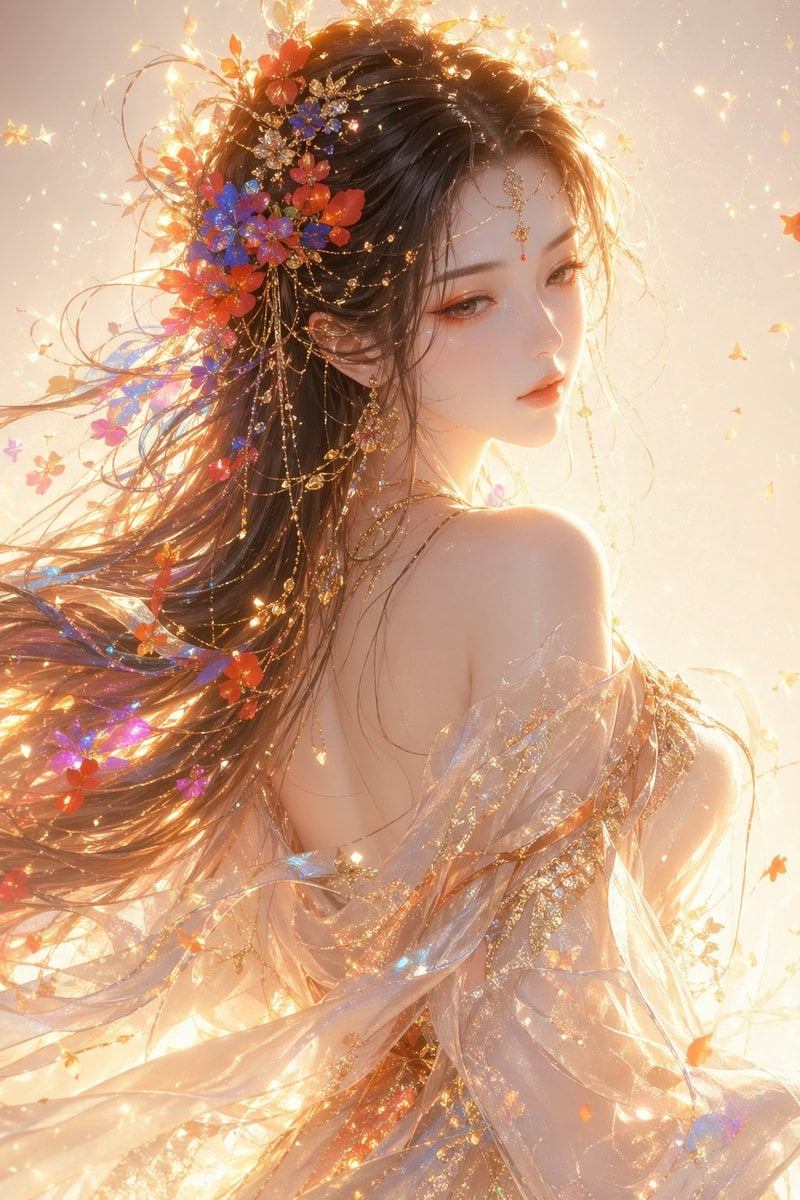
Oriental Fantasy Female Portrait Prompt

Isometric Security Icon Grid
Browse template categories
Moonlight Blue Anime Cover questions
How do I use the Moonlight Blue Anime Cover template?
Add your photo if the template asks for one, edit the prompt if you like — the template's model and format are already selected — and press Generate. Your version opens in PicX Studio.
Can I customize the Moonlight Blue Anime Cover template?
Yes. You can change the subject, setting, lighting, mood, format, and available model controls before creating your image.
Is the Moonlight Blue Anime Cover template free?
Opening and editing this template is free. Generating uses credits, shown on the Generate button when you are signed in.
Which AI model should I use?
Start with GPT Image 2, which is the model associated with this template. You can compare another compatible model for a different finish.
Looking for something else? Browse all templates.

Your photo, any look
Thousands of ready templates for every top image and video model, from one credit balance.