
Bauhaus Pythagorean Theorem Poster
A Bauhaus-style educational infographic poster explaining the Pythagorean theorem with diagrams, proof, history, triples, and applications, suitable for classroom visuals or social educational content.
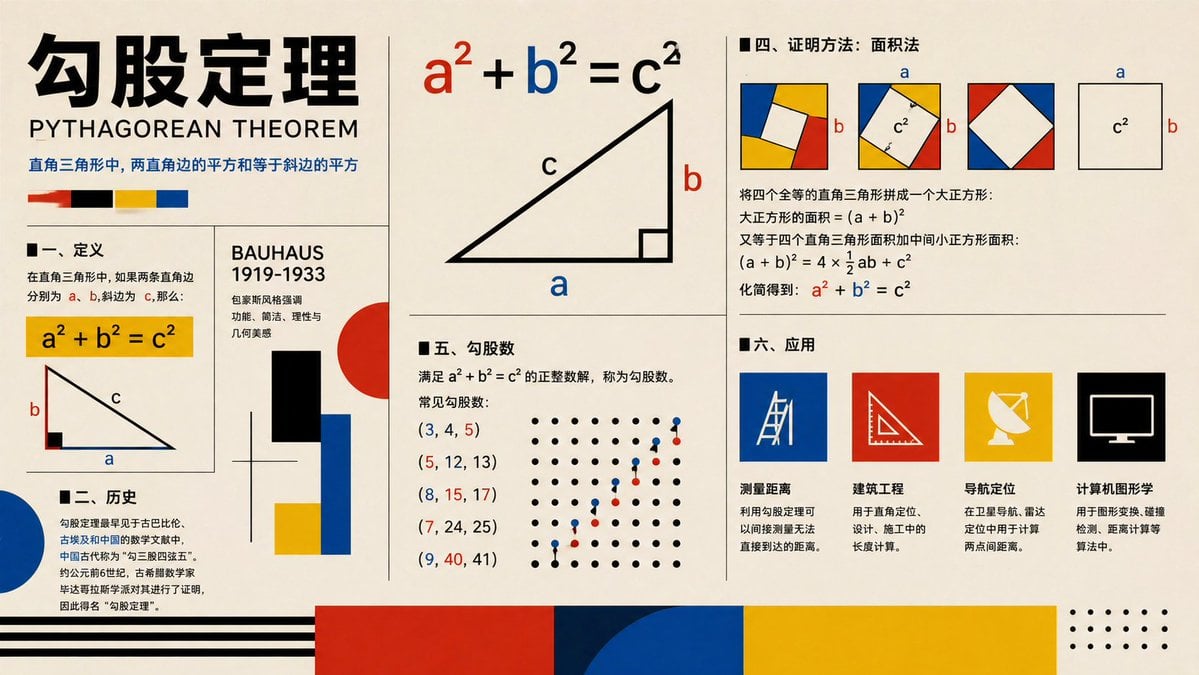
- Prompt included
- Model and format preset
- Free template
The prompt behind this image
Copy the exact prompt behind Bauhaus Pythagorean Theorem Poster, or open it in the studio and make it yours.
- Type
- educational infographic poster
- Topic
- {argument name="topic" default="勾股定理"}
- Subtitle
- PYTHAGOREAN THEOREM
- Style
- Bauhaus-inspired mathematical explainer poster, clean editorial grid, cream paper background, bold black typography, primary color palette of red, blue, yellow, black, geometric accents, vector shapes, high-contrast print design
- Canvas › Orientation
- landscape
- Canvas › Aspect Ratio
- 16:9
- Layout › Grid
- multi-panel poster with thin black dividers
- Layout › Sections › 0 › Title
- header
- Layout › Sections › 0 › Position
- top-left spanning two rows
- Layout › Sections › 0 › Count
- 4
- Layout › Sections › 0 › Labels
- large Chinese title, English subtitle, one-line Chinese theorem summary, 4 color swatches
- Layout › Sections › 1 › Title
- 一、定义
- Layout › Sections › 1 › Position
- left-center
- Layout › Sections › 1 › Count
- 3
- Layout › Sections › 1 › Labels
- section heading, yellow formula box a² + b² = c², right-triangle diagram labeled a b c
- Layout › Sections › 2 › Title
- 二、历史
- Layout › Sections › 2 › Position
- bottom-left
- Layout › Sections › 2 › Count
- 3
- Layout › Sections › 2 › Labels
- section heading, Chinese history paragraph, large blue semicircle accent
- Layout › Sections › 3 › Title
- BAUHAUS 1919-1933
- Layout › Sections › 3 › Position
- center-left vertical panel
- Layout › Sections › 3 › Count
- 6
- Layout › Sections › 3 › Labels
- panel title, 3 short Chinese descriptive lines, black rectangle, red circle with blue and yellow blocks
- Layout › Sections › 4 › Title
- main theorem diagram
Raw JSON
{"type":"educational infographic poster","topic":"{argument name=\"topic\" default=\"勾股定理\"}","subtitle":"PYTHAGOREAN THEOREM","style":"Bauhaus-inspired mathematical explainer poster, clean editorial grid, cream paper background, bold black typography, primary color palette of red, blue, yellow, black, geometric accents, vector shapes, high-contrast print design","canvas":{"orientation":"landscape","aspect_ratio":"16:9"},"layout":{"grid":"multi-panel poster with thin black dividers","sections":[{"title":"header","position":"top-left spanning two rows","count":4,"labels":["large Chinese title","English subtitle","one-line Chinese theorem summary","4 color swatches"]},{"title":"一、定义","position":"left-center","count":3,"labels":["section heading","yellow formula box a² + b² = c²","right-triangle diagram labeled a b c"]},{"title":"二、历史","position":"bottom-left","count":3,"labels":["section heading","Chinese history paragraph","large blue semicircle accent"]},{"title":"BAUHAUS 1919-1933","position":"center-left vertical panel","count":6,"labels":["panel title","3 short Chinese descriptive lines","black rectangle","red circle with blue and yellow blocks"]},{"title":"main theorem diagram","position":"top-center","count":3,"labels":["large formula a² + b² = c² with a in red b in blue c in black","large right triangle","labels a b c on triangle"]},{"title":"四、证明方法:面积法","position":"top-right","count":4,"labels":["section heading","3 square dissection diagrams with colored corner triangles and central white square","1 separate c² square diagram with a and b side labels","Chinese proof text with final formula a² + b² = c² highlighted in red and blue"]},{"title":"五、勾股数","position":"center-bottom","count":7,"labels":["section heading","definition text","(3, 4, 5)","(5, 12, 13)","(8, 15, 17)","(7, 24, 25)","(9, 40, 41)"]},{"title":"dot lattice illustration","position":"right side of Pythagorean triples section","count":2,"labels":["black dot grid","ascending red and blue point pattern"]},{"title":"六、应用","position":"bottom-right","count":5,"labels":["section heading","测量距离","建筑工程","导航定位","计算机图形学"]},{"title":"application icons","position":"bottom-right row","count":4,"labels":["blue square with measuring tool line icon","red square with triangle ruler icon","yellow square with satellite dish icon","black square with computer monitor icon"]},{"title":"footer decorations","position":"bottom edge","count":4,"labels":["black horizontal stripes on left","large red block","large blue semicircle overlapping dark blue block","large yellow block with dotted corner motif on far right"]}]},"typography":{"title_style":"extra bold oversized Chinese characters in black","subtitle_style":"uppercase sans serif","body_style":"clean sans serif Chinese text, neatly aligned columns"},"colors":{"background":"warm cream","primary":["black","red","blue","yellow"],"formula_emphasis":{"a":"red","b":"blue","c":"black"}},"rendering":"flat vector infographic, crisp lines, print-poster aesthetic, balanced negative space, museum graphic design feel"}How to use Bauhaus Pythagorean Theorem Poster in 3 steps
- 1Upload ImagePNG, JPG or paste
Add your photo
Upload the photo the template builds on. The prompt, model and format are already set.
- 2…a portrait of your subject in softgolden-hour light, 85mm…
Personalize
Edit the subject and creative details for your destination.
- 3Generate
Generate
Press Generate — your image is created in PicX Studio, so you can compare it with the original and refine one variable at a time.
More like this
Templates with the same subject, style or setup. Open one to see its prompt.

Japan Travel Brochure Poster

Cartoon TV Show Poster Pack

Trendy Cafe Drink Promo Poster

Urban Fashion Editorial Collage Streetwear Poster

Premium Fashion Editorial Cover Layout System

Polo Ralph Lauren Luxury American Heritage Fashion Campaign

Monochrome Halftone Editorial Fashion Poster

Retro Mirror Luxury Fashion Campaign Poster

Luxury Fashion Campaign Typography Poster System

Premium Fashion Editorial Campaign Poster System

Ultra-Stylized High-Fashion Streetwear Poster

Urban Fashion Editorial Collage Poster
Make it yours
Bauhaus Pythagorean Theorem Poster works as-is. These are the safest ways to change it without losing the look.
Swap the setting
Keep the rest of the prompt and replace the location block. The current setting is “warm cream”.
Change one field
Copy a single group, rewrite it, and generate again so you can see what that field is doing.
Keep the frame, change the subject
Hold the composition and light of Bauhaus Pythagorean Theorem Poster, then swap wardrobe, props or the person for a new take.
| If the result… | Why | Fix |
|---|---|---|
| The result drifts from the preview | Too many fields changed at once. | Reuse Bauhaus Pythagorean Theorem Poster as-is first, then change one group — subject, light, or setting. |
| GPT Image 2 ignores part of the JSON | Some models flatten or skip nested keys. | Keep the same values and paste them as a short paragraph instead. |
More GPT Image 2 templates
Other prompts made for GPT Image 2.

Six VTuber Japanese Logo Sheet

Realistic Portrait of Woman and Deer

The Vista Modular Condo Poster

AI Model Routing Comparison Infographic

2.5D Anime Art Board

Isometric Productivity Desk Scene

New York Double Exposure Poster

Four-Panel AI Landscape Comparison

Japanese Tatami Lifestyle Magazine Cover

NESCAFÉ Coffee Map Poster
More image prompts
Fresh picks from across the catalog.

Anamorphic Graphite Sketch Illusion Prompt
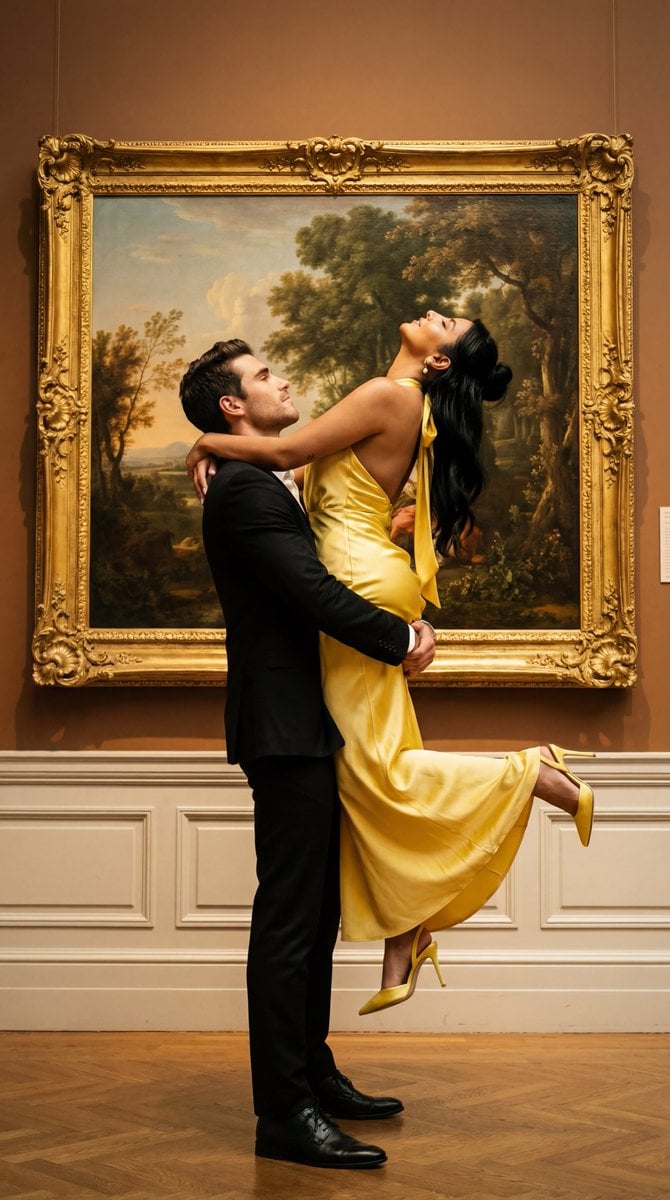
Cinematic Fine Art Couple Portrait with Reference Image Locking

JSON Prompt for Scarlett Johansson in Real Madrid Kit (Candid Selfie)

Surreal Athletic Advertising Art

Grok Video Prompt: High-Speed Jet Boot Action

8K Portrait in a Luxury Restaurant

Candid Vintage Holiday Scene Photography Prompt
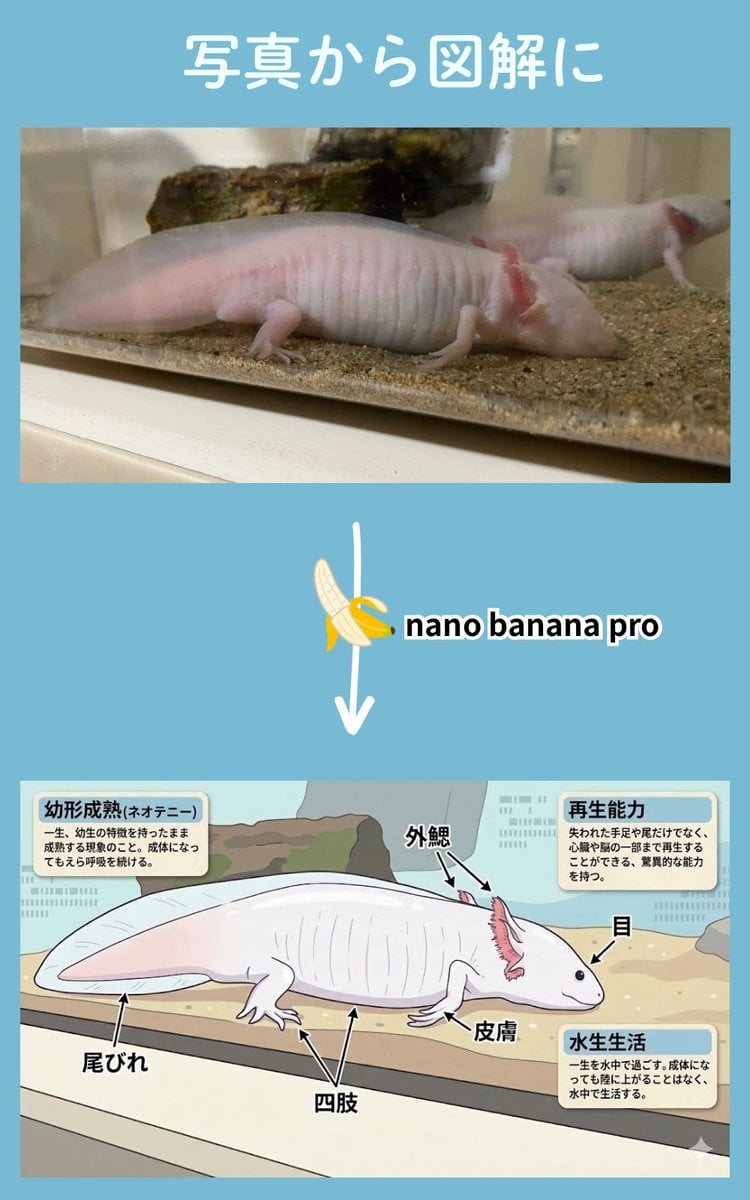
Multi-Step Diagram Generation and Coloring Book Creation

Pink Floral Vacation Café Portrait

Cinematic Film Roll Archive
Browse template categories
Bauhaus Pythagorean Theorem Poster questions
How do I use the Bauhaus Pythagorean Theorem Poster template?
Add your photo if the template asks for one, edit the prompt if you like — the template's model and format are already selected — and press Generate. Your version opens in PicX Studio.
Can I customize the Bauhaus Pythagorean Theorem Poster template?
Yes. You can change the subject, setting, lighting, mood, format, and available model controls before creating your image.
Is the Bauhaus Pythagorean Theorem Poster template free?
Opening and editing this template is free. Generating uses credits, shown on the Generate button when you are signed in.
Which AI model should I use?
Start with GPT Image 2, which is the model associated with this template. You can compare another compatible model for a different finish.
Looking for something else? Browse all templates.

Your photo, any look
Thousands of ready templates for every top image and video model, from one credit balance.