How do I use the Diverse Fashion Styles Grid Collage template?
Choose the primary action to open PicX Studio with the available template settings. Review the model and format, personalize the creative direction, and generate when ready.
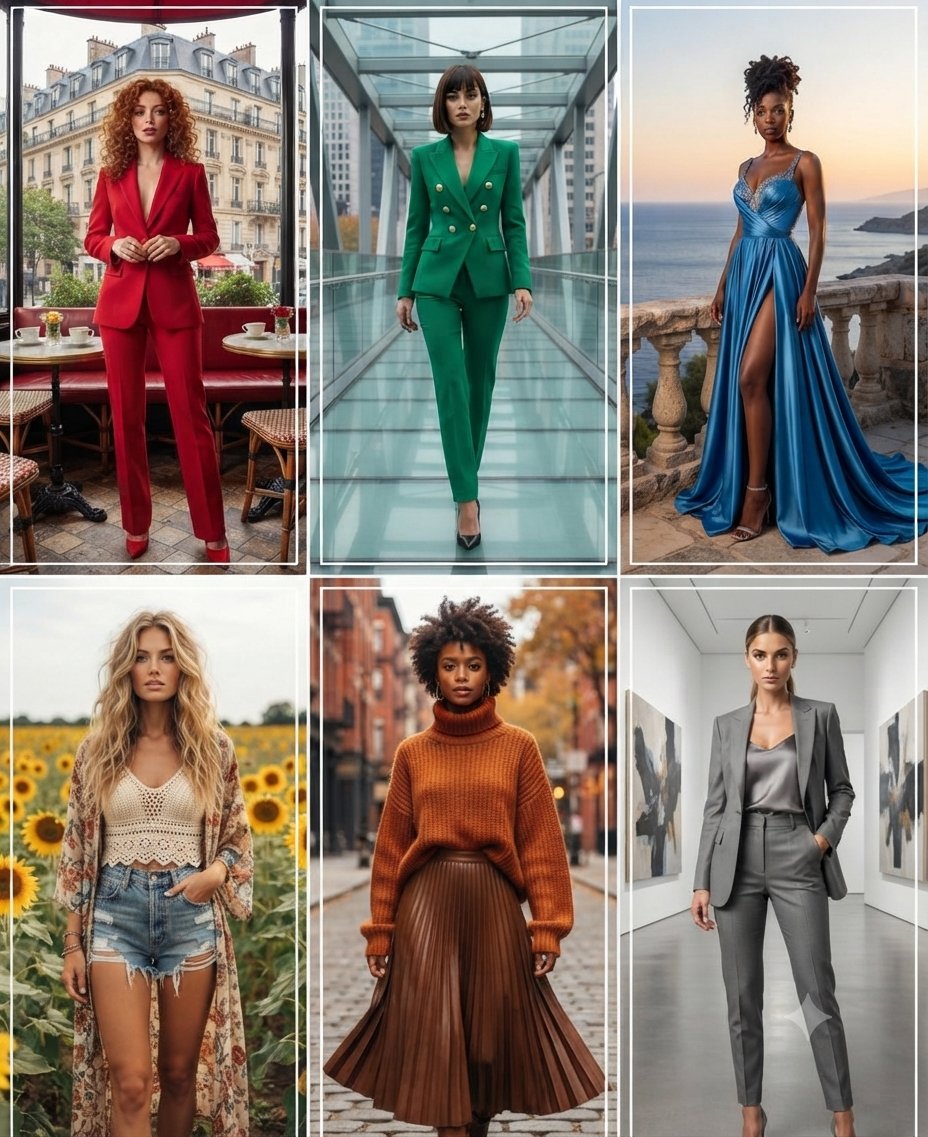
A sophisticated multi-frame collage prompt designed to generate six distinct full-body portraits of women, each with a unique fashion aesthetic and setting, ranging from urban streets to serene sunflower fields. (free to use) — Free AI image template on PicX Studio.
A high-quality 2x3 grid collage featuring six distinct, full-body portraits of {argument name="subjects" default="diverse women"}, each showcasing a unique {argument name="theme" default="fashion style"}, color palette, and setting. The top-left image features a woman with curly red hair in a vibrant red suit, posed in an outdoor Parisian-style café. The top-middle image shows a woman with a sleek bob hairstyle wearing a professional green double-breasted suit, standing on a modern glass walkway. The top-right image captures a woman in an elegant, flowing blue evening gown with a high slit, positioned on a stone balcony overlooking a sunset ocean view. The bottom-left image displays a woman with long wavy blonde hair in a bohemian outfit, including a crochet top and denim shorts, set against a backdrop of a sunflower field. The bottom-middle image features a woman with natural curly hair styled in a warm autumn-toned chunky turtleneck sweater and a pleated brown leather skirt on a city street. The bottom-right image shows a woman with a polished look in a grey pantsuit and silk camisole, standing in a {argument name="last setting" default="minimalist art gallery corridor"}.
Use Diverse Fashion Styles Grid Collage to plan an AI image around nano-banana-2 generation. Match the preview's composition first, then personalize the subject, setting, and mood for your own project.
Use the primary action to load the template settings in PicX Studio.
Adjust the subject and creative details for your destination.
Create the image, compare the result with the preview, and refine one variable at a time.
A continuous mix — similar concepts first, woven with same-model prompts and fresh picks from the catalog.
Choose the primary action to open PicX Studio with the available template settings. Review the model and format, personalize the creative direction, and generate when ready.
Yes. You can change the subject, setting, lighting, mood, format, and available model controls before creating your image.
This template is free to open and customize. Generation usage is shown in PicX Studio before you create.
Start with nano-banana-2, which is the model associated with this template. You can compare another compatible model for a different finish.
A continuous mix — similar concepts first, woven with same-model prompts and fresh picks from the catalog.
Follow a topic to a crawlable collection of related PicX Studio templates.
32,032 public templates available. Verified via the PicX Studio public templates API; refreshed hourly.


