
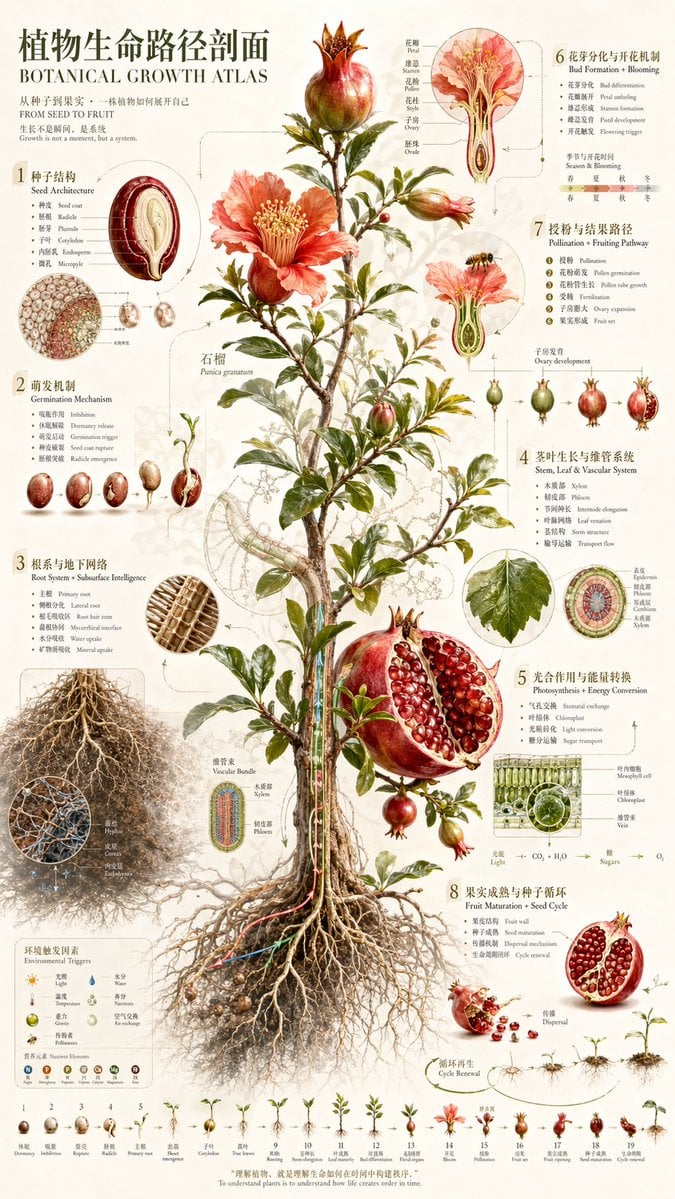
Vintage Pomegranate Growth Atlas
This prompt generates a tall museum-style botanical infographic poster showing the full life cycle, anatomy, and growth systems of a pomegranate plant for educational or decorative science-art use.
- Prompt included
- Model and format preset
- Free template
The prompt behind this image
Copy the exact prompt behind Vintage Pomegranate Growth Atlas, or open it in the studio and make it yours.
Create a highly detailed vintage scientific botanical infographic poster on warm ivory paper, styled like a 19th-century natural history atlas plate with modern clean layout refinement. The main subject is a full pomegranate plant, labeled {argument name="plant name" default="石榴"} / {argument name="latin name" default="Punica granatum"}, shown centered from crown to roots in a full vertical cutaway-style presentation. Depict a slender woody trunk with many branches, glossy green leaves, several orange-red blossoms, unopened buds, young fruits, mature fruits, one large split-open pomegranate exposing dense ruby seeds, and a fully visible sprawling root system underground. Use delicate watercolor and ink rendering, realistic botanical anatomy, precise linework, subtle sepia shadows, fine leader lines, arrows, and small numbered callout circles. Overall poster title at upper left: {argument name="headline text" default="植物生命路径剖面"} with English subtitle directly below: {argument name="subtitle text" default="BOTANICAL GROWTH ATLAS"}. Add a short introductory bilingual-style text block beneath the title. The composition is a tall 9:16 educational poster with the plant occupying the center and explanatory diagrams surrounding it. Include exactly 8 numbered educational sections around the plant, each with visible Chinese title and smaller English translation, arranged atlas-style: 1. Seed Architecture — a large cutaway seed diagram with labeled internal parts and a smaller cellular cross-section inset. 2. Germination Mechanism — a left-side sequence of exactly 5 stages showing seed swelling, cracking, sprouting, radicle emergence, and early seedling. 3. Root System + Substrate Intelligence — a large exposed root mass at lower left with exactly 2 circular magnified root-detail insets showing branching structures and root-hair/network texture. 4. Stem, Leaf & Vascular System — a right-middle section with exactly 2 anatomical circular cross-sections and exactly 1 separate leaf illustration, with labels for xylem, phloem, epidermis, and related tissues. 5. Photosynthesis + Energy Conversion — a lower-right biology panel with exactly 3 green microstructure diagrams, including leaf tissue/cell-like sections, plus a simple chemical flow line indicating CO2 + H2O to sugars and O2. 6. Bud Formation + Blooming — an upper-right flowering section with exactly 2 large flower anatomy diagrams, one side view and one longitudinal cutaway, with labeled stamens, petals, ovary, and pollen structures. 7. Pollination + Fruiting Pathway — a right-side development strip with exactly 5 fruit development stages from bud to mature pomegranate, accompanied by a pollination inset featuring a bee approaching a flower. 8. Fruit Maturation + Seed Cycle — a bottom-right lifecycle section with exactly 3 fruit illustrations showing whole fruit, cracked fruit, and opened fruit with scattered seeds, plus exactly 3 seedling progression drawings. Along the very bottom edge, include a long chronological growth strip with exactly 19 small step illustrations, each numbered in sequence from 1 to 19, showing the plant life cycle from dormant seed through germination, root growth, seedling emergence, sapling development, flowering, fruit set, ripening, seed release, and cycle renewal. Add a small environmental factors panel at lower left with icon-like indicators for light, temperature, water, nutrients, and air. Use bilingual labeling throughout, with Chinese headings more prominent and English translations in smaller serif text. Aesthetic should feel scholarly, elegant, museum-quality, and information-dense, with refined antique typography, muted beige background, realistic reds and greens, and a clean balanced atlas layout.
How to use Vintage Pomegranate Growth Atlas in 3 steps
- 1Upload ImagePNG, JPG or paste
Add your photo
Upload the photo the template builds on. The prompt, model and format are already set.
- 2…a portrait of your subject in softgolden-hour light, 85mm…
Personalize
Edit the subject and creative details for your destination.
- 3Generate
Generate
Press Generate — your image is created in PicX Studio, so you can compare it with the original and refine one variable at a time.
More like this
Templates with the same subject, style or setup. Open one to see its prompt.












Make it yours
Vintage Pomegranate Growth Atlas works as-is. These are the safest ways to change it without losing the look.
Change one field
Copy a single group, rewrite it, and generate again so you can see what that field is doing.
Keep the frame, change the subject
Hold the composition and light of Vintage Pomegranate Growth Atlas, then swap wardrobe, props or the person for a new take.
| If the result… | Why | Fix |
|---|---|---|
| The result drifts from the preview | Too many fields changed at once. | Reuse Vintage Pomegranate Growth Atlas as-is first, then change one group — subject, light, or setting. |
| The model over-stylizes the scene | The prose prompt leaves finish and camera underspecified. | Add one camera or lighting sentence and stay on GPT Image 2. |
More GPT Image 2 templates
Other prompts made for GPT Image 2.

Six VTuber Japanese Logo Sheet

Realistic Portrait of Woman and Deer

The Vista Modular Condo Poster

AI Model Routing Comparison Infographic

2.5D Anime Art Board

Isometric Productivity Desk Scene

New York Double Exposure Poster

Four-Panel AI Landscape Comparison

Japanese Tatami Lifestyle Magazine Cover

NESCAFÉ Coffee Map Poster
More image prompts
Fresh picks from across the catalog.

Split-Screen Chibi Selfie Scrapbook

Black and White Contemplative Portrait
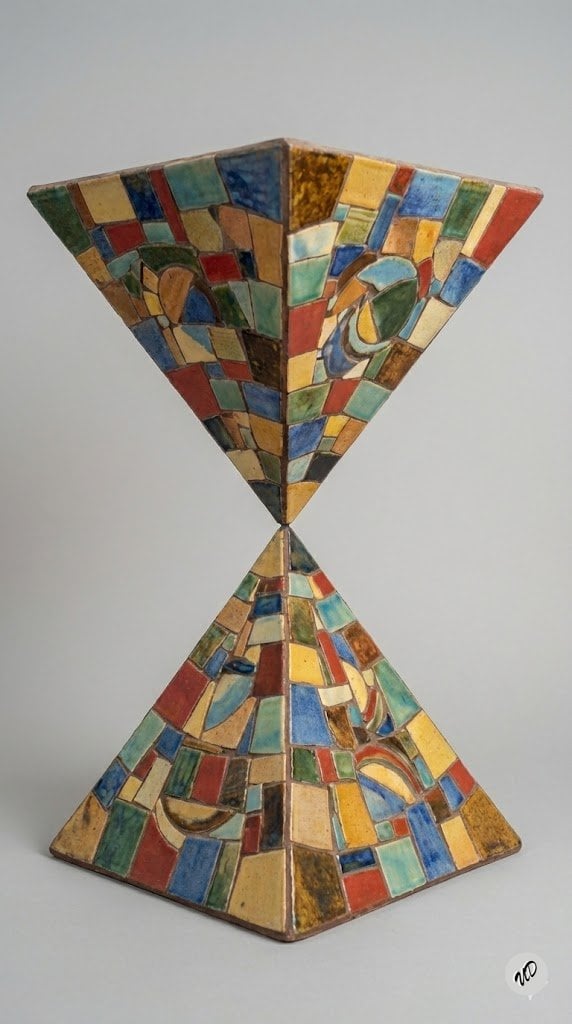
Conceptual Art Prompt: Upside Down Ceramic Pyramid

3D Isometric Diorama of a Household Object as Architecture
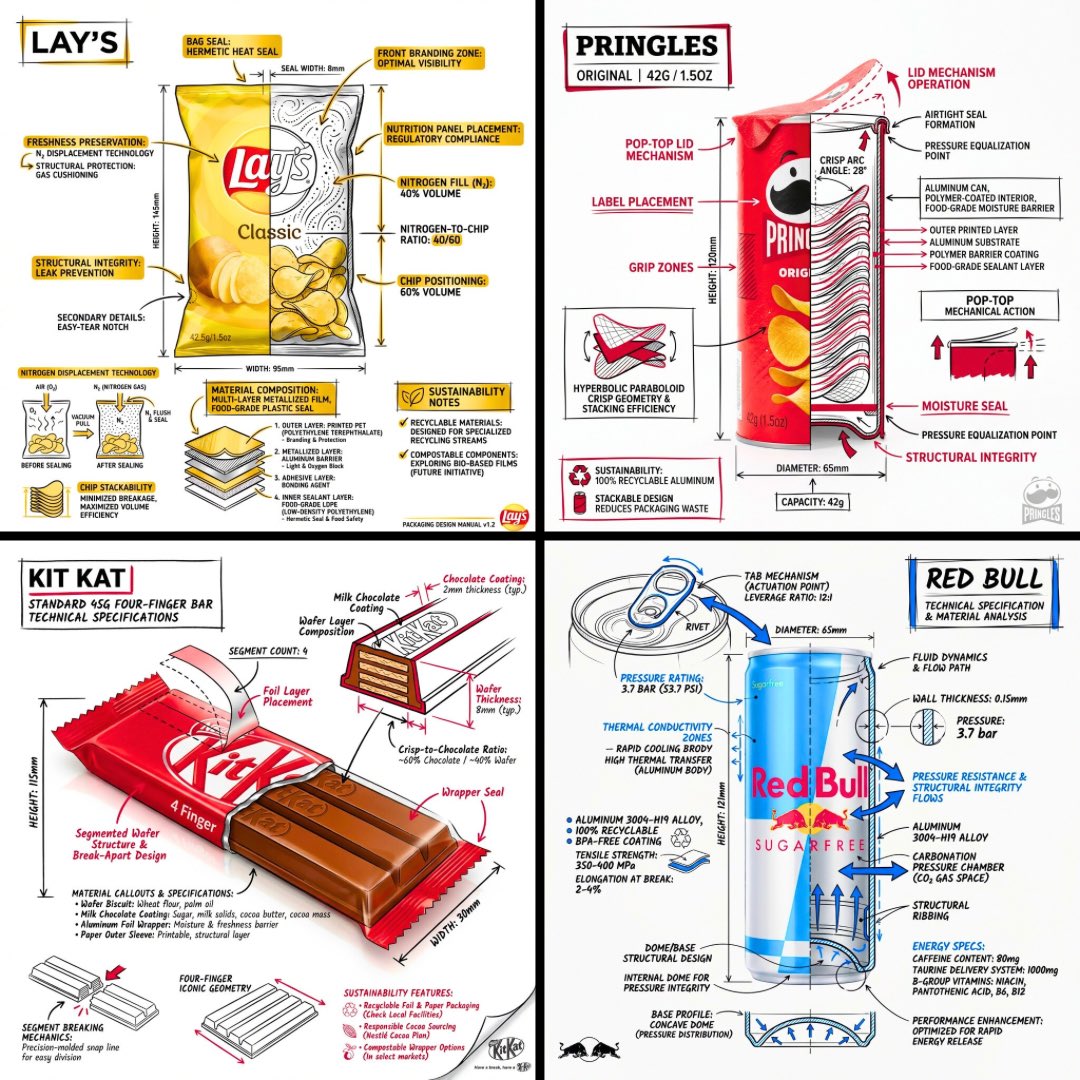
Technical Engineering Product Infographic

Dreamy Floating Portrait Grid

Whimsical Programmer Almanac Infographic

Authentic Japanese Kimono Selfie Portrait

X Chatgptpaglu Gpt Image 2 on Yapper So

Exaggerated Curvy Figure at Gas Station
Browse template categories
Vintage Pomegranate Growth Atlas questions
How do I use the Vintage Pomegranate Growth Atlas template?
Add your photo if the template asks for one, edit the prompt if you like — the template's model and format are already selected — and press Generate. Your version opens in PicX Studio.
Can I customize the Vintage Pomegranate Growth Atlas template?
Yes. You can change the subject, setting, lighting, mood, format, and available model controls before creating your image.
Is the Vintage Pomegranate Growth Atlas template free?
Opening and editing this template is free. Generating uses credits, shown on the Generate button when you are signed in.
Which AI model should I use?
Start with GPT Image 2, which is the model associated with this template. You can compare another compatible model for a different finish.
Looking for something else? Browse all templates.

Your photo, any look
Thousands of ready templates for every top image and video model, from one credit balance.