- image quality
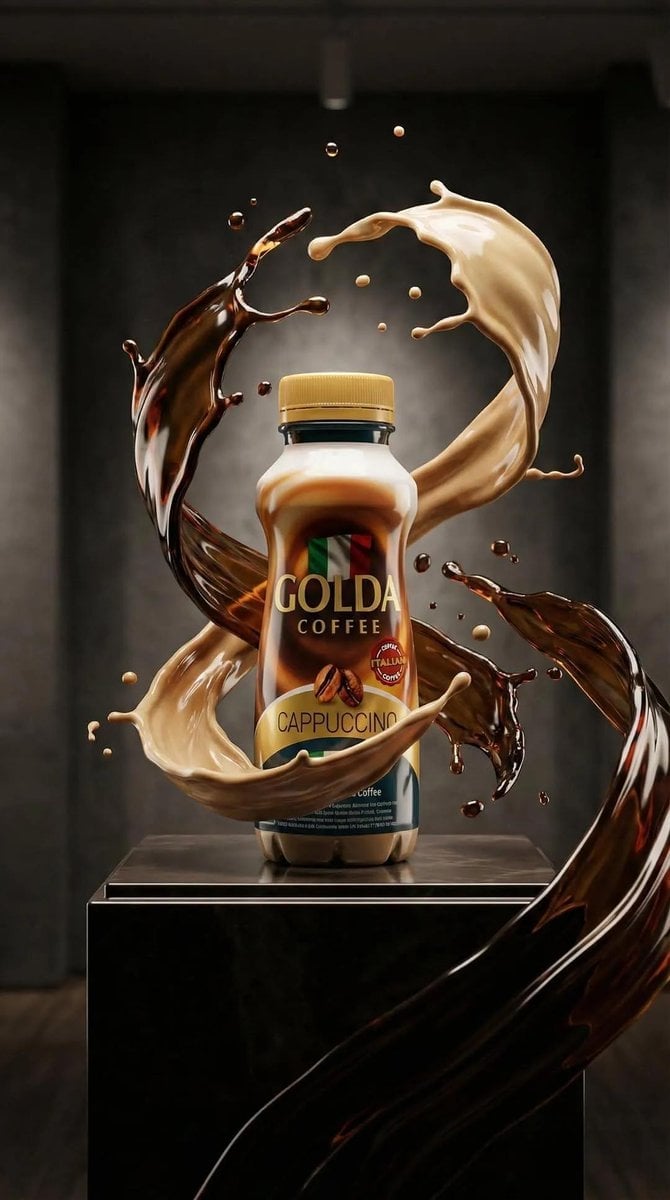
- ultra high detail, hyper-realistic, AI-enhanced commercial product photography
- focus
- sharp foreground, cinematic depth of field
- background style
- smooth gradient with bokeh particles and floating droplets
- color palette
- warm caramel, chocolate brown, golden orange
- motion
- frozen mid-air splash and floating elements
- composition
- two cones crossing diagonally in mid-air, forming an X-like pose
- material
- crispy waffle cone
- texture
- deep grid pattern, golden baked surface, visible crisp edges
- shape
- long tapered cones, slightly angled toward each other
- type
- thick caramel cream
- appearance
- smooth, glossy, swirled peak on top
- color
- deep caramel brown with reflective highlights
- caramel splash
- dynamic caramel splash erupting behind and around cones
- droplets
- numerous suspended caramel droplets of varying sizes
- color
- bright glowing orange
- effects
- soft bokeh circles, spark-like highlights
- mood
- energetic, indulgent, premium dessert advertisement
- composition
- multiple wafer rolls crossing and floating diagonally in mid-air
- outer coating
- milk chocolate with crunchy nut-studded texture
- surface detail
- uneven nut clusters embedded in chocolate coating
- interior
- visible hollow wafer with creamy chocolate center
- chocolate blocks
- rectangular chocolate pieces with embossed letter 'B'
- nuts
- halved hazelnuts and small nut fragments floating around
- chocolate splash
- fluid chocolate splash flowing behind wafer rolls
- color
- dark warm brown gradient
- effects
- floating particles, depth-enhancing blur
- style
- warm directional lighting
- highlights
- glossy reflections on chocolate surfaces
- mood
- rich, bold, indulgent chocolate-focused commercial aesthetic
- composition
- single dessert angled diagonally, centered, surrounded by motion
- coating
- creamy white ice cream layer with embedded dark cookie bits
- texture
- smooth cream contrasted with rough cookie fragments
- chocolate cup
- dark chocolate cylindrical cup
- filling
- light caramel cream piped in a smooth spiral
- cream swirls
- thick creamy ribbons wrapping around the dessert
- droplets
- floating cream droplets and cookie crumbs
- color
- soft caramel-beige gradient
- effects
- fine floating particles, subtle glow
- style
- soft yet dramatic studio lighting
- focus
- high clarity on textures and cream flow
- mood
- smooth, luxurious, creamy dessert showcase