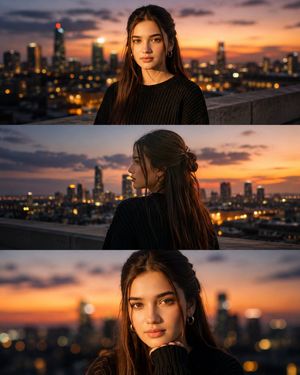
How do I use the Sadie Sink Golden Hour Rooftop template?
Choose the primary action to open PicX Studio with the available template settings. Review the model and format, personalize the creative direction, and generate when ready.
A cinematic urban rooftop portrait during golden hour.

A young woman with fair skin, striking blue eyes, and long wavy reddish-brown hair styled with small braids stands on a {argument name="setting" default="rustic urban rooftop terrace"} during {argument name="time" default="golden hour sunset"}. She is positioned in the center-right of the frame, turning her head slightly to her right with a thoughtful, neutral facial expression. Her hair flows naturally over her shoulders. She wears a coordinated {argument name="outfit color" default="peach-orange"} outfit consisting of a sleeveless lace-textured top with a matching scarf draped around her neck, with additional fabric wrapped around her midsection, paired with loose, flowing wide-leg pants featuring a black waistband detail. Her arms are raised as she hangs a patterned garment on a clothesline strung across the scene, with a thin gold bracelet on her right wrist. The background features weathered red brick walls, potted green plants in terracotta pots, distant city buildings under a soft dusk sky, and warm, natural sunlight casting gentle golden highlights across the scene. The overall style is realistic photography with cinematic lighting and warm color tones.
Choose the primary action to open PicX Studio with the available template settings. Review the model and format, personalize the creative direction, and generate when ready.
Yes. You can change the subject, setting, lighting, mood, format, and available model controls before creating your image.
This template is free to open and customize. Generation usage is shown in PicX Studio before you create.
Start with Nano Banana 2, which is the model associated with this template. You can compare another compatible model for a different finish.
Follow a topic to a crawlable collection of related PicX Studio templates.